Manufacturing agreement form 2026

Get Form
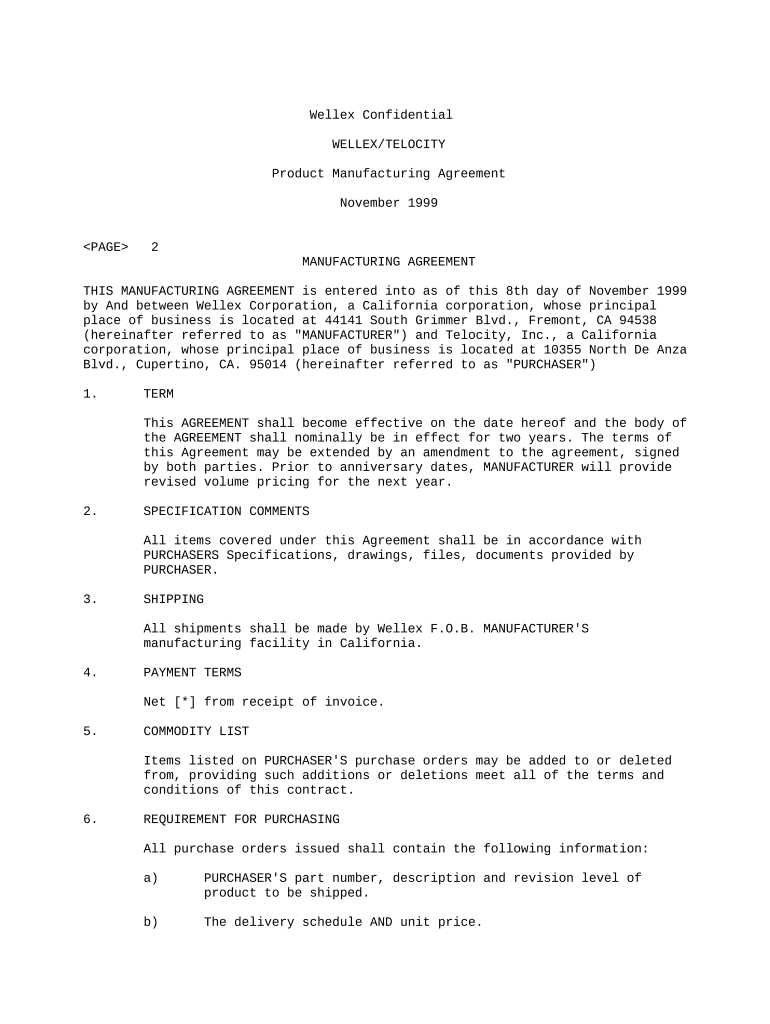
manufacturing contract agreement Preview on Page 1

Here's how it works

01. Edit your manufacturing contract agreement online
Type text, add images, blackout confidential details, add comments, highlights and more.
02. Sign it in a few clicks
Draw your signature, type it, upload its image, or use your mobile device as a signature pad.
03. Share your form with others
Send manufacturing agreement format via email, link, or fax. You can also download it, export it or print it out.

How to use or fill out manufacturing agreement form with our platform

Form edit decoration
9.5
Ease of Setup
DocHub User Ratings on G2
9.0
Ease of Use
DocHub User Ratings on G2
  1. Click ‘Get Form’ to open the manufacturing agreement form in the editor.
  2. Begin by entering the date at the top of the form. This is crucial as it marks the effective date of the agreement.
  3. Fill in the names and addresses of both parties involved: Wellex Corporation as 'MANUFACTURER' and Telocity, Inc. as 'PURCHASER'. Ensure accuracy to avoid any legal issues.
  4. Proceed to section 1, 'TERM', where you will specify the duration of the agreement. Indicate if there are any amendments or extensions planned.
  5. In section 2, 'SPECIFICATION COMMENTS', provide details regarding specifications and documents that must be adhered to during manufacturing.
  6. Complete sections on shipping, payment terms, and commodity lists by filling in relevant details such as delivery schedules and pricing information.
  7. Review all sections for completeness and accuracy before proceeding to sign. Utilize our platform's signature feature for a seamless signing process.

Start using our platform today for free to streamline your document editing and signing experience!

be ready to get more

Complete this form in 5 minutes or less

Get form

Got questions?

We have answers to the most popular questions from our customers. If you can't find an answer to your question, please contact us.
Contact us

Approving documents on a mobile device is quick, straightforward, and doesn’t require software installation when you have an account with DocHub. Log in from any browser, fill in your blank fields with your data, and click on Sign → Create your signature. You can draw your electronic signature the same way you usually do on paper, add its image to your manufacturing contract template, or type in your name and stylize its look. No matter what option you choose, your form will be valid.

Document editing with DocHub is equally convenient on desktop and mobile devices. You just need an internet browser to revise your manufacturing agreement template on Android. Open our website and sign in to access the tools you require. Add your document and introduce your intended modifications. Next, you can keep your form in your document storage or send it out instantly.

Security and compliance

At DocHub, your data security is our priority. We follow HIPAA, SOC2, GDPR, and other standards, so you can work on your documents with confidence.

Learn more
ccpa2
pci-dss
gdpr-compliance
hipaa
soc-compliance