Type text, add images, blackout confidential details, add comments, highlights and more.
02. Sign it in a few clicks
Draw your signature, type it, upload its image, or use your mobile device as a signature pad.
03. Share your form with others
Send it via email, link, or fax. You can also download it, export it or print it out.
How to use or fill out stockholders agreement with our platform
Ease of Setup
DocHub User Ratings on G2
Ease of Use
DocHub User Ratings on G2
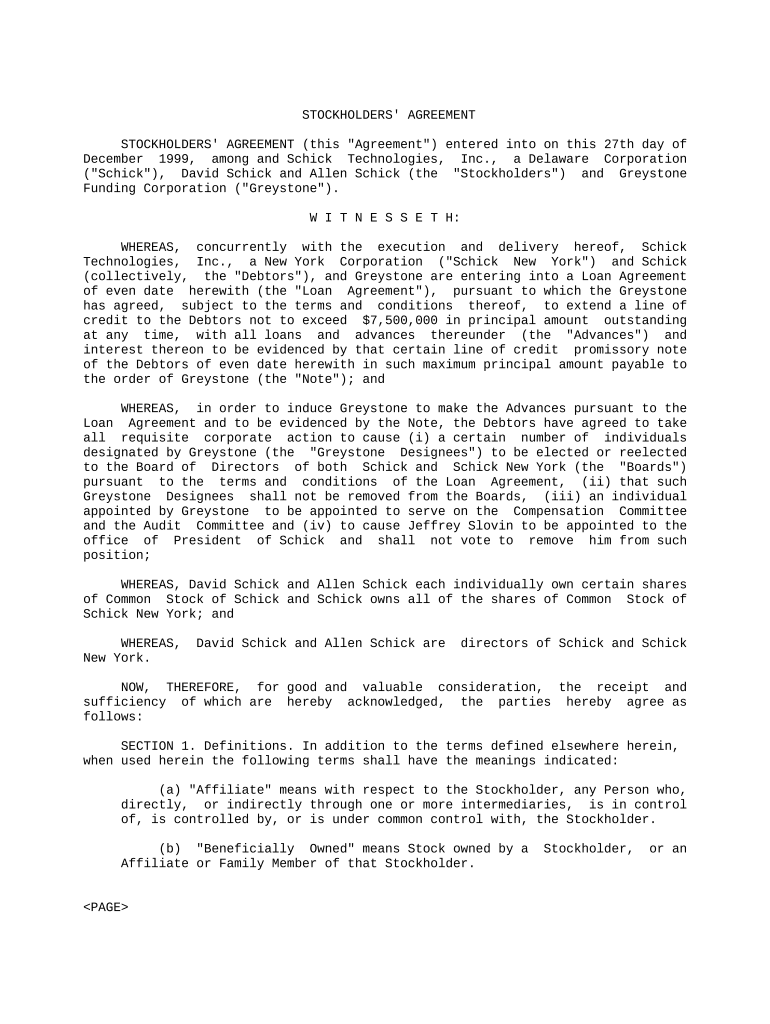
Click ‘Get Form’ to open the stockholders agreement in the editor.
Begin by reviewing the introductory section, which outlines the parties involved and the purpose of the agreement. Ensure all names and dates are accurate.
Move to Section 1, Definitions. Fill in any specific terms that may need clarification based on your context. This ensures all parties have a mutual understanding of key terms.
In Section 2, Termination, confirm the conditions under which the agreement can be terminated. Adjust any details as necessary to reflect your specific situation.
Proceed to Section 3 regarding Election of Directors and Officers. Here, indicate how you will vote for directors and ensure compliance with any obligations outlined.
Review Sections 4 through 14 for additional clauses such as Severability, Notices, and Modification. Make sure all provisions align with your intentions and legal requirements.
Once completed, utilize our platform’s signing feature to securely sign the document electronically before sharing it with other parties involved.
Start using our platform today for free to streamline your stockholders agreement process!
The Perils of Governance by Stockholder Agreements
May 21, 2024 The proposed amendment would permit expansive use of stockholder agreementsagreements between a board and a stockholder (or group ofRead more
Cookie consent notice
This site uses cookies to enhance site navigation and personalize your experience.
By using this site you agree to our use of cookies as described in our Privacy Notice.
You can modify your selections by visiting our Cookie and Advertising Notice.