Type text, add images, blackout confidential details, add comments, highlights and more.
02. Sign it in a few clicks
Draw your signature, type it, upload its image, or use your mobile device as a signature pad.
03. Share your form with others
Send it via email, link, or fax. You can also download it, export it or print it out.
How to use or fill out joint agreement with our platform
Ease of Setup
DocHub User Ratings on G2
Ease of Use
DocHub User Ratings on G2
Click ‘Get Form’ to open the joint filing agreement in the editor.
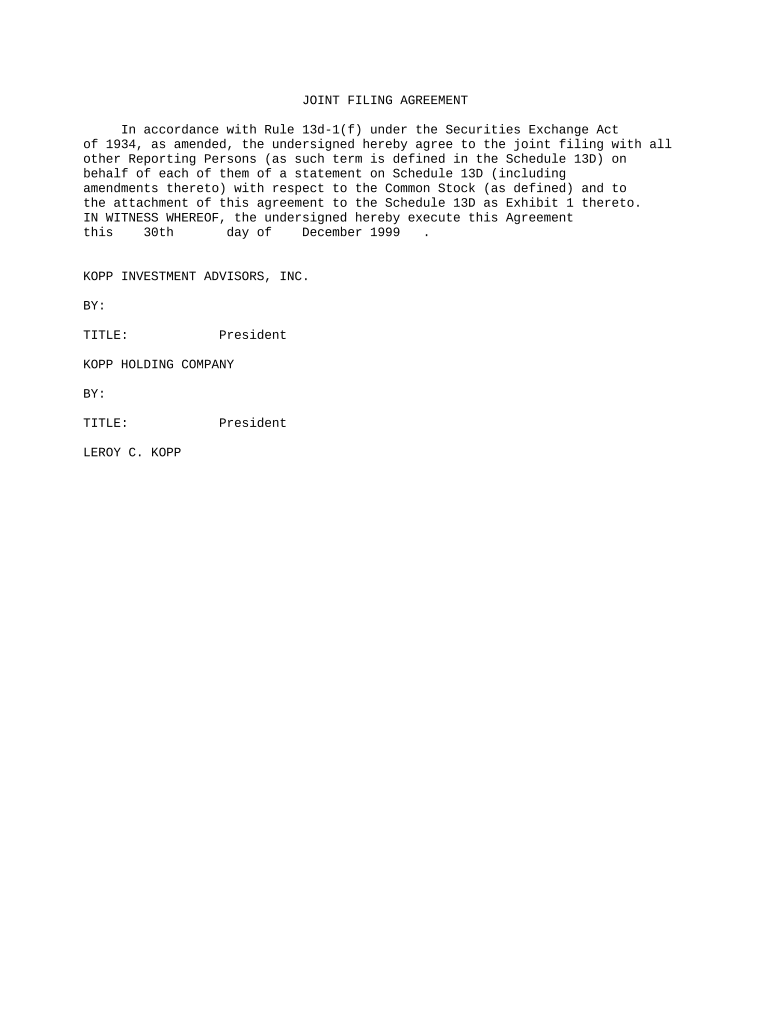
Begin by entering the date of execution in the designated field, ensuring it reflects the current date or the intended signing date.
In the section for 'KOPP INVESTMENT ADVISORS, INC.', input the name of the entity and select 'BY:' to add a signature line. Here, you will also need to specify the title of the signatory, which is 'President' in this case.
Proceed to fill out 'KOPP HOLDING COMPANY' similarly, entering its name and providing a signature line under 'BY:'. Ensure that you include the title of Leroy C. Kopp as 'President'.
Review all entered information for accuracy before finalizing your document. Utilize our platform's editing tools to make any necessary adjustments.
Start using our platform today for free to streamline your joint agreement process!
Joint agreement examplesJoint agreement pdfJoint agreement for collegeEcc joint agreement formOakton Joint AgreementHarper College Joint AgreementECC Pathways programElgin Community College
Security and compliance
At DocHub, your data security is our priority. We follow HIPAA, SOC2, GDPR, and other standards, so you can work on your documents with confidence.
Fill out and submit a joint agreement form including proof of residency, a valid drivers license or state ID, or other legal documentation, including your nameRead more
A Joint Meals Agreement (also known as a joint prep agreement) is established when a School Food Authority (SFA) (purchasing school) contracts with another SFARead more
Cookie consent notice
This site uses cookies to enhance site navigation and personalize your experience.
By using this site you agree to our use of cookies as described in our Privacy Notice.
You can modify your selections by visiting our Cookie and Advertising Notice.