Type text, add images, blackout confidential details, add comments, highlights and more.
02. Sign it in a few clicks
Draw your signature, type it, upload its image, or use your mobile device as a signature pad.
03. Share your form with others
Send it via email, link, or fax. You can also download it, export it or print it out.
How to use or fill out corp consulting with our platform
Ease of Setup
DocHub User Ratings on G2
Ease of Use
DocHub User Ratings on G2
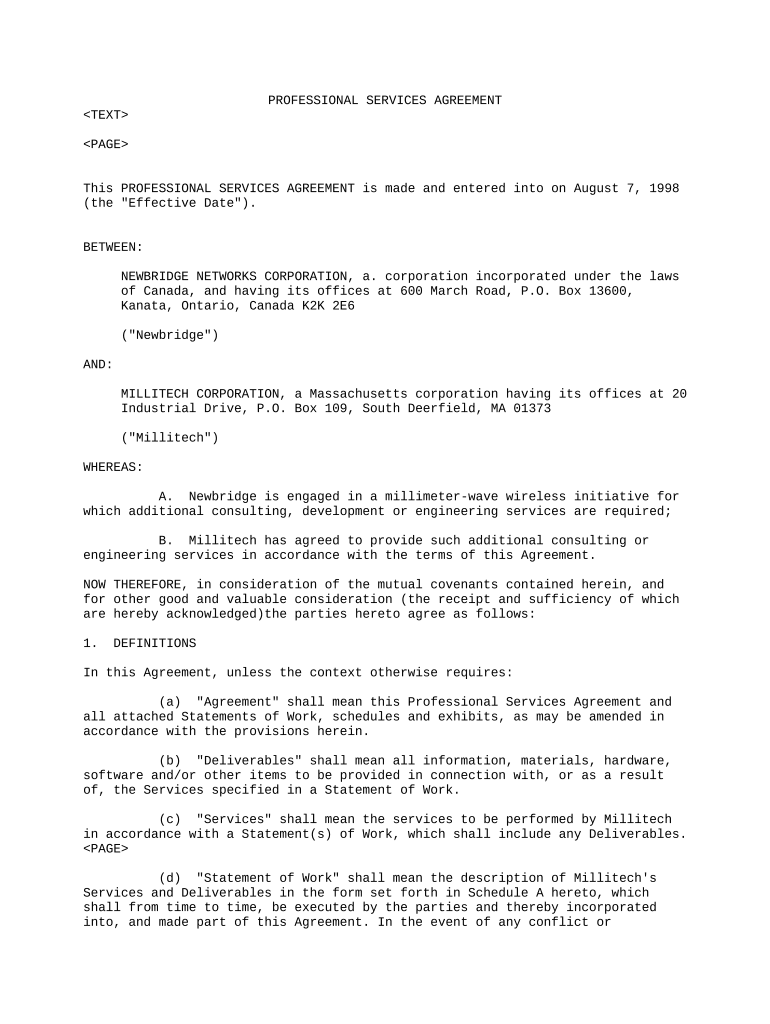
Click ‘Get Form’ to open the corp consulting document in the editor.
Begin by reviewing the 'Definitions' section. Familiarize yourself with key terms such as 'Deliverables' and 'Services' to understand the scope of work.
Proceed to fill out the 'Duties' section. Specify any Statements of Work that outline the services Millitech will provide, ensuring clarity on timelines and responsibilities.
In the 'Payment and Taxes' section, enter relevant fee structures. If applicable, indicate fixed prices or time and materials charges based on your agreement.
Complete the 'Acceptance' section by noting any testing periods for deliverables. This ensures both parties are aligned on quality expectations.
Finally, review all sections for accuracy before saving your changes. Utilize our platform's features to sign and distribute the document seamlessly.
Start using our platform today for free to streamline your corp consulting documentation!
It includes capabilities such as Corporate Strategy, Business Unit Strategy, Organization Architecture, Management Model, Corporate Governance, InnovationRead more
Corporate Consulting - Mitch Daniels School of Business
The objective of all Corporate Consulting projects is to enable decision and action on the client organizations part. We follow a rigorous methodology thatRead more
Skilled Professionals - AllianceCorps multidisciplinary consulting team works with clients on IT and business improvement initiatives on a day-to-day basis.Read more
Cookie consent notice
This site uses cookies to enhance site navigation and personalize your experience.
By using this site you agree to our use of cookies as described in our Privacy Notice.
You can modify your selections by visiting our Cookie and Advertising Notice.