Mississippi certificate trust 2026

Get Form
mississippi certificate trust Preview on Page 1

Here's how it works

01. Edit your form online
Type text, add images, blackout confidential details, add comments, highlights and more.
02. Sign it in a few clicks
Draw your signature, type it, upload its image, or use your mobile device as a signature pad.
03. Share your form with others
Send it via email, link, or fax. You can also download it, export it or print it out.

How to use or fill out Mississippi Certificate Trust with our platform

Form edit decoration
9.5
Ease of Setup
DocHub User Ratings on G2
9.0
Ease of Use
DocHub User Ratings on G2
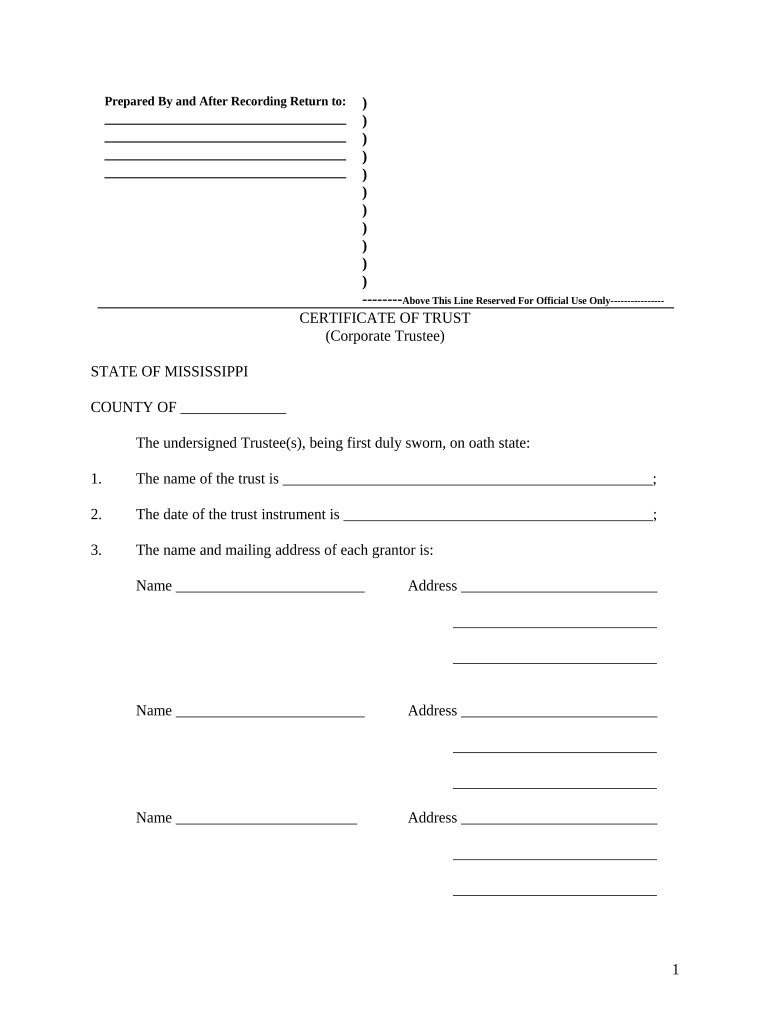
  1. Click ‘Get Form’ to open the Mississippi Certificate Trust in the editor.
  2. Begin by entering the name of the trust in the designated field. This is crucial as it identifies your trust legally.
  3. Next, input the date of the trust instrument. Ensure this date reflects when the trust was established.
  4. List each grantor's name and mailing address. You can add multiple entries as needed, ensuring all grantors are accurately represented.
  5. Provide details for each trustee authorized to act under the trust. Similar to grantors, include names and addresses for clarity.
  6. Detail any legal descriptions of real property interests owned by or conveyed to the trust. If extensive, consider attaching an exhibit.
  7. Indicate the anticipated termination date of the trust, if applicable.
  8. Outline the general powers of the trustees in the provided section, ensuring all powers are clearly stated.
  9. Finally, complete witness and notary sections as required to validate your document.

Start using our platform today for free to streamline your Mississippi Certificate Trust completion!

be ready to get more

Complete this form in 5 minutes or less

Get form

Got questions?

We have answers to the most popular questions from our customers. If you can't find an answer to your question, please contact us.
Contact us
A certificate of trust also called a trust certificate or memorandum of trust is a legal document thats often used to prove (or docHub) a trust exists and to provide information about its important terms.
You wouldnt want to hand over your entire trust agreement thats like showing all your cards! This is where the certificate of trust comes in handy. It gives just enough information to prove the trust exists and who the trustees are, without revealing private details about your assets or beneficiaries.
Legal Recognition:It gives your business legal status and protection. Tax Benefits: In many cases, registered businesses can claim tax deductions and exemptions. Credibility: It enhances your businesss credibility and professionalism.

Security and compliance

At DocHub, your data security is our priority. We follow HIPAA, SOC2, GDPR, and other standards, so you can work on your documents with confidence.

Learn more
ccpa2
pci-dss
gdpr-compliance
hipaa
soc-compliance