




01. Edit your maryland new hire reporting online
Type text, add images, blackout confidential details, add comments, highlights and more.

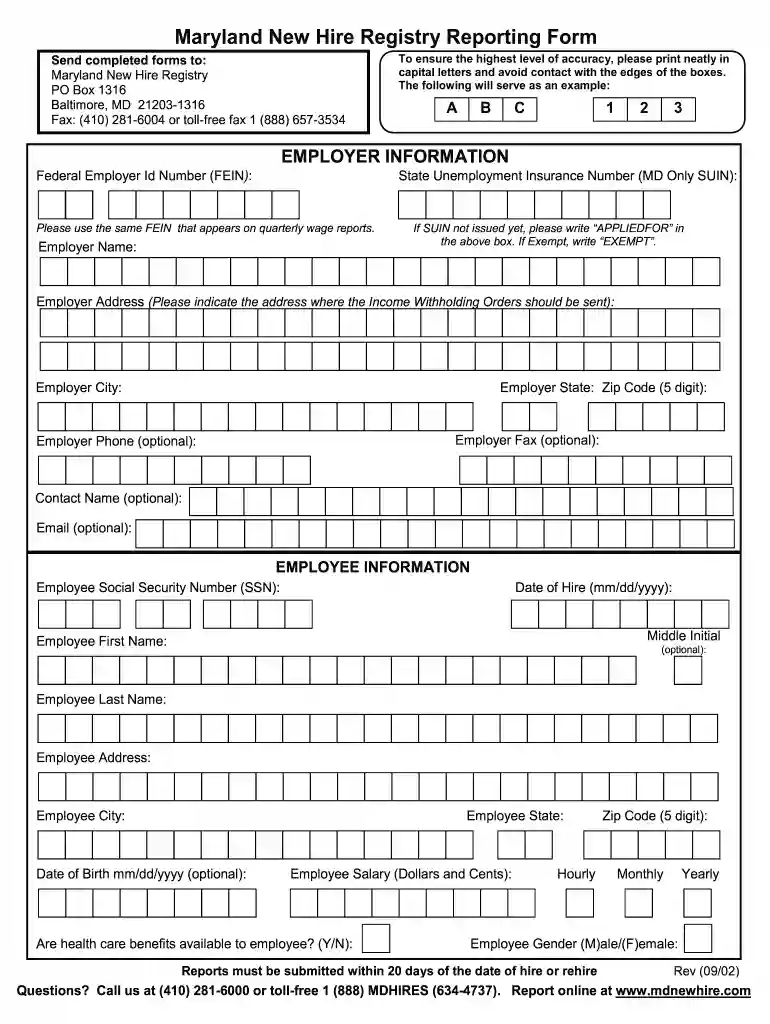
Type text, add images, blackout confidential details, add comments, highlights and more.

Draw your signature, type it, upload its image, or use your mobile device as a signature pad.

Send maryland new hire registry via email, link, or fax. You can also download it, export it or print it out.

Start using our platform today to streamline your Maryland New Hire Reporting process for free!
We've got more versions of the maryland new hire reporting form. Select the right maryland new hire reporting version from the list and start editing it straight away!
| Versions | Form popularity | Fillable & printable |
|---|---|---|
| 2002 | 4.9 Satisfied (51 Votes) |
At DocHub, your data security is our priority. We follow HIPAA, SOC2, GDPR, and other standards, so you can work on your documents with confidence.
Report New Hires. Employers are required by law to report newly hired or rehired employees within 20 days. The Child Support (CSA) uses the information toRead more
Aug 17, 2022 The 2024 school rankings conducted by U.S. News and World Report annually pegged the school at #80 among all Montgomery County elementaryRead more
Please use the same FEIN that appears on quarterly wage reports. If SUIN not issued yet, please write APPLIEDFOR in the above box.Read more


