Type text, add images, blackout confidential details, add comments, highlights and more.
02. Sign it in a few clicks
Draw your signature, type it, upload its image, or use your mobile device as a signature pad.
03. Share your form with others
Send it via email, link, or fax. You can also download it, export it or print it out.
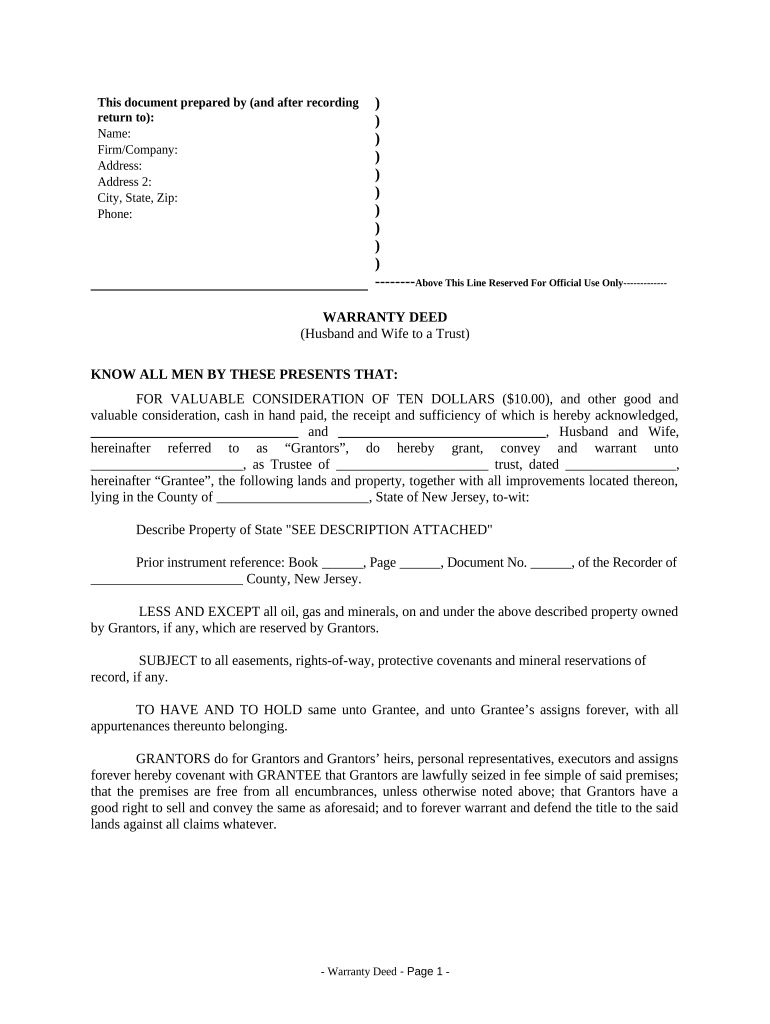
How to use or fill out Warranty Deed from Husband and Wife to a Trust - New Jersey
Ease of Setup
DocHub User Ratings on G2
Ease of Use
DocHub User Ratings on G2
Click ‘Get Form’ to open it in the editor.
Begin by entering the names of the Grantors (Husband and Wife) in the designated fields. Ensure that both names are clearly typed for legal accuracy.
Next, input the name of the Grantee, who is the Trustee of the trust, along with the trust's name and date. This information is crucial for identifying ownership.
In the property description section, either type 'SEE DESCRIPTION ATTACHED' or provide a detailed description of the property being conveyed.
Fill in any prior instrument references if applicable, including Book, Page, and Document numbers from previous records.
Complete the signature section by having both Grantors sign and date the document. Ensure their names are typed below their signatures for clarity.
Finally, include notary information where indicated. The notary will need to witness and certify the signatures on this document.
Start using our platform today to easily complete your Warranty Deed online for free!
Fill out Warranty Deed from Husband and Wife to a Trust - New Jersey online It's free
How to add someone to a deed in NJHow to change name on house deed in NJQuitclaim deed NJHow do i get a copy of my deed in NJAffidavit of Consideration for Use by Buyer NJEssex County deed SearchNJ Affidavit of Consideration for Use by SellerMonmouth County deed search
Security and compliance
At DocHub, your data security is our priority. We follow HIPAA, SOC2, GDPR, and other standards, so you can work on your documents with confidence.
by K Landman The deed was prepared on a printed form bearing across its top the label: Warranty Deed to Husband and Wife as. Joint Tenants. The granting clause providedRead more
Cookie consent notice
This site uses cookies to enhance site navigation and personalize your experience.
By using this site you agree to our use of cookies as described in our Privacy Notice.
You can modify your selections by visiting our Cookie and Advertising Notice.