01. Edit your texas state disbursement unit internet payment website online
Type text, add images, blackout confidential details, add comments, highlights and more.
02. Sign it in a few clicks
Draw your signature, type it, upload its image, or use your mobile device as a signature pad.
03. Share your form with others
Send it via email, link, or fax. You can also download it, export it or print it out.
How to use or fill out texas disbursement with our platform
Ease of Setup
DocHub User Ratings on G2
Ease of Use
DocHub User Ratings on G2
Click ‘Get Form’ to open the texas disbursement in the editor.
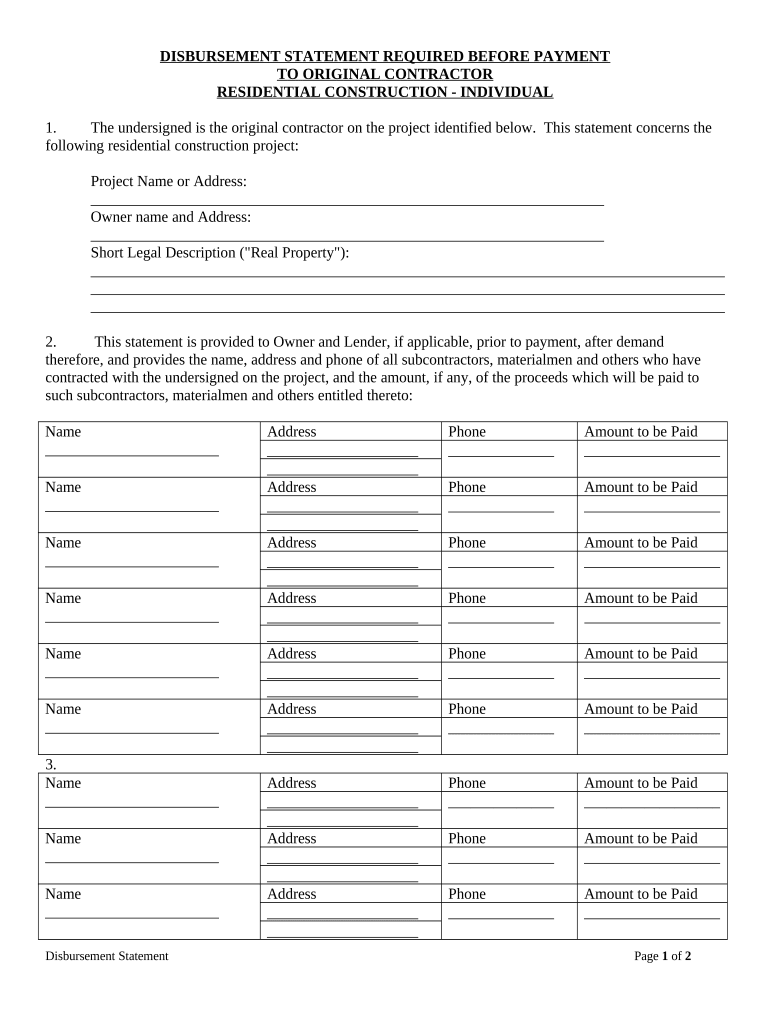
Begin by entering the project name or address in the designated field. This identifies the residential construction project related to the disbursement.
Fill in the owner's name and address accurately, ensuring that all details are correct for proper identification.
Provide a short legal description of the real property. This is crucial for legal clarity and should be as detailed as possible.
List all subcontractors, materialmen, and others involved in the project. For each entry, include their name, address, phone number, and amount to be paid. Make sure to double-check these details for accuracy.
Finally, date the document and provide your signature along with your printed name and business designation at the bottom of the form.
Start using our platform today to streamline your texas disbursement process for free!
Texas child support payment historyTexas child support case lookupWww texasattorneygeneral gov child supportTexas child support calculatorTexas child support Disbursement Unit San AntonioTexas child support EnforcementPay texas child support onlineChild Support mailing Address TX
Security and compliance
At DocHub, your data security is our priority. We follow HIPAA, SOC2, GDPR, and other standards, so you can work on your documents with confidence.
Refund Information - TXST One Stop - Texas State University
Summer 2026. May 16, 2026 - Summer financial aid will begin officially disbursing to the student bill. Please have direct deposit set up by this date.Read more
You can contact the Texas State Disbursement Unit for help enrolling at (800) 252-8014. Direct Deposit Authorization Form. You can enroll in direct depositRead more
Upon request by the Grantee, Sponsor will disburse Sponsored Program Funds to the Grantee, assuming sufficient funds are available; provided, however, that inRead more
Cookie consent notice
This site uses cookies to enhance site navigation and personalize your experience.
By using this site you agree to our use of cookies as described in our Privacy Notice.
You can modify your selections by visiting our Cookie and Advertising Notice.