01. Edit your affidavit of correction title tn online
Type text, add images, blackout confidential details, add comments, highlights and more.
02. Sign it in a few clicks
Draw your signature, type it, upload its image, or use your mobile device as a signature pad.
03. Share your form with others
Send affidavit of correction tn via email, link, or fax. You can also download it, export it or print it out.
How to use or fill out Tennessee Affidavit with DocHub
Ease of Setup
DocHub User Ratings on G2
Ease of Use
DocHub User Ratings on G2
Click ‘Get Form’ to open the Tennessee Affidavit in our editor.
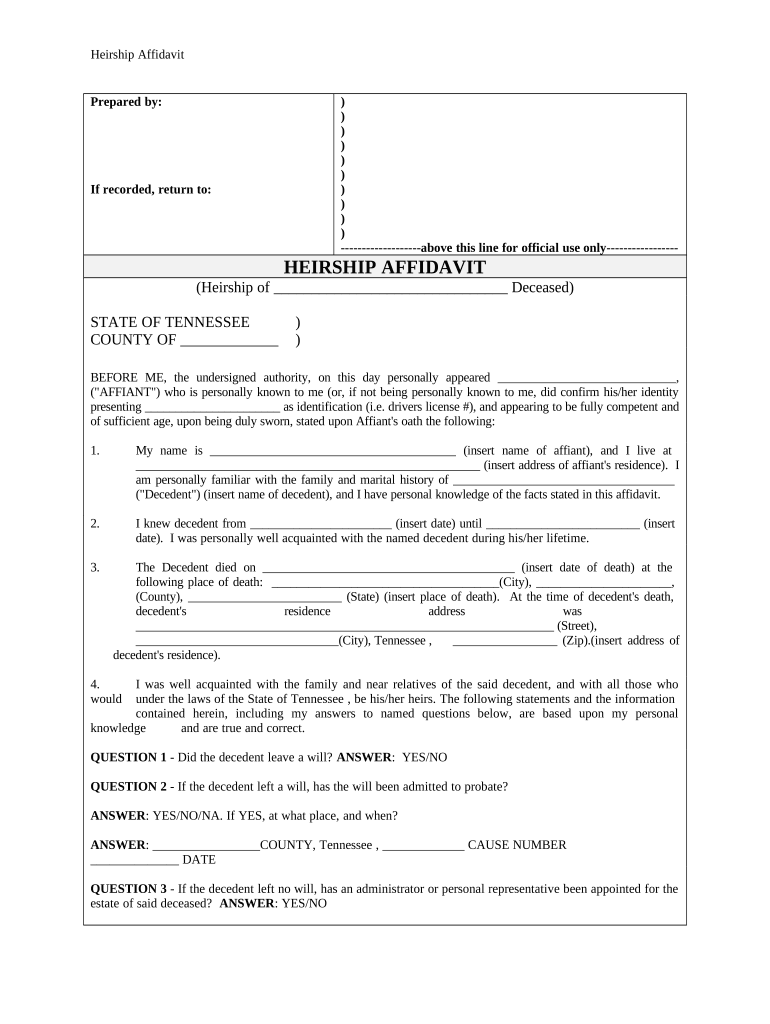
Begin by filling in the decedent's name and details in the header section. Ensure accuracy as this information is crucial for legal purposes.
In Section 1, provide your name and address as the affiant. This establishes your identity and connection to the decedent.
Proceed to Section 2, where you will indicate your relationship with the decedent, including dates of acquaintance.
Complete Section 3 by entering the date of death and place of residence of the decedent. This section is vital for establishing legal heirship.
Answer all subsequent questions regarding wills, debts, and surviving relatives in Sections 4 through 14. Use our platform’s features to easily navigate between fields.
Finally, sign and date the affidavit at the bottom. Ensure that a notary public witnesses your signature for it to be legally binding.
Start using our platform today to fill out your Tennessee Affidavit online for free!
Tennessee affidavit formTennessee affidavit form pdfTennessee affidavit pdfGeneral Affidavit form tnGift Affidavit for Car tnTn Affidavit of correctionMotor Vehicle Affidavit FormTN Affidavit of non dealer transfer
Security and compliance
At DocHub, your data security is our priority. We follow HIPAA, SOC2, GDPR, and other standards, so you can work on your documents with confidence.
Name, relationship and address of applicants parents, guardian or next of kin: I have also attached the original copy of Form PH-1680, revised 6/99, providedRead more
Cookie consent notice
This site uses cookies to enhance site navigation and personalize your experience.
By using this site you agree to our use of cookies as described in our Privacy Notice.
You can modify your selections by visiting our Cookie and Advertising Notice.