Type text, add images, blackout confidential details, add comments, highlights and more.
02. Sign it in a few clicks
Draw your signature, type it, upload its image, or use your mobile device as a signature pad.
03. Share your form with others
Send it via email, link, or fax. You can also download it, export it or print it out.
How to use or fill out contract international with our platform
Ease of Setup
DocHub User Ratings on G2
Ease of Use
DocHub User Ratings on G2
Click ‘Get Form’ to open the contract international in the editor.
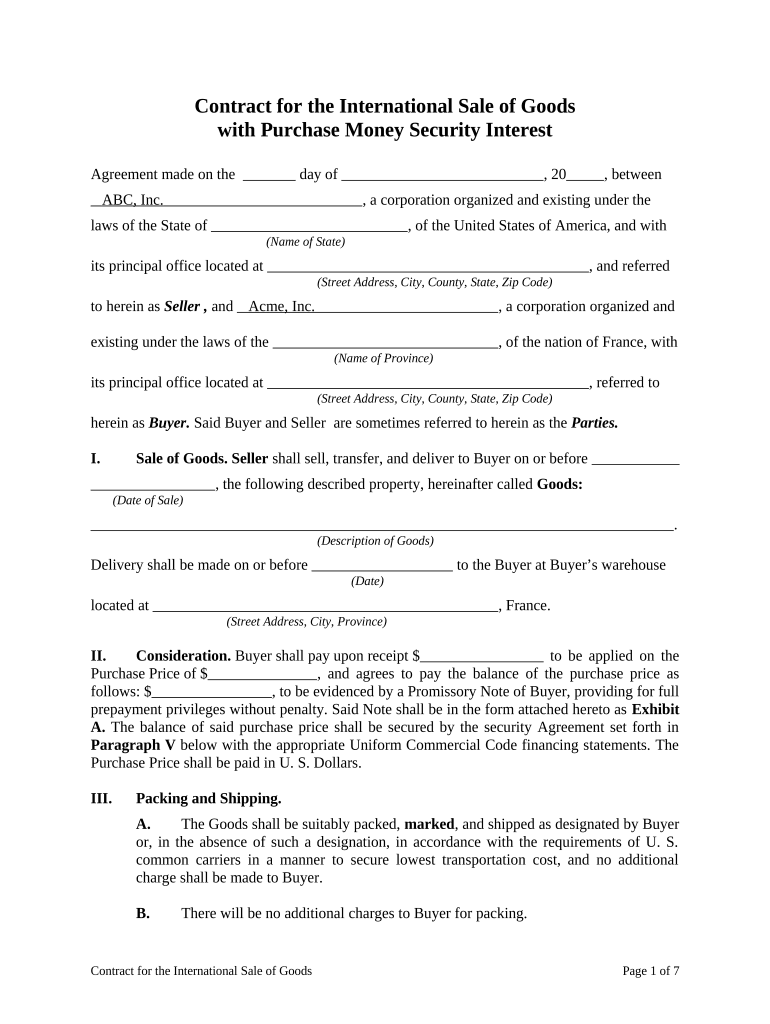
Begin by entering the date of the agreement at the top of the form. This is crucial for establishing the timeline of your contract.
Fill in the Seller's details, including the corporation name, state laws under which it operates, and its principal office address.
Next, input the Buyer's information similarly, ensuring all fields are accurately completed to avoid any legal discrepancies.
In Section I, describe the Goods being sold clearly. Include specifics such as quantity and type to ensure both parties have a mutual understanding.
Proceed to Section II to outline payment terms. Specify amounts due upon receipt and any balance payments, ensuring clarity on financial obligations.
Complete Sections III through XV by following prompts for packing, shipping details, warranties, and other contractual obligations as outlined in each section.
Finally, ensure both parties sign at the end of the document. Use our platform’s signature feature for a seamless signing experience.
Start filling out your contract international today for free using our platform!
ICC Model International Sale ContractInternational law of contractTypes of international contract10 key clauses of an international sales contractCommercial contracts pdfModel contractContract clauseCommercial contracts book pdf
Security and compliance
At DocHub, your data security is our priority. We follow HIPAA, SOC2, GDPR, and other standards, so you can work on your documents with confidence.
Sourcewell contract 032824-NVS gives access to the following types of goods and services: CV Series - Class 4-5, International; MV Series Class 6Read more
Jul 18, 2016 The basics: Defense Contract Audit Agency. All links open in new tabs or windows. Parent agency: Department of Defense. Official FOIA page.Read more
Cookie consent notice
This site uses cookies to enhance site navigation and personalize your experience.
By using this site you agree to our use of cookies as described in our Privacy Notice.
You can modify your selections by visiting our Cookie and Advertising Notice.