Recording patent 2026

Get Form
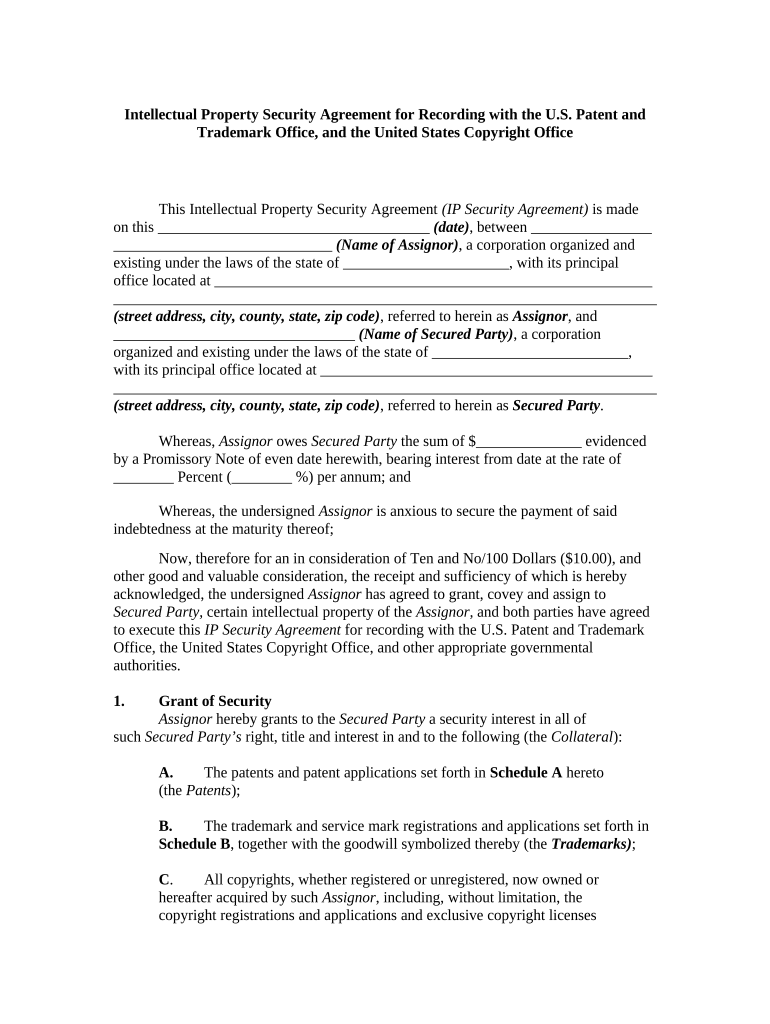
recording patent Preview on Page 1

Here's how it works

01. Edit your form online
Type text, add images, blackout confidential details, add comments, highlights and more.
02. Sign it in a few clicks
Draw your signature, type it, upload its image, or use your mobile device as a signature pad.
03. Share your form with others
Send it via email, link, or fax. You can also download it, export it or print it out.

How to use or fill out recording patent with our platform

Form edit decoration
9.5
Ease of Setup
DocHub User Ratings on G2
9.0
Ease of Use
DocHub User Ratings on G2
  1. Click ‘Get Form’ to open the recording patent in the editor.
  2. Begin by entering the date of the agreement in the designated field at the top of the form.
  3. Fill in the name of the Assignor and their corporation details, including state and address.
  4. Next, input the name of the Secured Party along with their corporation information.
  5. Specify the amount owed to the Secured Party and interest rate in the respective fields.
  6. In Section 1, detail all collateral being secured, including patents, trademarks, and copyrights as outlined in Schedules A, B, and C.
  7. Review Section 3 to ensure authorization for recordation is correctly stated.
  8. Finally, have both parties sign and print their names along with their titles before submitting for recordation.

Start using our platform today to streamline your recording patent process for free!

be ready to get more

Complete this form in 5 minutes or less

Get form

Got questions?

We have answers to the most popular questions from our customers. If you can't find an answer to your question, please contact us.
Contact us
A patent is a type of intellectual property that gives its owner the legal right to exclude others from making, using, or selling an invention for a limited period of time in exchange for publishing an enabling disclosure of the invention.
Legal Protection: It provides legal protection against subsequent purchasers or mortgagees. Official Recognition: The USPTO recognizes the assignee for all matters before the Office. Public Notice: It serves as public notice of the assignment.
When purchasing a patent, a company records it in the Patents account at cost. The firm also debits the Patents account for the cost of the first successful defense of the patent in lawsuits (assuming an outside law firm was hired rather than using internal legal staff).

Security and compliance

At DocHub, your data security is our priority. We follow HIPAA, SOC2, GDPR, and other standards, so you can work on your documents with confidence.

Learn more
ccpa2
pci-dss
gdpr-compliance
hipaa
soc-compliance