Alabama Prenuptial Premarital Agreement with Financial Statements - Alabama 2026

Get Form
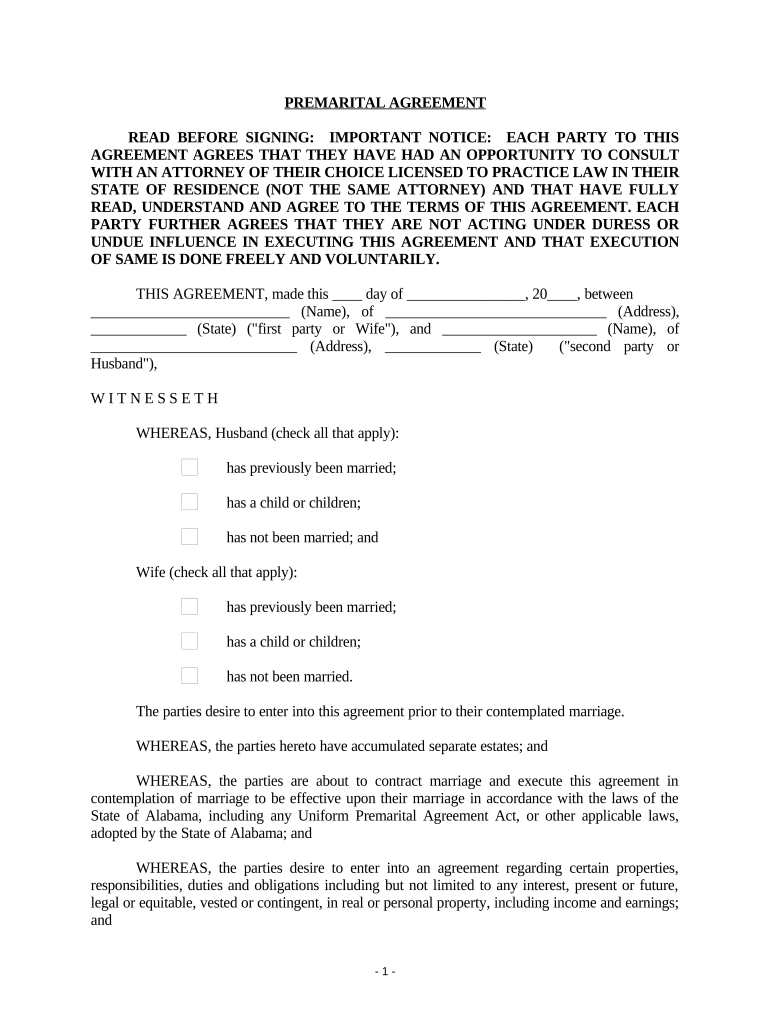
prenuptial agreement alabama Preview on Page 1

Here's how it works

01. Edit your prenuptial agreement alabama online
Type text, add images, blackout confidential details, add comments, highlights and more.
02. Sign it in a few clicks
Draw your signature, type it, upload its image, or use your mobile device as a signature pad.
03. Share your form with others
Send it via email, link, or fax. You can also download it, export it or print it out.

How to use or fill out Alabama Prenuptial Premarital Agreement with Financial Statements - Alabama

Form edit decoration
9.5
Ease of Setup
DocHub User Ratings on G2
9.0
Ease of Use
DocHub User Ratings on G2
  1. Click ‘Get Form’ to open it in the editor.
  2. Begin by entering the date at the top of the agreement. Fill in your names and addresses in the designated fields for both parties.
  3. Indicate any previous marriages or children by checking the appropriate boxes under 'Husband' and 'Wife'.
  4. Complete the financial disclosure section by accurately listing all assets and liabilities. Use separate financial statements for each party, ensuring full transparency.
  5. Review each clause carefully, especially those regarding property rights and obligations during marriage. Make any necessary adjustments using our platform's editing tools.
  6. Once completed, ensure both parties sign and date the document. It must be notarized to be legally binding.

Start using our platform today to streamline your prenuptial agreement process for free!

be ready to get more

Complete this form in 5 minutes or less

Get form

Got questions?

We have answers to the most popular questions from our customers. If you can't find an answer to your question, please contact us.
Contact us

Most eSignature solutions require users to have a paid subscription. With DocHub, there are two ways for you to create an electronic signature to your Alabama Prenuptial Premarital Agreement with Financial Statements - Alabama without being charged:

  • You can do it during a 7-day trial period;
  • You can sign up for a free plan.

The second option, though, has restrictions on the number of signatures, sign requests, emails, and forms for editing available per month. You can check for full information here.

If you go for analog methods of completing your Alabama Prenuptial Premarital Agreement with Financial Statements - Alabama, it is simple to download your file for printing. Search DocHub’s Forms & Templates catalog to get the exact file template you need and open it for editing or download it on your device in the format of your choice. It is possible to complete your form electronically and place your handwritten signature on it right after printing or eSign your file with DocHub.

Security and compliance

At DocHub, your data security is our priority. We follow HIPAA, SOC2, GDPR, and other standards, so you can work on your documents with confidence.

Learn more
ccpa2
pci-dss
gdpr-compliance
hipaa
soc-compliance