Collection letter 2026

Get Form
collection letter template Preview on Page 1

Here's how it works

01. Edit your collection letter template online
Type text, add images, blackout confidential details, add comments, highlights and more.
02. Sign it in a few clicks
Draw your signature, type it, upload its image, or use your mobile device as a signature pad.
03. Share your form with others
Send it via email, link, or fax. You can also download it, export it or print it out.

How to use or fill out collection letter with our platform

Form edit decoration
9.5
Ease of Setup
DocHub User Ratings on G2
9.0
Ease of Use
DocHub User Ratings on G2
  1. Click ‘Get Form’ to open the collection letter in the editor.
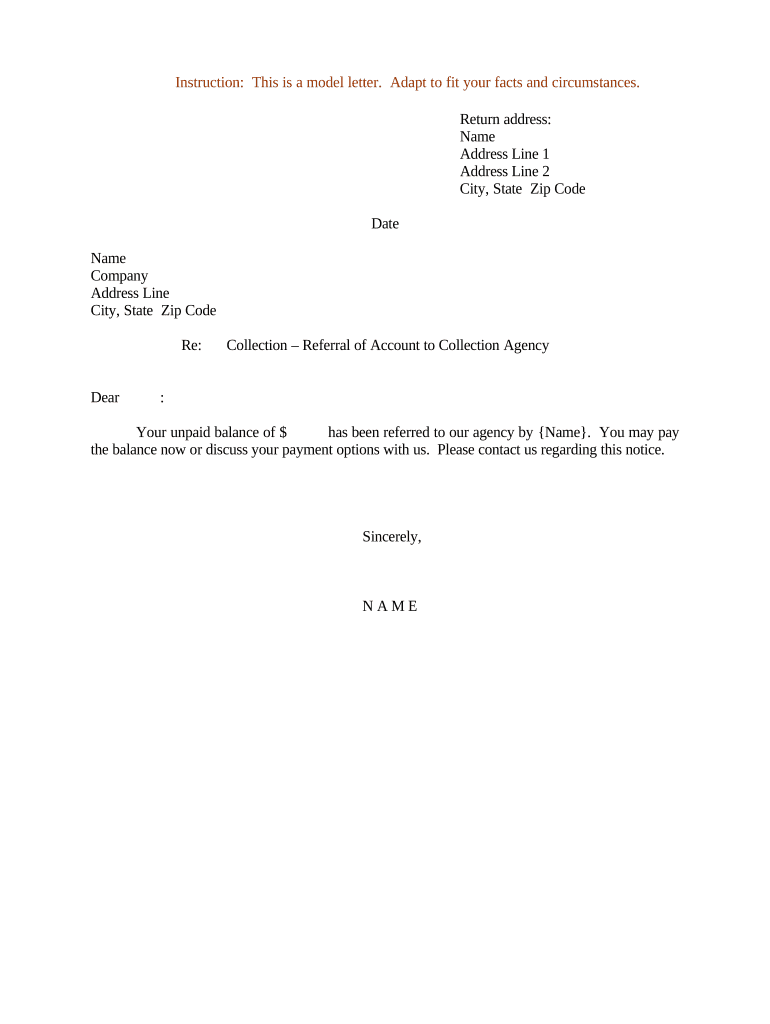
  2. Begin by entering your return address at the top of the letter. Fill in your name, address line 1, address line 2 (if applicable), city, state, and zip code.
  3. Next, input the date on which you are sending the letter. This is crucial for record-keeping and follow-up purposes.
  4. In the recipient section, enter the name of the individual or company you are addressing. Follow this with their complete address details.
  5. In the body of the letter, clearly state the unpaid balance amount and mention that it has been referred to your agency. Ensure to personalize this section as needed.
  6. Conclude with a polite call to action, encouraging them to pay or discuss payment options. Sign off with your name at the bottom.

Start using our platform today for free to streamline your document editing and enhance your workflow!

be ready to get more

Complete this form in 5 minutes or less

Get form

Got questions?

We have answers to the most popular questions from our customers. If you can't find an answer to your question, please contact us.
Contact us
A collection letter is a formal written notice sent to a customer or client who has an overdue or outstanding invoice. Its purpose is to remind the debtor of the due payment, establish a sense of urgency, and provide a clear request for the balance to be settled.
If you receive a notice from a debt collector, its important to respond as soon as possibleeven if you do not owe the debtbecause otherwise the collector may continue trying to collect the debt, report negative information to credit reporting companies, and even sue you.
Key Components to Include in a Debt Collection Letter Clear identification. Specific debt information. Payment options and due dates. Contact information. Call to Action. Legal considerations. Initial Debt collection Email or Due Date Notice. First Follow-Up Collection Email.
Once you get a debt collection notice, you have 30 days to write back if you want to dispute or verify the debt. The notice needs to state when this 30-day period ends. If you dont respond in time, it could be more difficult to challenge the debt later.
A debt collection letter is a letter - usually, but not always, taking the form of a traditional printed letter which is delivered by post - which is sent on behalf of a creditor to a debtor (an individual or company) to inform them that payment of an outstanding debt is due.

Security and compliance

At DocHub, your data security is our priority. We follow HIPAA, SOC2, GDPR, and other standards, so you can work on your documents with confidence.

Learn more
ccpa2
pci-dss
gdpr-compliance
hipaa
soc-compliance

People also ask

Dear [Client name], Were sending you this letter as a friendly reminder that your account in the amount of [amount due to you] is past due. Your invoice was due on [month, day and year their payment was originally due as stated in their invoice]. This payment is now [number of days since the due date] past due.
How to write a debt collection letter: Step by step guide Step 1: Use a professional format. Step 2: Write a clear subject line (if sending via email) Step 3: Address the recipient. Step 4: State the purpose of the letter. Step 5: Provide detailed information on the debt. Step 6: Include payment instructions.
You should always pay any debt. Just because it goes to collection does not mean you are off of the hook. Depending upon the amount it could affect your credit. So the best is to pay it off as soon as possible. If it goes to collection, try and work out a payment plan with the collection agency.

Related links