Type text, add images, blackout confidential details, add comments, highlights and more.
02. Sign it in a few clicks
Draw your signature, type it, upload its image, or use your mobile device as a signature pad.
03. Share your form with others
Send it via email, link, or fax. You can also download it, export it or print it out.
How to use or fill out booking agreement with our platform
Ease of Setup
DocHub User Ratings on G2
Ease of Use
DocHub User Ratings on G2
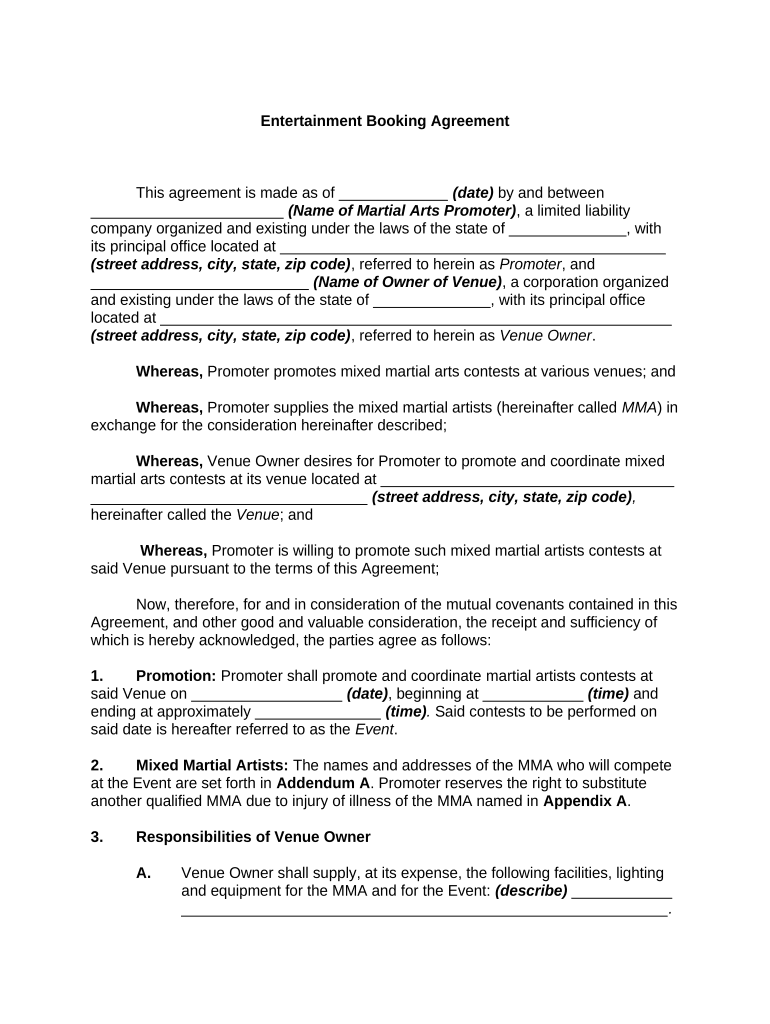
Click ‘Get Form’ to open the booking agreement in the editor.
Begin by entering the date of the agreement at the top of the form. This is crucial for establishing a timeline.
Fill in the names and addresses of both parties: the Promoter and Venue Owner. Ensure all details are accurate to avoid any legal issues.
Specify the event date, start time, and approximate end time in the Promotion section. This information is essential for scheduling.
In the Responsibilities sections, clearly outline what each party is expected to provide, such as facilities, marketing contributions, and security arrangements.
Review all terms related to indemnification and liability carefully. Make sure both parties understand their responsibilities.
Finally, ensure that both parties sign and date the agreement at the bottom before finalizing it on our platform.
Start using our platform today to streamline your booking agreement process for free!
Booking agreement templateBooking agreement pdfArtist booking Contract template freeBooking.com terms and conditions cancellationBooking.com general Delivery termsBooking com refund bad hotelBookingcom Force Majeure policyBookingcom cancellation policy within 24 hours refund
Security and compliance
At DocHub, your data security is our priority. We follow HIPAA, SOC2, GDPR, and other standards, so you can work on your documents with confidence.
Individuals must identify themselves as being with the Group, BookingPostAs, at the time the reservation is made in order to receive the special group rate.Read more
This is a standard, basic booking agreement meant to offer a structure for a booking contract based on various booking contracts that the FMC have devised.Read more
Cookie consent notice
This site uses cookies to enhance site navigation and personalize your experience.
By using this site you agree to our use of cookies as described in our Privacy Notice.
You can modify your selections by visiting our Cookie and Advertising Notice.