Type text, add images, blackout confidential details, add comments, highlights and more.
02. Sign it in a few clicks
Draw your signature, type it, upload its image, or use your mobile device as a signature pad.
03. Share your form with others
Send motion in limine template word via email, link, or fax. You can also download it, export it or print it out.
How to use or fill out motion in limine with our platform
Ease of Setup
DocHub User Ratings on G2
Ease of Use
DocHub User Ratings on G2
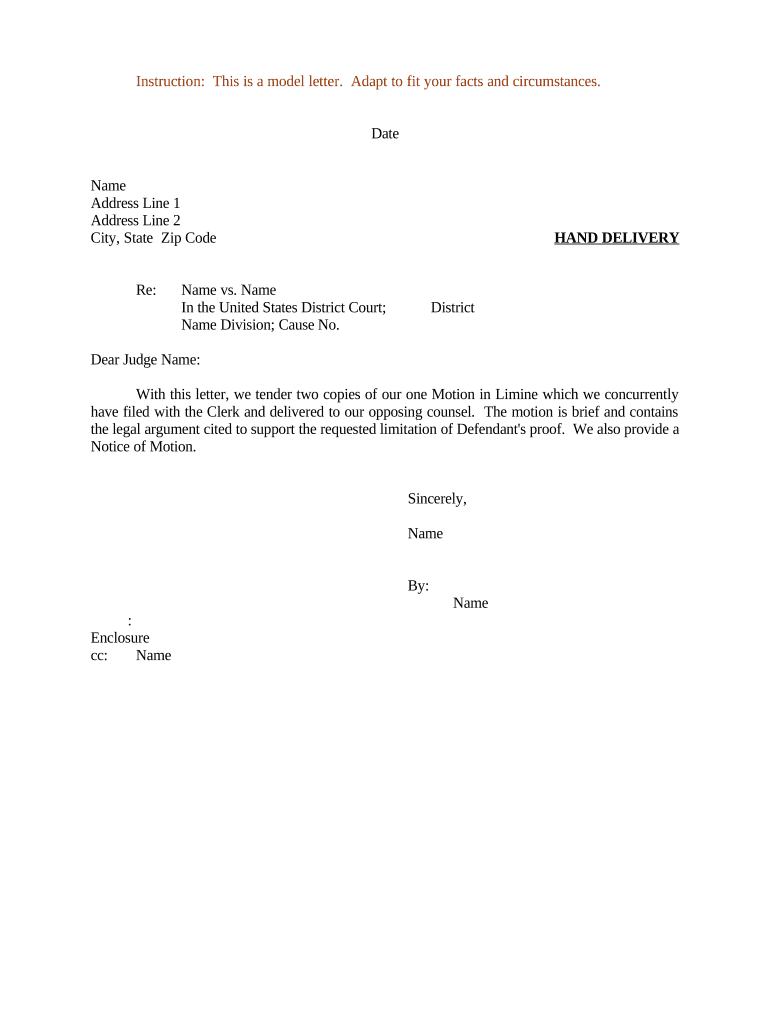
Click ‘Get Form’ to open the motion in limine template in the editor.
Begin by entering the date at the top of the document. This is crucial for establishing a timeline for your motion.
Fill in your name and address details, ensuring accuracy as this identifies you as the filing party.
In the 'Re:' section, specify the case title (e.g., Name vs. Name) and include relevant court information such as division and cause number.
Address the letter to 'Dear Judge Name' to maintain a formal tone throughout your correspondence.
Clearly state that you are tendering two copies of your Motion in Limine, mentioning that it has been filed with the Clerk and delivered to opposing counsel.
Conclude with a professional closing, including your name and signature line, followed by any necessary enclosures or cc's.
Start using our platform today to streamline your motion preparation process for free!
Motion in limine exampleMotion in limine italicizedMotion in limine pronunciationMotion in limine to exclude evidence exampleMotion in limine pluralMotion in limine vs motion to suppressGrounds for motion in limineMotion in Limine template
Security and compliance
At DocHub, your data security is our priority. We follow HIPAA, SOC2, GDPR, and other standards, so you can work on your documents with confidence.
Motion in Limine. English. Audio file. The defense filed a motion in limine to prevent the jury to hear about the defendants prior employment. The defenseRead more
Cookie consent notice
This site uses cookies to enhance site navigation and personalize your experience.
By using this site you agree to our use of cookies as described in our Privacy Notice.
You can modify your selections by visiting our Cookie and Advertising Notice.