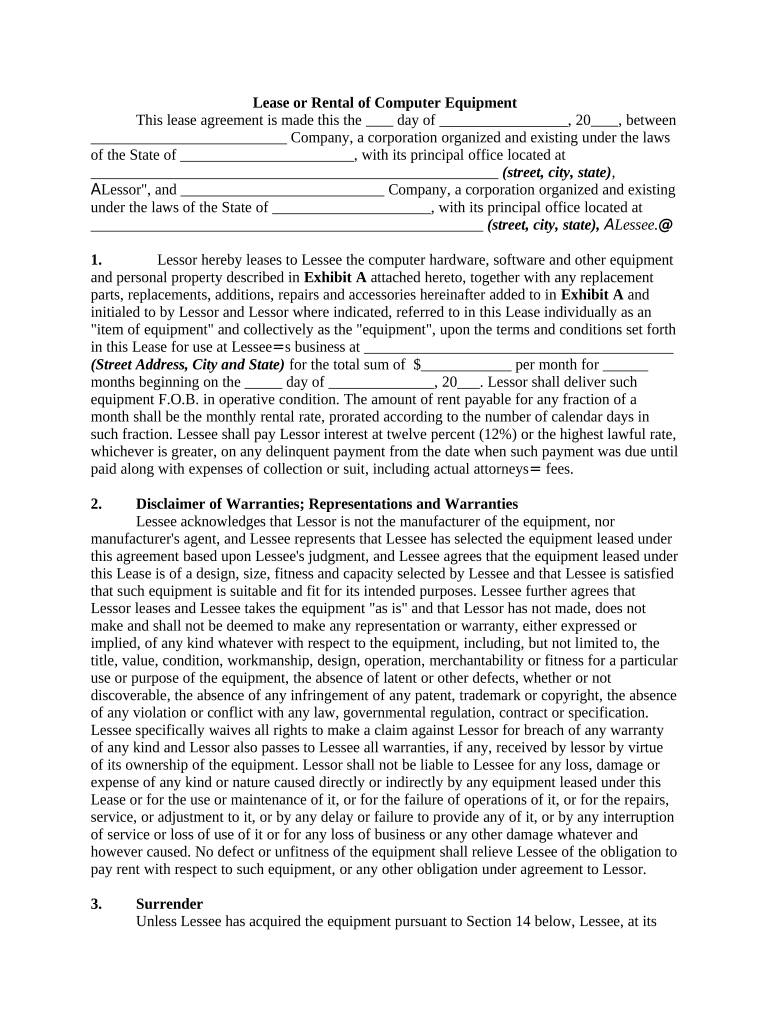
Lease or Rental of Computer Equipment 2026

Get Form
computer lease Preview on Page 1

Here's how it works

01. Edit your computer lease online
Type text, add images, blackout confidential details, add comments, highlights and more.
02. Sign it in a few clicks
Draw your signature, type it, upload its image, or use your mobile device as a signature pad.
03. Share your form with others
Send it via email, link, or fax. You can also download it, export it or print it out.

How to use or fill out Lease or Rental of Computer Equipment

Form edit decoration
9.5
Ease of Setup
DocHub User Ratings on G2
9.0
Ease of Use
DocHub User Ratings on G2
  1. Click ‘Get Form’ to open it in the editor.
  2. Begin by entering the date at the top of the form. This is crucial for establishing the lease period.
  3. Fill in the names and addresses of both the Lessor and Lessee. Ensure all details are accurate to avoid any legal issues.
  4. In Section 1, specify the equipment being leased as described in Exhibit A. Include details such as type, model, and any accessories.
  5. Indicate the monthly rental amount and duration of the lease. Be sure to calculate any prorated amounts if applicable.
  6. Review Sections on warranties, maintenance responsibilities, and insurance requirements to ensure compliance with all terms outlined.
  7. Finally, sign and date the document at the bottom. If there are multiple Lessees, ensure all parties sign.

Start using our platform today to easily fill out your Lease or Rental of Computer Equipment form for free!

be ready to get more

Complete this form in 5 minutes or less

Get form

Got questions?

We have answers to the most popular questions from our customers. If you can't find an answer to your question, please contact us.
Contact us
Equipment rental or leasing If you rent or lease equipment, you pay for the equipment rental only when you need it. Leasing can have tax advantages for you, and can be appealing for those who are hesitant to take on extra debt. Renting is usually a monthly arrangement, while leasing is better for longer jobs.
Leases are typically long-term, lasting for a standard periodusually six months or a year. On the other hand, rental agreements are designed for short-term stays, such as month-to-month rentals, vacation rentals, or other temporary arrangements.
The decision between leasing and purchasing computers depends on your specific needs, budget, and long-term goals. Leasing offers flexibility, lower upfront costs, and access to updated technology, making it ideal for short-term use or businesses with fluctuating requirements.
Leasing equipment preserves cash and offers upgrade flexibility, but typically costs more overall and doesnt build ownership equity. Buying equipment gives you valuable ownership and tax breaks, but requires more upfront cash and risks getting stuck with outdated assets.
The primary reason for renting or leasing equipment is to minimize upfront costs and conserve capital. This allows businesses to access necessary resources without large initial investments, maintaining financial flexibility and focusing resources on core operations.

Security and compliance

At DocHub, your data security is our priority. We follow HIPAA, SOC2, GDPR, and other standards, so you can work on your documents with confidence.

Learn more
ccpa2
pci-dss
gdpr-compliance
hipaa
soc-compliance

People also ask

While leasing can be easier on cash flow, in the long run the cost is usually higher than buying. Another drawback is that when the lease term ends, youll need to replace the equipment. Lease payments for the replacement could be docHubly higher.
Long-Term Cost: Leasing can be more expensive over the long term compared to buying. While monthly lease payments may be lower, the total cost over several years can add up. No Ownership: At the end of the lease term, you do not own the equipment. This means you will need to continue leasing or purchase new equipment.

Related links