Type text, add images, blackout confidential details, add comments, highlights and more.
02. Sign it in a few clicks
Draw your signature, type it, upload its image, or use your mobile device as a signature pad.
03. Share your form with others
Send it via email, link, or fax. You can also download it, export it or print it out.
How to use or fill out agreement arbitrate with our platform
Ease of Setup
DocHub User Ratings on G2
Ease of Use
DocHub User Ratings on G2
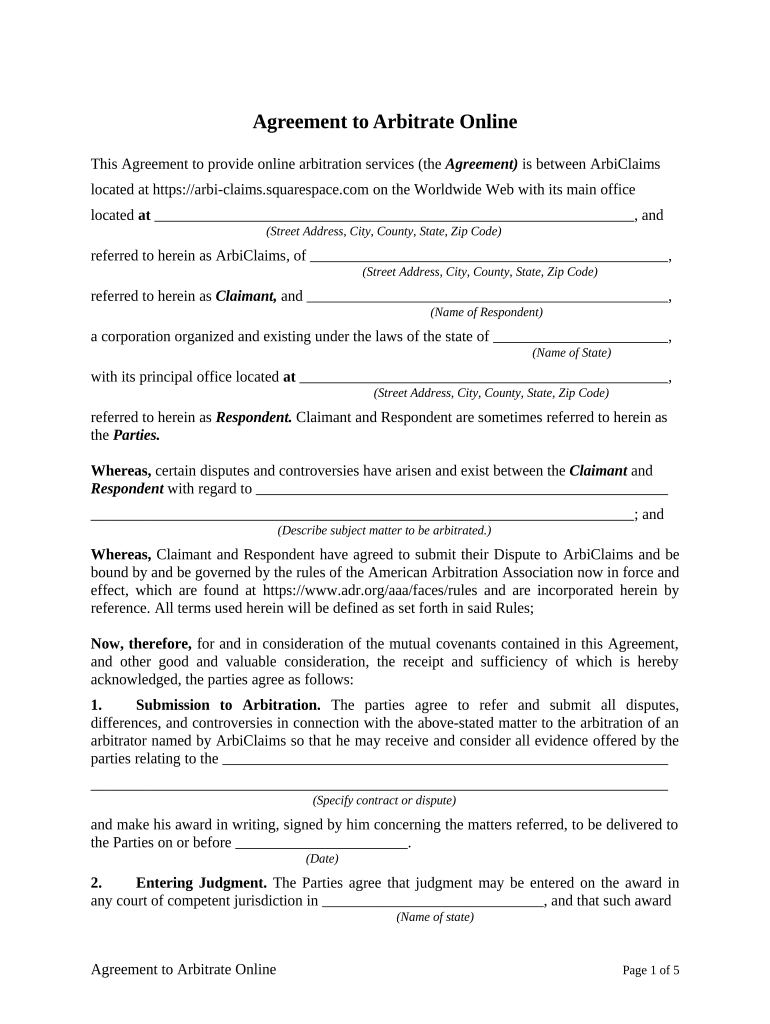
Click ‘Get Form’ to open the Agreement to Arbitrate in the editor.
Begin by filling in the details of the Claimant and Respondent. Enter their names, addresses, and any relevant corporate information in the designated fields.
In the section regarding disputes, clearly describe the subject matter that will be arbitrated. This is crucial for clarity and understanding between parties.
Proceed to specify the date by which the arbitrator must deliver their award. Ensure this date is realistic and agreed upon by both parties.
Review sections on expenses and governing law. Fill in any necessary details about shared expenses and select the applicable state laws that will govern this agreement.
Finally, ensure all parties sign where indicated, including printed names and contact information. This step finalizes your agreement.
Start using our platform today to streamline your arbitration process for free!
What is an arbitration agreement for employmentArbitration agreement exampleShould I sign an arbitration agreementShould I sign an arbitration agreement with my employerWhat is an arbitration provisionCan I sue if I signed an arbitration agreementIs an arbitration agreement badWhat is an arbitration agreement in Baseball
Security and compliance
At DocHub, your data security is our priority. We follow HIPAA, SOC2, GDPR, and other standards, so you can work on your documents with confidence.
Apr 2, 2026 Its typically a clause in a broader contract in which you agree to settle out of court, through arbitration cases, any dispute that arises with yourRead more
Cookie consent notice
This site uses cookies to enhance site navigation and personalize your experience.
By using this site you agree to our use of cookies as described in our Privacy Notice.
You can modify your selections by visiting our Cookie and Advertising Notice.