Notice of right to cancel 2026

Get Form
notice of right to cancel Preview on Page 1

Here's how it works

01. Edit your form online
Type text, add images, blackout confidential details, add comments, highlights and more.

02. Sign it in a few clicks
Draw your signature, type it, upload its image, or use your mobile device as a signature pad.

03. Share your form with others
Send it via email, link, or fax. You can also download it, export it or print it out.

How to use or fill out notice of right to cancel with our platform

Form edit decoration
9.5
Ease of Setup
DocHub User Ratings on G2
9.0
Ease of Use
DocHub User Ratings on G2
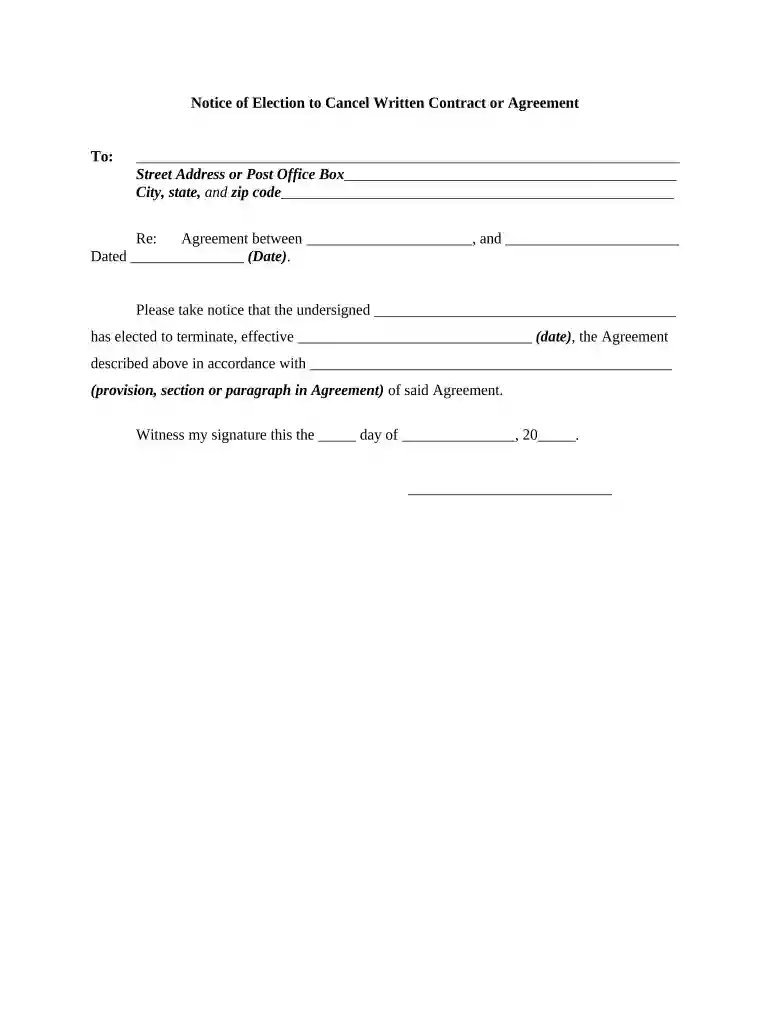
  1. Click ‘Get Form’ to open the notice of right to cancel in the editor.
  2. Begin by filling in the recipient's name and address at the top of the form. This ensures that your notice reaches the correct party.
  3. In the 'Re:' section, specify the agreement details by entering the names of both parties involved and the date of the original agreement.
  4. Next, indicate your decision to terminate the agreement by writing your name in the designated area. Clearly state the effective termination date.
  5. Reference the specific provision, section, or paragraph from the agreement that allows for cancellation. This adds clarity and legal backing to your notice.
  6. Finally, sign and date at the bottom of the form. This signature serves as a formal acknowledgment of your intent to cancel.

Start using our platform today for free to streamline your document editing and signing process!

be ready to get more

Complete this form in 5 minutes or less

Get form

Got questions?

We have answers to the most popular questions from our customers. If you can't find an answer to your question, please contact us.
Contact us
All customers must be provided with both a verbal and written Notice of Right to Cancel for any sale conducted outside a standard place of business (e.g. in a customers home, at a state fair, at a trade show, expo, etc.).
The right to cancel a contract is a general right of a party to refuse to perform a legally enforceable contract. While parties may be liable for damages, courts will rarely levy their injunctive powers to coerce parties to complete their end of the bargain, paying homage to the principle of freedom of contract.
The right to cancel lasts until the midnight of the third business day after the sale. The FTCs cooling off rule applies to sale , lease , or rental of consumer goods and services having a value of at least $25, made anywhere other than the sellers normal place of business.
Under federal law, you have three days to cancel the following contracts: Door-to-door sales contracts for more than $25.00; Home improvement loans; Contracts for more than $25.00 that is not made at the sellers normal place of business.
Rescission period. i. The period within which the consumer may exercise the right to rescind runs for 3 business days from the last of 3 events: A. Consummation of the transaction.

Security and compliance

At DocHub, your data security is our priority. We follow HIPAA, SOC2, GDPR, and other standards, so you can work on your documents with confidence.
Learn more
ccpa2
pci-dss
gdpr-compliance
hipaa
soc-compliance

People also ask

Right to Cancel. You have a right to cancel this Agreement for a period of fourteen (14) days commencing on the date on which this Agreement is concluded or the date on which you receive this Agreement (whichever is later) (the Cancellation Period).
Consumers have a three-day cooling off period to cancel certain sales for a full refund. The FTCs Cooling Off Rule applies to door-to-door sales, defined as the sale, lease, or rental of consumer goods or services for at least $25, which takes place somewhere other than the sellers usual place of business.

Related links