Type text, add images, blackout confidential details, add comments, highlights and more.
02. Sign it in a few clicks
Draw your signature, type it, upload its image, or use your mobile device as a signature pad.
03. Share your form with others
Send it via email, link, or fax. You can also download it, export it or print it out.
How to use or fill out partnership partner with our platform
Ease of Setup
DocHub User Ratings on G2
Ease of Use
DocHub User Ratings on G2
Click ‘Get Form’ to open the partnership partner document in the editor.
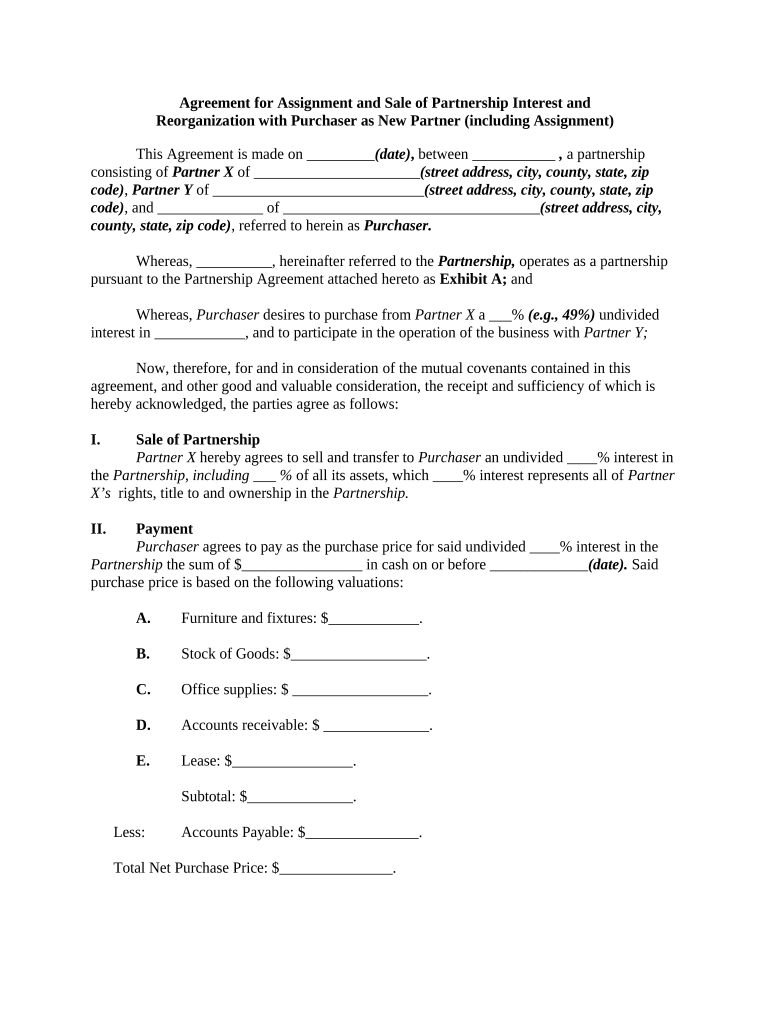
Begin by entering the date of the agreement in the designated field at the top of the form.
Fill in the names and addresses of Partner X, Partner Y, and Purchaser in their respective sections. Ensure all details are accurate for legal purposes.
Specify the percentage of interest being sold by Partner X to Purchaser. This is crucial for defining ownership rights.
In the Payment section, input the purchase price and breakdown of assets, including furniture, stock, and accounts receivable. This ensures clarity on financial transactions.
Review sections regarding audit and assumption of liabilities carefully. Fill in any required amounts to reflect current financial standings.
Finally, ensure all parties sign where indicated to validate the agreement. Use our platform’s signature feature for convenience.
Start using our platform today to streamline your partnership agreements effortlessly!
Partnership partner meaningPartnership partner vs partnershipPartnership partner taxPartnership partner benefitsPartnership definitionTypes of partnershipPartnership definition in businessAdvantages of partnership
Security and compliance
At DocHub, your data security is our priority. We follow HIPAA, SOC2, GDPR, and other standards, so you can work on your documents with confidence.
A general partnership is a two or more-person owned/controlled business. o The agreement sets out the responsibilities of each partner, and the proceduralRead more
Partner with Staff.Wiki to provide a state of the art way to deliver your expertise to your clients. Create a library of policies and workflow-driven checklistsRead more
Cookie consent notice
This site uses cookies to enhance site navigation and personalize your experience.
By using this site you agree to our use of cookies as described in our Privacy Notice.
You can modify your selections by visiting our Cookie and Advertising Notice.