Type text, add images, blackout confidential details, add comments, highlights and more.
02. Sign it in a few clicks
Draw your signature, type it, upload its image, or use your mobile device as a signature pad.
03. Share your form with others
Send it via email, link, or fax. You can also download it, export it or print it out.
How to use or fill out mt llc with our platform
Ease of Setup
DocHub User Ratings on G2
Ease of Use
DocHub User Ratings on G2
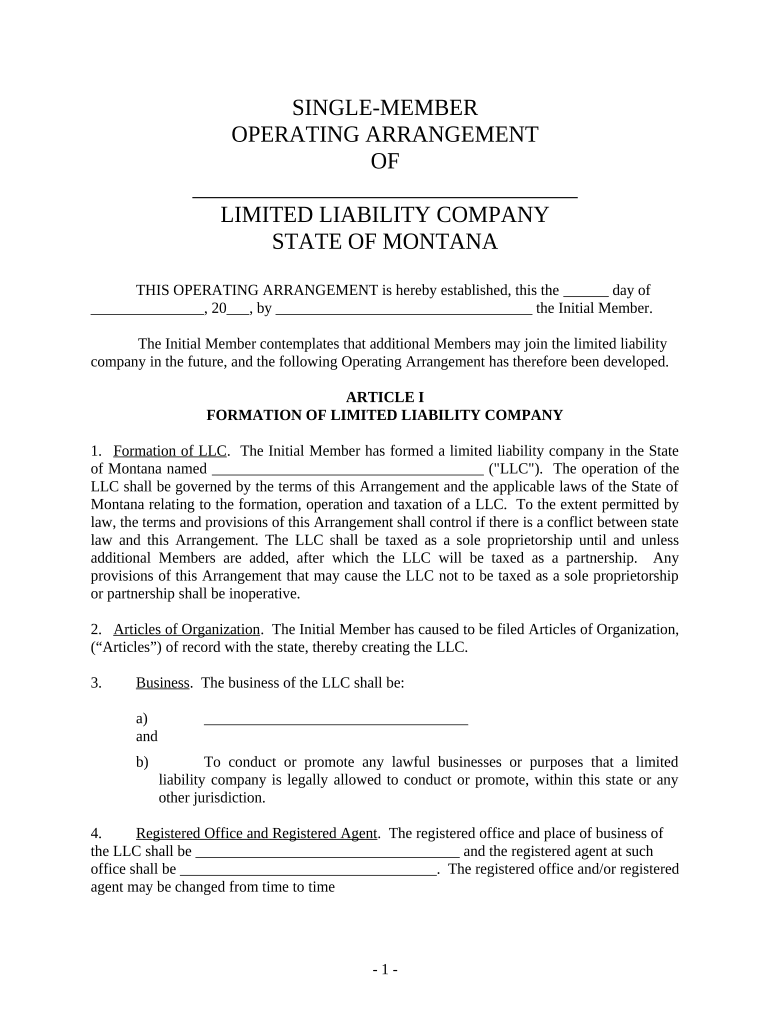
Click ‘Get Form’ to open the mt llc document in the editor.
Begin by filling in the name of your LLC in the designated field. This is crucial as it identifies your business entity.
In Article I, specify the business purpose of your LLC. Clearly outline what lawful activities your LLC will engage in.
Provide the registered office address and registered agent details. Ensure this information is accurate for legal correspondence.
Complete the fiscal year section by confirming that it ends on December 31, unless you have a different preference.
In Article II, list the Initial Member's name and any additional members if applicable. Remember, their admission requires approval from existing members.
Review Articles III through IX carefully to ensure all management, contributions, and voting rights are accurately represented based on your agreement.
Start editing your mt llc document for free today and streamline your business setup!
MT llc lookupMT BusinessForming an LLC in Montana for a non residentMT business licenseMt Secretary of state annual reportHow to dissolve Montana LLCMontana Annual Report due dateMT Corporate certificates
Security and compliance
At DocHub, your data security is our priority. We follow HIPAA, SOC2, GDPR, and other standards, so you can work on your documents with confidence.
Cookie consent notice
This site uses cookies to enhance site navigation and personalize your experience.
By using this site you agree to our use of cookies as described in our Privacy Notice.
You can modify your selections by visiting our Cookie and Advertising Notice.