Type text, add images, blackout confidential details, add comments, highlights and more.
02. Sign it in a few clicks
Draw your signature, type it, upload its image, or use your mobile device as a signature pad.
03. Share your form with others
Send it via email, link, or fax. You can also download it, export it or print it out.
How to use or fill out louisiana husband with our platform
Ease of Setup
DocHub User Ratings on G2
Ease of Use
DocHub User Ratings on G2
Click ‘Get Form’ to open the louisiana husband document in the editor.
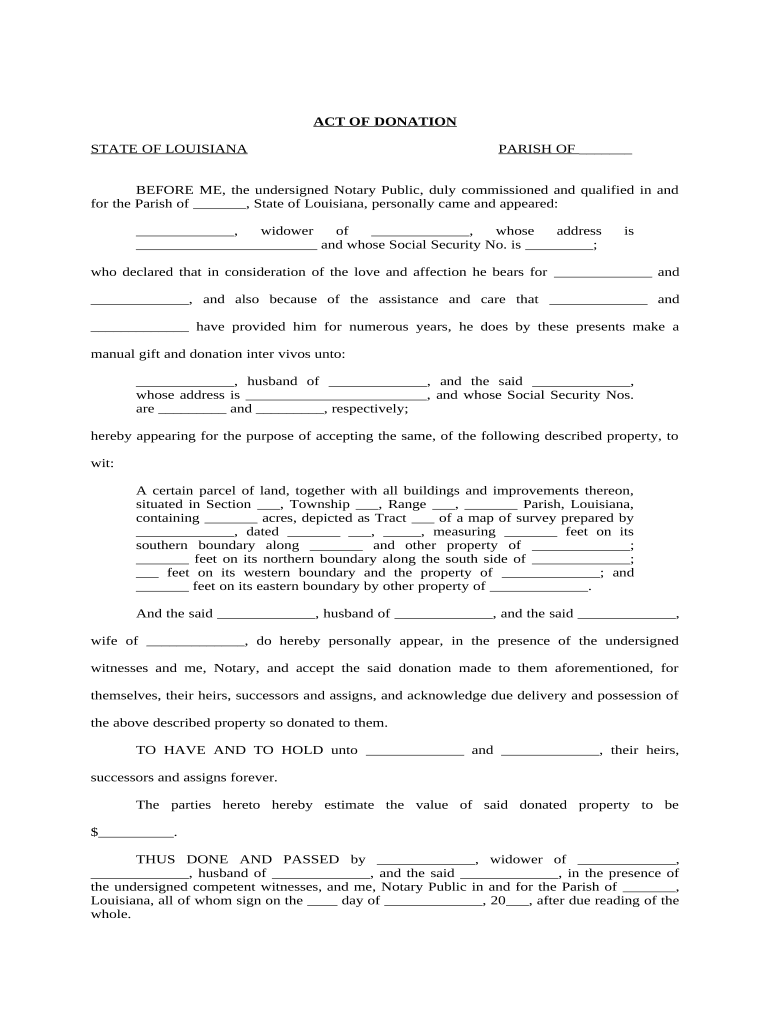
Begin by filling in the Parish and Notary Public details at the top of the form. This establishes the legal context of your donation.
In the section for the donor, enter the name, marital status, address, and Social Security Number. Ensure accuracy as this information is crucial for identification.
Next, specify the recipient's details including their name, marital status, address, and Social Security Numbers. This identifies who will receive the donation.
Describe the property being donated by filling in all relevant details such as location (Section, Township, Range), acreage, and boundary measurements. This ensures clarity on what is being transferred.
Finally, have both parties sign in front of witnesses and a Notary Public to validate the document. Make sure all signatures are legible and complete.
Start using our platform today to easily fill out your louisiana husband form for free!
The Louisiana Vital Records Registry maintains Orleans Parish marriage records for 50 years. Orleans Parish marriage records older than 50 years are availableRead more
de la Bleau BB | A Mandeville, Louisiana Bed and Breakfast
Cindy, one of the co-owners with her husband Clyde, was a bus driver for 34 years before she and her husband entered the lodging industry. Cindy tells how sheRead more
Cookie consent notice
This site uses cookies to enhance site navigation and personalize your experience.
By using this site you agree to our use of cookies as described in our Privacy Notice.
You can modify your selections by visiting our Cookie and Advertising Notice.