Type text, add images, blackout confidential details, add comments, highlights and more.
02. Sign it in a few clicks
Draw your signature, type it, upload its image, or use your mobile device as a signature pad.
03. Share your form with others
Send it via email, link, or fax. You can also download it, export it or print it out.
How to use or fill out ct notice with our platform
Ease of Setup
DocHub User Ratings on G2
Ease of Use
DocHub User Ratings on G2
Click ‘Get Form’ to open the ct notice in the editor.
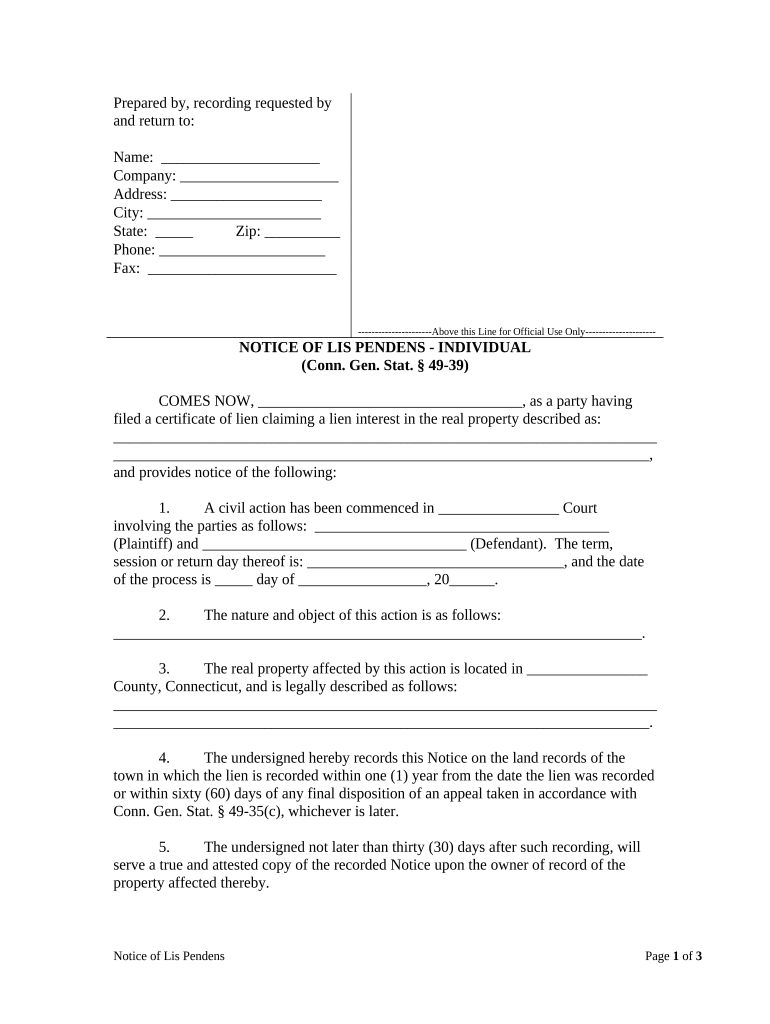
Begin by filling in the 'Prepared by, recording requested by and return to' section. Enter your name, company, address, city, state, zip code, phone number, and fax number.
In the 'COMES NOW' section, specify the party filing the certificate of lien and provide a detailed description of the real property involved.
Complete the civil action details including court name, plaintiff and defendant names, session date, and process date.
Describe the nature and object of the action clearly in the designated field.
Fill in information about the affected real property location and its legal description.
Sign and print your name at the bottom of the form. Ensure all notary sections are completed accurately if required.
Start using our platform today for free to streamline your ct notice completion!
Criminal Court Case Lookup ctCT inmate searchFamily Case Lookup ctNotice to Quit ct PDFEviction notice CTCT jury duty loginCivil Court Case Lookup ctCt court forms
Security and compliance
At DocHub, your data security is our priority. We follow HIPAA, SOC2, GDPR, and other standards, so you can work on your documents with confidence.
notice of employee rights under the connecticut family and
Oct 16, 2025 Employees should provide at least 30-days advance notice to their employer of the need to take CTFMLA leave if they can. If they are unableRead more
NOTICE is used to address practices not related to physical injury . Notice points out something of special interest to the reader in direct context orRead more
Cookie consent notice
This site uses cookies to enhance site navigation and personalize your experience.
By using this site you agree to our use of cookies as described in our Privacy Notice.
You can modify your selections by visiting our Cookie and Advertising Notice.