Type text, add images, blackout confidential details, add comments, highlights and more.
02. Sign it in a few clicks
Draw your signature, type it, upload its image, or use your mobile device as a signature pad.
03. Share your form with others
Send it via email, link, or fax. You can also download it, export it or print it out.
How to use or fill out bill sale its with our platform
Ease of Setup
DocHub User Ratings on G2
Ease of Use
DocHub User Ratings on G2
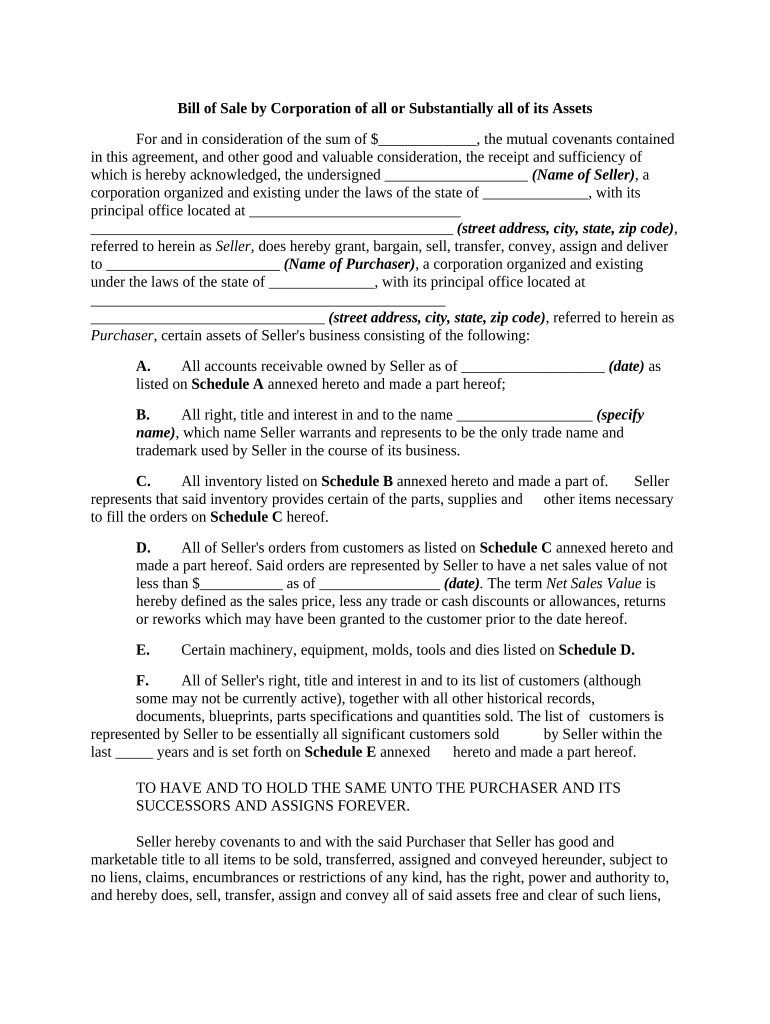
Click ‘Get Form’ to open the bill of sale in the editor.
Begin by entering the total sale amount in the designated field for consideration. This is crucial as it reflects the value exchanged.
Fill in the Seller's information, including the name of the corporation and its principal office address. Ensure accuracy to avoid any legal issues.
Next, input the Purchaser's details similarly, providing their corporate name and address.
Detail the assets being sold by completing each section (A-F) with specific information about accounts receivable, inventory, machinery, and customer lists as outlined in the document.
Finally, have an authorized officer sign and print their name along with their title. Don’t forget to include a date for when this agreement is executed.
Start using our platform today to fill out your bill of sale easily and for free!
How to Register Vehicles Purchased in Private Sales
If the seller is not the owner whose name is on the title, you will need a Bill of Sale signed by both the seller and the person whose name appears on the titleRead more
Leave the engine running and remove your foot from the brake pedal. c. Press and release the button of the remote control two times quickly. d. The lights willRead more
Cookie consent notice
This site uses cookies to enhance site navigation and personalize your experience.
By using this site you agree to our use of cookies as described in our Privacy Notice.
You can modify your selections by visiting our Cookie and Advertising Notice.