Type text, add images, blackout confidential details, add comments, highlights and more.
02. Sign it in a few clicks
Draw your signature, type it, upload its image, or use your mobile device as a signature pad.
03. Share your form with others
Send it via email, link, or fax. You can also download it, export it or print it out.
How to use or fill out home repair form with our platform
Ease of Setup
DocHub User Ratings on G2
Ease of Use
DocHub User Ratings on G2
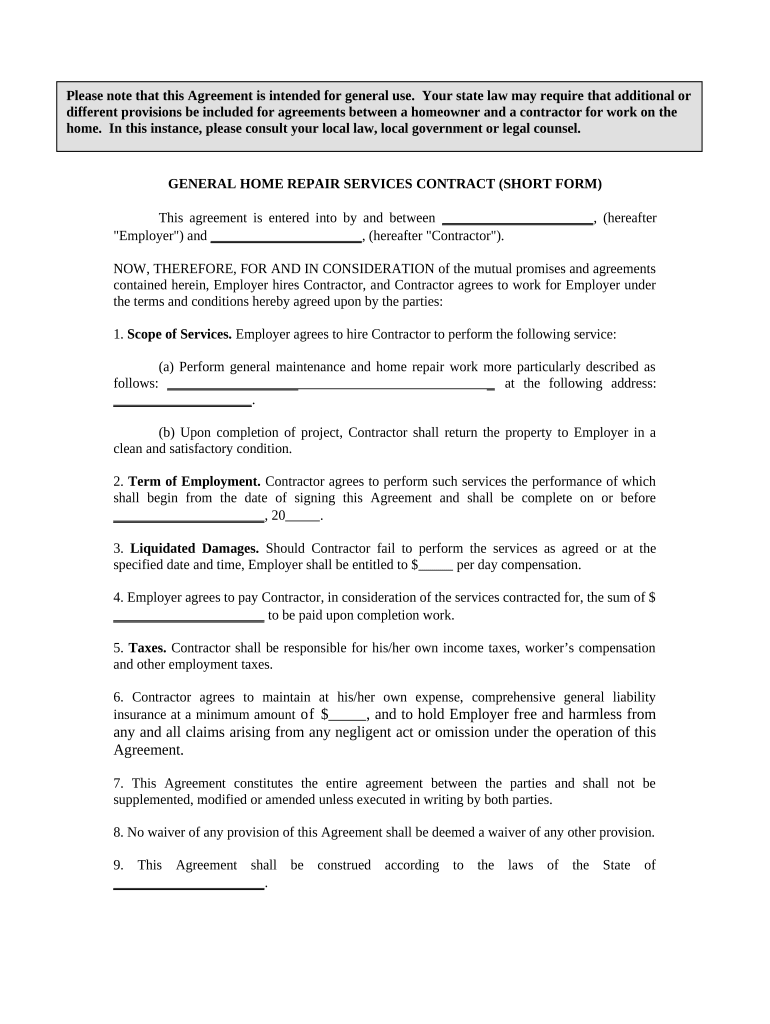
Click ‘Get Form’ to open the home repair form in the editor.
Begin by filling in the names of both parties in the designated fields for 'Employer' and 'Contractor'. This establishes who is entering into the agreement.
In the 'Scope of Services' section, clearly describe the maintenance and repair work to be performed. Be specific about tasks and include the address where services will be rendered.
Set a completion date in the 'Term of Employment' section. Specify when you expect the work to begin and end.
Fill in any applicable liquidated damages amount in case of delays, as well as the total payment due upon completion of work.
Ensure that you indicate responsibility for taxes and insurance coverage amounts as required by your local laws.
Review all sections for accuracy before signing. Both parties should sign and date at the bottom of the form to finalize the agreement.
Start using our platform today to easily complete your home repair form online for free!
Printable home repair formHome repair form pdfFree home repair formFree printable home repair form$10,000 grant for home improvementFree grants for homeowners for repairsHome Repair for senior citizens freeFederal grants for home repairs
Security and compliance
At DocHub, your data security is our priority. We follow HIPAA, SOC2, GDPR, and other standards, so you can work on your documents with confidence.
Single Family Housing Repair Loans Grants in Hawaii
To start, potential applicants can contact their local Rural Development office and provide the following documentation: Form RD 3550-35, Section 504 HomeRead more
Cookie consent notice
This site uses cookies to enhance site navigation and personalize your experience.
By using this site you agree to our use of cookies as described in our Privacy Notice.
You can modify your selections by visiting our Cookie and Advertising Notice.