Type text, add images, blackout confidential details, add comments, highlights and more.
02. Sign it in a few clicks
Draw your signature, type it, upload its image, or use your mobile device as a signature pad.
03. Share your form with others
Send it via email, link, or fax. You can also download it, export it or print it out.
How to use or fill out tn poa with our platform
Ease of Setup
DocHub User Ratings on G2
Ease of Use
DocHub User Ratings on G2
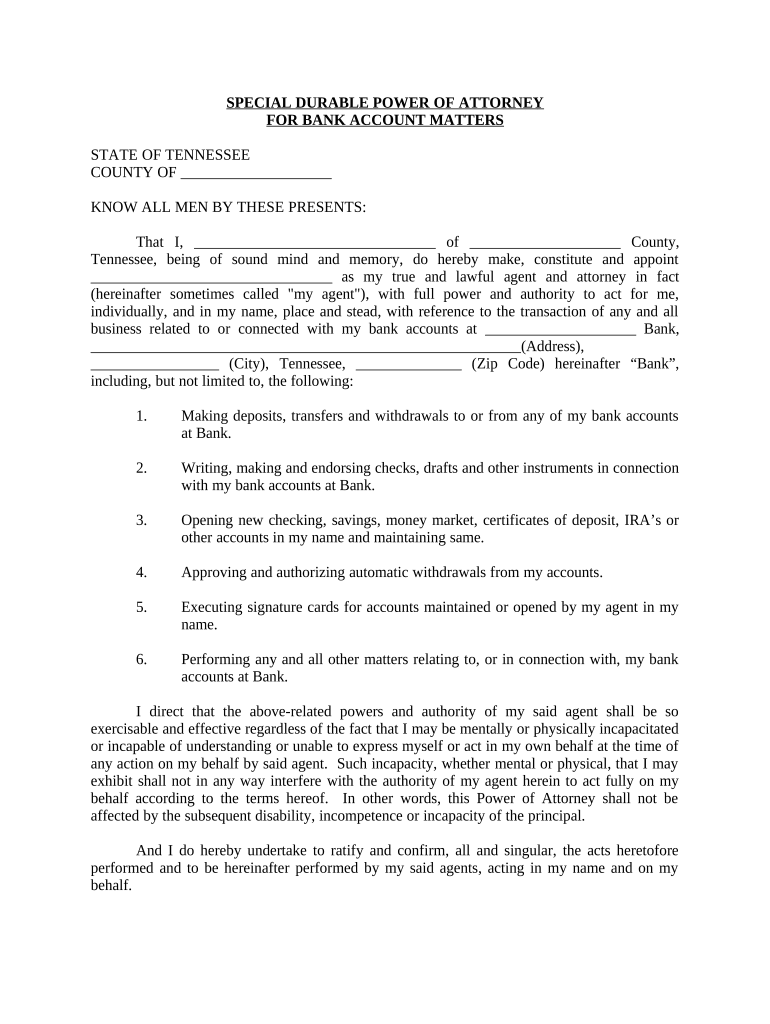
Click ‘Get Form’ to open the tn poa document in the editor.
Begin by filling in your name and county at the top of the form. This identifies you as the principal granting power of attorney.
Next, designate your agent by entering their name and address. Ensure this person is trustworthy, as they will manage your bank account matters.
In the section detailing powers granted, check all applicable boxes that describe what actions your agent can perform regarding your bank accounts, such as making deposits or withdrawals.
Complete the witness section by having two witnesses sign and print their names, ensuring they meet the requirements outlined in the document.
Finally, sign and date the document at the bottom to validate it. Make sure all information is accurate before saving or sharing.
Start using our platform today for free to complete your tn poa efficiently!
Tn poa formPower of attorney form tn pdfTn POA instructionsTN durable power of attorney formTn power of Attorney for Vehicle transactionsFree power of attorney form Tennessee pdfTn poa onlinePower of attorney form tn free
Security and compliance
At DocHub, your data security is our priority. We follow HIPAA, SOC2, GDPR, and other standards, so you can work on your documents with confidence.
What Is a Power of Attorney? A power of attorney is a written document in which one person grants to another the power to act on his or her behalf.Read more
Free Power of Attorney Templates | DocHub PDF | Word
A power of attorney also known as POA is a legal document which allows you to give another person the rights to act on your behalf. It is a legal relationshipRead more
PURPOSE: To appoint an individual or entity to manage vehicle transactions on the behalf of another individual. (Tenn. Code Ann. 34-6-101 and 102).Read more
Cookie consent notice
This site uses cookies to enhance site navigation and personalize your experience.
By using this site you agree to our use of cookies as described in our Privacy Notice.
You can modify your selections by visiting our Cookie and Advertising Notice.