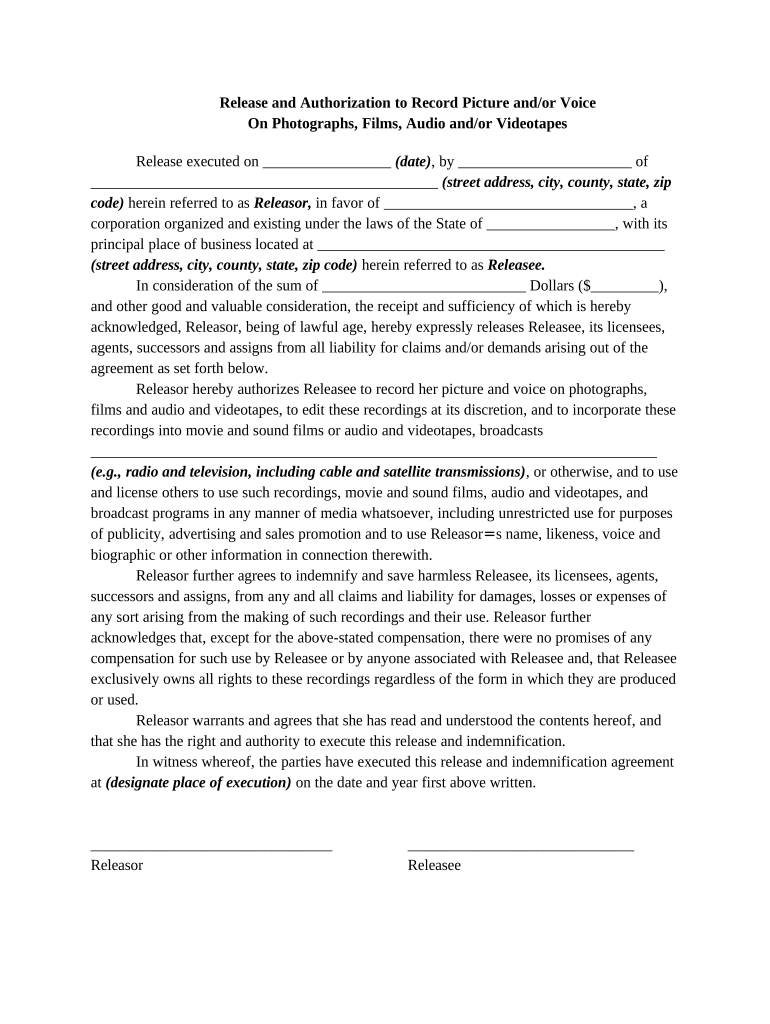
Release and Authorization to Record Picture and / or Voice On Photographs, Films, Audio and / or Videotapes 2026

Get Form
Release and Authorization to Record Picture and / or Voice On Photographs, Films, Audio and / or Videotapes Preview on Page 1

Here's how it works

01. Edit your form online
Type text, add images, blackout confidential details, add comments, highlights and more.
02. Sign it in a few clicks
Draw your signature, type it, upload its image, or use your mobile device as a signature pad.
03. Share your form with others
Send it via email, link, or fax. You can also download it, export it or print it out.

How to use or fill out Release and Authorization to Record Picture and / or Voice On Photographs, Films, Audio and / or Videotapes with DocHub

Form edit decoration
9.5
Ease of Setup
DocHub User Ratings on G2
9.0
Ease of Use
DocHub User Ratings on G2
  1. Click ‘Get Form’ to open it in the editor.
  2. Fill in the date of execution in the designated space at the top of the form.
  3. Enter your name as the Releasor along with your complete address including street, city, county, state, and zip code.
  4. Provide the name of the Releasee (the corporation) and its principal place of business address.
  5. Specify the compensation amount in dollars that you are receiving for this release.
  6. Review the authorization section carefully. Ensure you understand that you are allowing the Releasee to record your image and voice for various media uses.
  7. Sign and date at the bottom of the form as Releasor. Ensure all parties involved have executed their signatures where required.

Start using our platform today to easily complete your Release and Authorization form for free!

be ready to get more

Complete this form in 5 minutes or less

Get form

Got questions?

We have answers to the most popular questions from our customers. If you can't find an answer to your question, please contact us.
Contact us
Where can you find a photo release consent form? Subject name. Include the complete name of the person in the photo and leave space for a guardian to sign if the model is a minor. Photographer name. Permission statement. Alteration statement. Release statement. Signature and date.
I hereby consent to the participation in interviews, the use of quotes, and the taking of photographs, movies or video tapes of the Student named above by . I also grant to the right to edit, use, and reuse said products for non- profit purposes including use in print, on the internet, and all other forms of media.
How Do You Write a Media Release Form? Name of the parties involved, i.e., releasor and releasee. Detailed information about the project. Explicit information of the permissions granted. Any special considerations, including payment obligations or credit, if any. A space for all parties to sign.
On the contrary, states such as California and Florida are two-party consent states, meaning both parties must consent before recording the meeting. It means you need to share the intent to record the meeting in advance. The notification can be in the form of emails, audio disclaimer announcements, clickable CTAs, etc.

Security and compliance

At DocHub, your data security is our priority. We follow HIPAA, SOC2, GDPR, and other standards, so you can work on your documents with confidence.

Learn more
ccpa2
pci-dss
gdpr-compliance
hipaa
soc-compliance
be ready to get more

Complete this form in 5 minutes or less

Get form