Type text, add images, blackout confidential details, add comments, highlights and more.
02. Sign it in a few clicks
Draw your signature, type it, upload its image, or use your mobile device as a signature pad.
03. Share your form with others
Send it via email, link, or fax. You can also download it, export it or print it out.
How to use or fill out reduce bond with our platform
Ease of Setup
DocHub User Ratings on G2
Ease of Use
DocHub User Ratings on G2
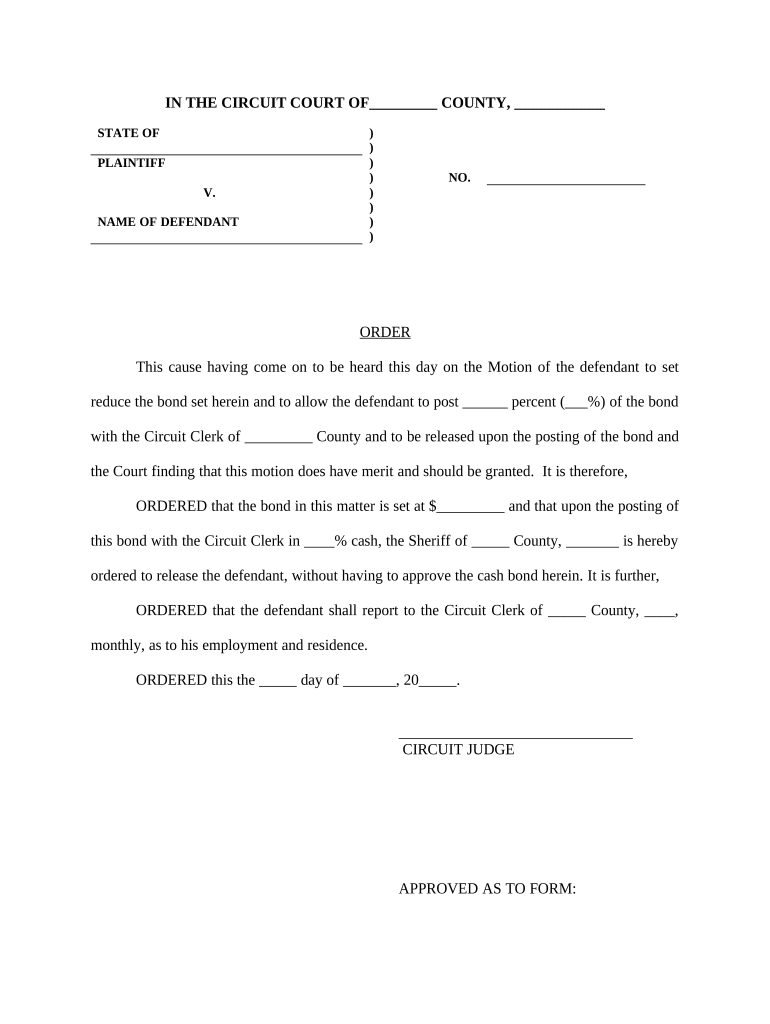
Click ‘Get Form’ to open the reduce bond document in the editor.
Begin by entering the name of the county and state at the top of the form. This information is crucial for identifying the jurisdiction.
In the section labeled 'PLAINTIFF', input the name of the plaintiff involved in this case, followed by 'V.' and then enter the name of the defendant.
Fill in the case number (NO.) as assigned by the court, ensuring accuracy for proper tracking.
Next, specify the percentage of the bond that will be posted in both words and numerals where indicated. This is essential for clarity regarding financial obligations.
Complete any additional fields related to employment and residence reporting requirements, ensuring compliance with court orders.
Finally, review all entries for accuracy before saving or printing your completed form.
Start using our platform today to fill out your reduce bond form easily and for free!
How to get a bond reduction without a lawyerChances of getting a bond reductionBond reduction formHow long does it take to get a bond reductionBond reduction motionHow to file a motion for bond reductionBond reduction lawyersBond reduction lawyers near me
Security and compliance
At DocHub, your data security is our priority. We follow HIPAA, SOC2, GDPR, and other standards, so you can work on your documents with confidence.
May 7, 2026 Reductive reactions are ones in which electrons are transferred to the carbon-halogen bond, thereby lowering the oxidation state of the parentRead more
There is no time limit on the filing of a bond reduction motion; however, the court and prosecutor may be more receptive to a bond reduction at certain.Read more
Accordingly, Defendant prays and moves that this Honorable Court grant this. Agreed Motion to Reduce Bond and that the Defendants bond be reduced as requested.Read more
Cookie consent notice
This site uses cookies to enhance site navigation and personalize your experience.
By using this site you agree to our use of cookies as described in our Privacy Notice.
You can modify your selections by visiting our Cookie and Advertising Notice.