Type text, add images, blackout confidential details, add comments, highlights and more.
02. Sign it in a few clicks
Draw your signature, type it, upload its image, or use your mobile device as a signature pad.
03. Share your form with others
Send it via email, link, or fax. You can also download it, export it or print it out.
How to use or fill out ms petition with our platform
Ease of Setup
DocHub User Ratings on G2
Ease of Use
DocHub User Ratings on G2
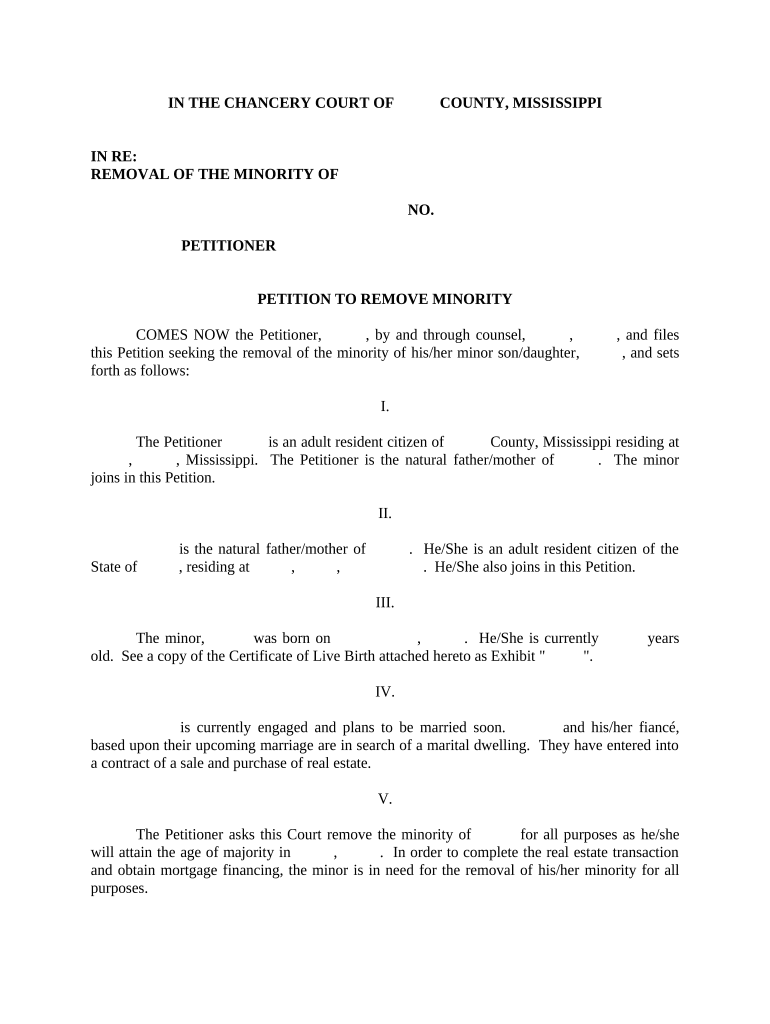
Click ‘Get Form’ to open the ms petition in the editor.
Begin by filling in the Petitioner’s name and address in Section I. Ensure that you accurately state your relationship to the minor.
In Section II, provide the details of the other parent, including their name and address. This section requires both parents' consent for the petition.
Section III asks for information about the minor, including their date of birth and age. Attach a copy of the Certificate of Live Birth as Exhibit 'A'.
In Section IV, describe any relevant circumstances regarding your upcoming marriage and real estate transaction that necessitate this petition.
Finally, complete Section V by stating your request for removal of minority status and sign where indicated. Don’t forget to include notary sections at the end for validation.
Start using our platform today to streamline your ms petition process for free!
Ms petition templateMs petition form pdfMs petition formMs petition exampleMs petition pdfAdd drop form ms stateMississippi State unofficial transcriptMississippi State it
Security and compliance
At DocHub, your data security is our priority. We follow HIPAA, SOC2, GDPR, and other standards, so you can work on your documents with confidence.
Change of Name Commencement Ceremony Adornment Request Form MSU-MUW Cross Registration Form Overload Form (Graduate) Overload Form (Undergraduate) PetitionRead more
Cookie consent notice
This site uses cookies to enhance site navigation and personalize your experience.
By using this site you agree to our use of cookies as described in our Privacy Notice.
You can modify your selections by visiting our Cookie and Advertising Notice.