Type text, add images, blackout confidential details, add comments, highlights and more.
02. Sign it in a few clicks
Draw your signature, type it, upload its image, or use your mobile device as a signature pad.
03. Share your form with others
Send it via email, link, or fax. You can also download it, export it or print it out.
How to use or fill out civil case 1 with our platform
Ease of Setup
DocHub User Ratings on G2
Ease of Use
DocHub User Ratings on G2
Click ‘Get Form’ to open the civil case 1 document in the editor.
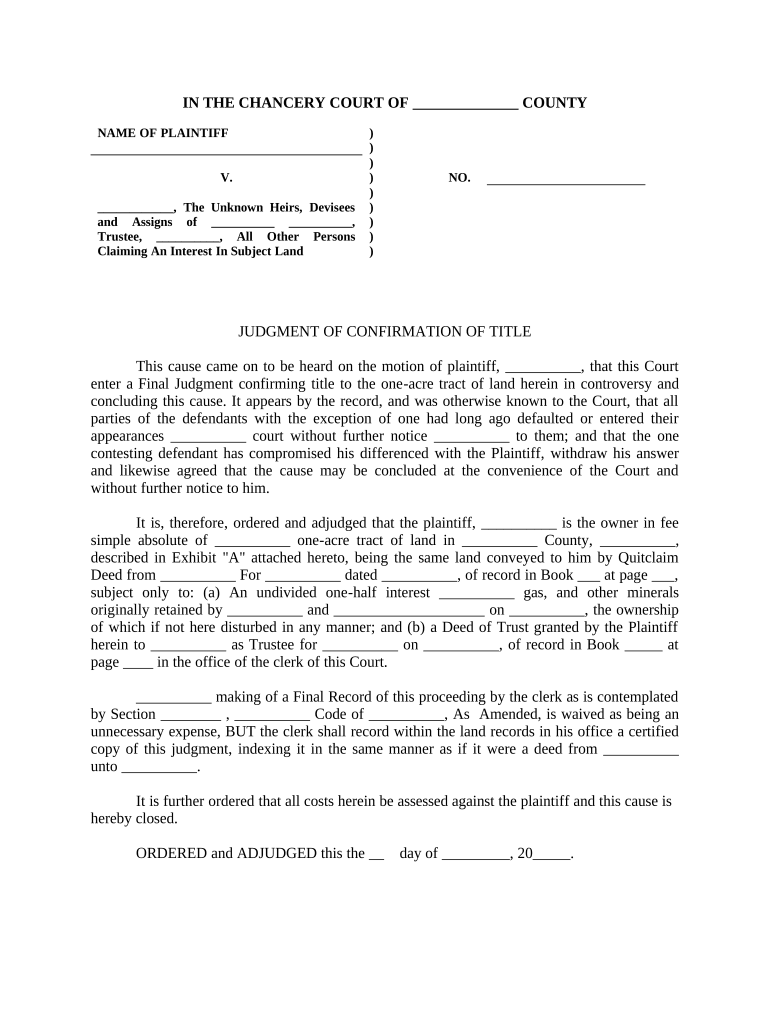
Begin by entering the name of the plaintiff in the designated field at the top of the form. Ensure accuracy as this identifies the party initiating the case.
In the section labeled 'Defendants', list all relevant parties, including unknown heirs and assigns. This is crucial for establishing who is involved in the case.
Fill in the case number where indicated. This helps track your document within court records.
Proceed to detail any judgments or orders related to title confirmation, ensuring that all legal descriptions and references are correctly noted.
Finally, review all entries for completeness and accuracy before saving your changes. Utilize our platform’s features to sign and distribute your completed form seamlessly.
Start using our platform today for free to streamline your civil case documentation!
7 steps in a civil caseWhat is a civil case exampleMassachusetts criminal Court case lookupHow much does it cost to file a civil suitCivil case examples in real lifeWhat is a civil case vs criminalCivil case can go to jailCivil lawsuit timeline
Security and compliance
At DocHub, your data security is our priority. We follow HIPAA, SOC2, GDPR, and other standards, so you can work on your documents with confidence.
Finding Pending Cases Dockets - New York Resources
Nov 18, 2025 You may search for cases by Case Number or Party Name and produce calendars by County and Part or Judge. Also displays universal summons caseRead more
FL-982 ORDER FOR PUBLICATION OR POSTING (Family law)
Publication Granted: The court finds that the respondent cannot be served in any other manner specified in the California. Code of Civil Procedure.Read more
A federal civil case involves a legal dispute between two or more parties. A civil action begins when a party to a dispute files a complaint, and pays a filingRead more
Cookie consent notice
This site uses cookies to enhance site navigation and personalize your experience.
By using this site you agree to our use of cookies as described in our Privacy Notice.
You can modify your selections by visiting our Cookie and Advertising Notice.