Type text, add images, blackout confidential details, add comments, highlights and more.
02. Sign it in a few clicks
Draw your signature, type it, upload its image, or use your mobile device as a signature pad.
03. Share your form with others
Send nj perc contracts via email, link, or fax. You can also download it, export it or print it out.
How to use or fill out nj agreement with our platform
Ease of Setup
DocHub User Ratings on G2
Ease of Use
DocHub User Ratings on G2
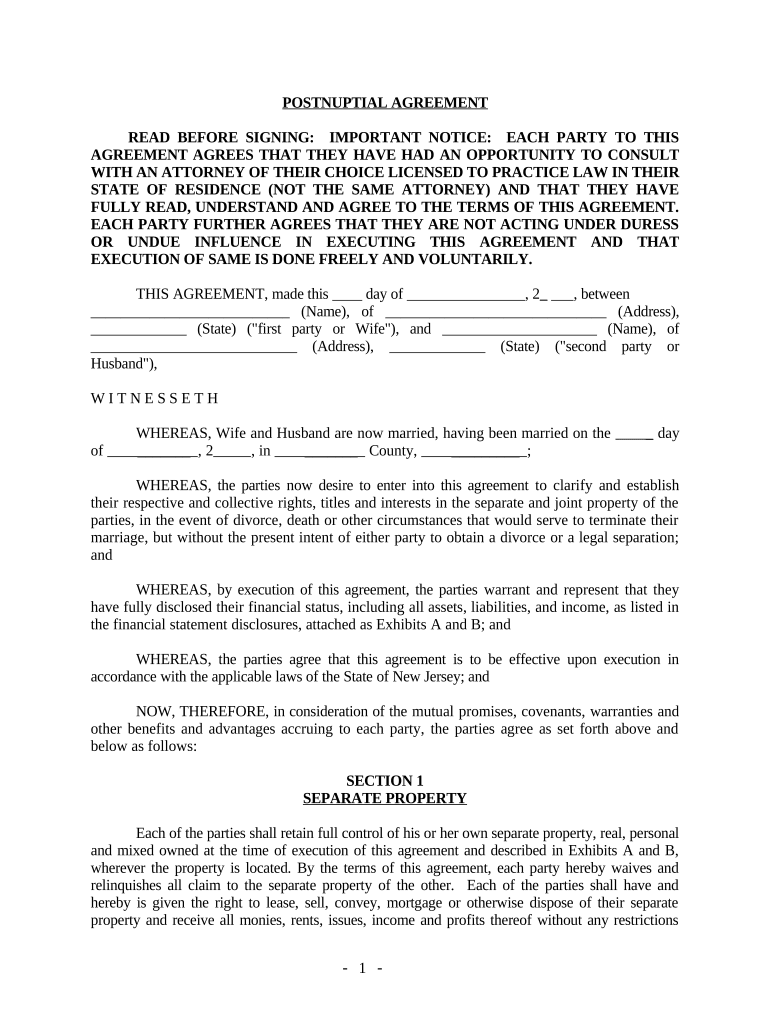
Click ‘Get Form’ to open the nj agreement in the editor.
Begin by filling in the date and names of both parties at the top of the document. Ensure that you accurately input your full legal names and the date of marriage.
Proceed to Section 1, where you will describe each party's separate property. Use the provided fields to list assets such as real estate, vehicles, and bank accounts.
In Section 2, identify any joint property. Clearly indicate which assets are considered joint estates by checking the appropriate boxes.
Continue through Sections 3 to 7, detailing obligations regarding debts, waivers of rights, and any additional provisions. Be thorough in your disclosures for clarity.
Finally, ensure both parties sign at the end of the document and have it notarized as required. This step is crucial for legal validity.
Start using our platform today to easily complete your nj agreement online for free!
NJ State contract vendors 2026NJ PERC Contract searchNJ State contract vehiclesNJ procurement opportunitiesNJ start loginWhat is NJ startNJ State Contract pricingList of government contracts for bid
Security and compliance
At DocHub, your data security is our priority. We follow HIPAA, SOC2, GDPR, and other standards, so you can work on your documents with confidence.
Our easy-to-use eProcurement system puts the power to do business with the State of New Jersey in your hands by automating the procurement process.Read more
The New Jersey Comprehensive State-Wide Transfer Agreement assists students in transferring courses from New Jerseys 19 community colleges to the 25Read more
Chambers Cogeneration power station - Global Energy Monitor
Feb 12, 2026 In March 2022, the New Jersey Board of Public Utilities approved a petition to modify the power purchase agreement between ACE and ChambersRead more
Cookie consent notice
This site uses cookies to enhance site navigation and personalize your experience.
By using this site you agree to our use of cookies as described in our Privacy Notice.
You can modify your selections by visiting our Cookie and Advertising Notice.