Type text, add images, blackout confidential details, add comments, highlights and more.
02. Sign it in a few clicks
Draw your signature, type it, upload its image, or use your mobile device as a signature pad.
03. Share your form with others
Send it via email, link, or fax. You can also download it, export it or print it out.
How to use or fill out nc agreement with our platform
Ease of Setup
DocHub User Ratings on G2
Ease of Use
DocHub User Ratings on G2
Click ‘Get Form’ to open the nc agreement in the editor.
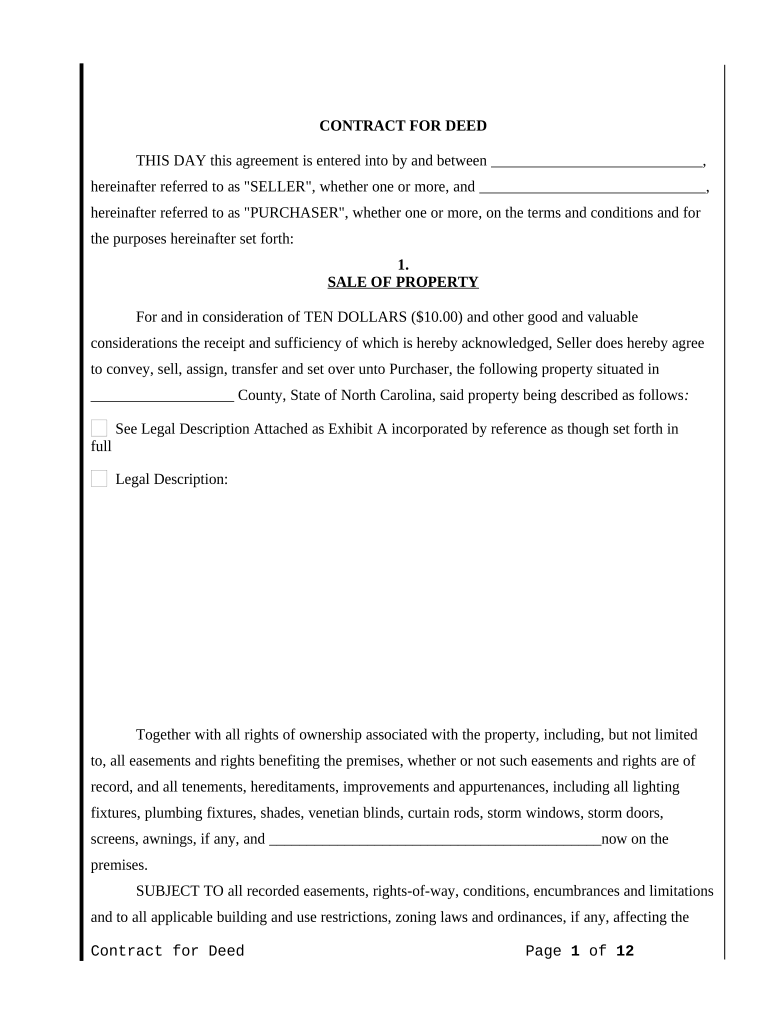
Begin by filling in the names of the Seller and Purchaser in the designated fields at the top of the document.
In the 'SALE OF PROPERTY' section, specify the property details, including county and legal description. Attach any necessary documents as Exhibit A.
Next, enter the purchase price and payment terms in the 'PURCHASE PRICE AND TERMS' section. Choose one of the payment options provided and fill in relevant amounts.
Review sections on maintenance, taxes, insurance, and default carefully. Ensure you understand your obligations regarding property upkeep and insurance requirements.
Complete any additional sections as applicable, such as notices and assignment clauses. Make sure all parties sign where indicated.
Start using our platform today for free to streamline your nc agreement process!
NC State Contract portalNC State contract Vehicle pricingNC state contractsNC State Contract Vehicle listNorth Carolina Procurement ContractsNC procurementNc State Contract vendorsNC State Contract 5610A
Security and compliance
At DocHub, your data security is our priority. We follow HIPAA, SOC2, GDPR, and other standards, so you can work on your documents with confidence.
The employment agreement/contract generally sets out the requirements of the position, rights, and responsibilities of both the employer and the employee, andRead more
Cookie consent notice
This site uses cookies to enhance site navigation and personalize your experience.
By using this site you agree to our use of cookies as described in our Privacy Notice.
You can modify your selections by visiting our Cookie and Advertising Notice.