Type text, add images, blackout confidential details, add comments, highlights and more.

02. Sign it in a few clicks
Draw your signature, type it, upload its image, or use your mobile device as a signature pad.

03. Share your form with others
Send it via email, link, or fax. You can also download it, export it or print it out.

How to use or fill out publishing agreement with our platform
Ease of Setup
DocHub User Ratings on G2
Ease of Use
DocHub User Ratings on G2
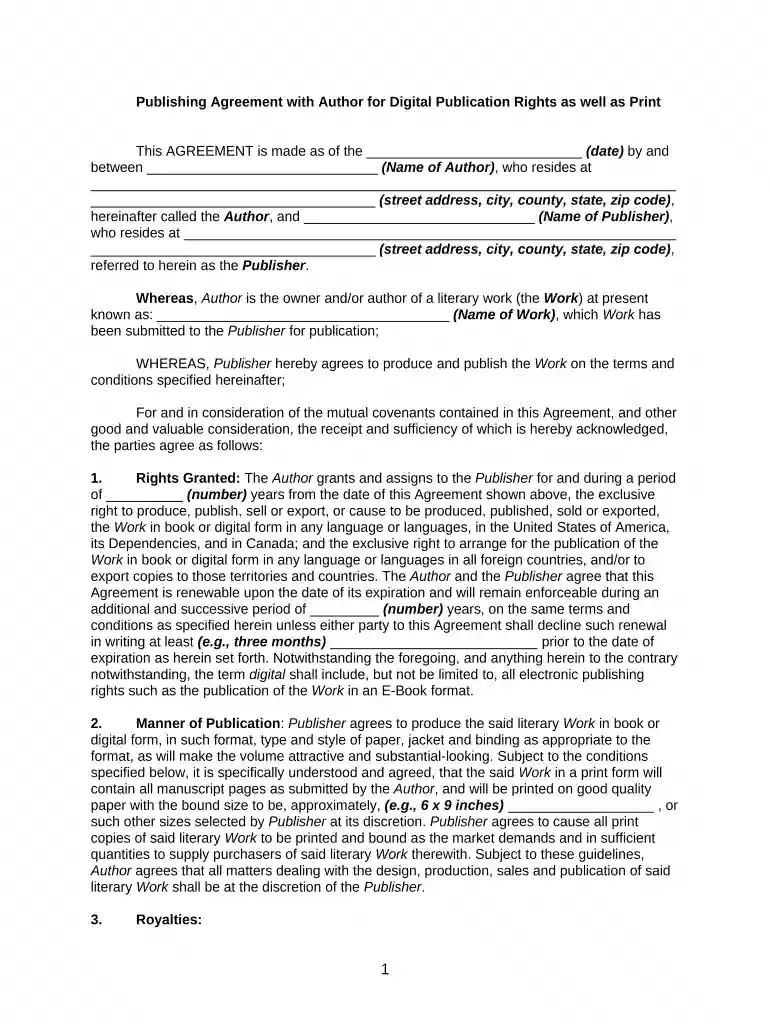
Click ‘Get Form’ to open the publishing agreement in the editor.
Begin by entering the date at the top of the form, followed by the Author's name and address. Ensure all details are accurate for legal purposes.
In the 'Rights Granted' section, specify the number of years for which rights are granted. This is crucial for defining the duration of your agreement.
Fill in the 'Manner of Publication' section with details about how you envision your work being published, including format and quality expectations.
Complete the 'Royalties' section by detailing percentages for different sales thresholds. This ensures clarity on financial arrangements.
Review all sections carefully, especially those regarding copyright and revisions, to ensure they align with your expectations before finalizing.
Start using our platform today to streamline your publishing agreement process for free!
The Author hereby grants and assigns to the Publisher, its successors, representatives, and assigns, the sole and exclusive right to publish (i.e., print,Read more
Sep 5, 2025 The agreements, procedures, and/or forms below apply to publications created by NIH employees, contractors, and trainees working at NIH. Peer-Read more
Cookie consent notice
This site uses cookies to enhance site navigation and personalize your experience.
By using this site you agree to our use of cookies as described in our Privacy Notice.
You can modify your selections by visiting our Cookie and Advertising Notice.