




Here's how it works

01. Edit your severance agreement template online
Type text, add images, blackout confidential details, add comments, highlights and more.

02. Sign it in a few clicks
Draw your signature, type it, upload its image, or use your mobile device as a signature pad.

03. Share your form with others
Send dochub com fillable form via email, link, or fax. You can also download it, export it or print it out.
How to use or fill out severance agreement sample with DocHub

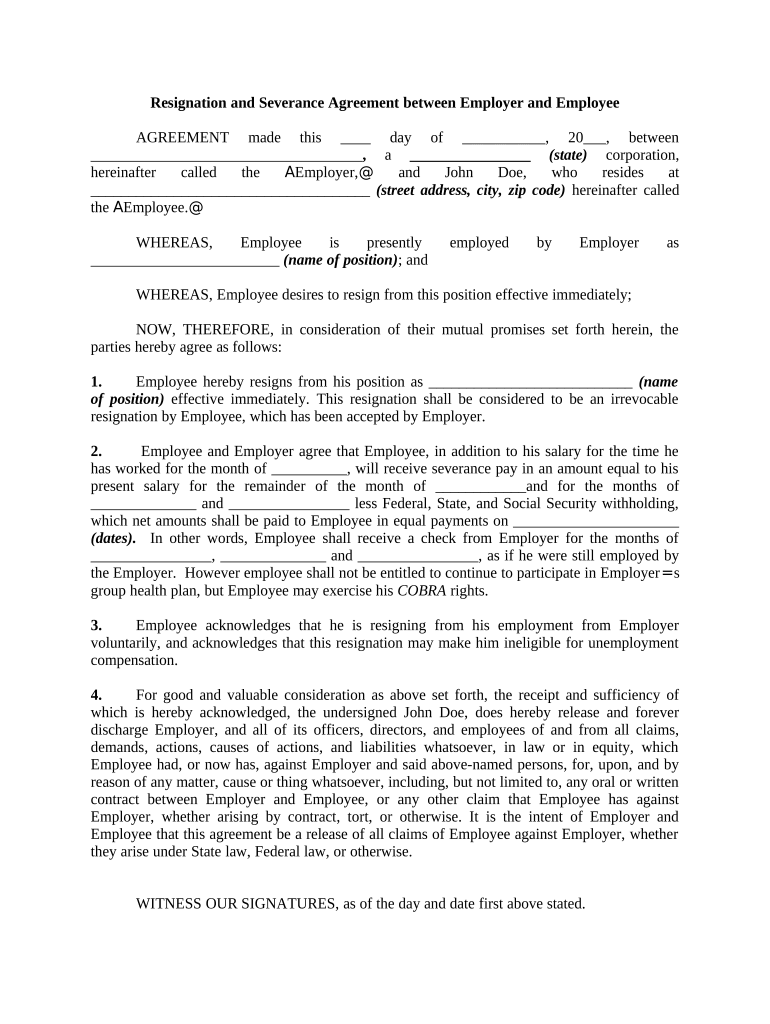
- Click ‘Get Form’ to open the severance agreement sample in our editor.
- Begin by filling in the date at the top of the document. This is crucial as it marks the official start of the agreement.
- In the first section, enter the name of the employer and their state of incorporation. Then, input the employee's name and address in the designated fields.
- Specify the employee's current position in the appropriate field to clarify their role prior to resignation.
- Indicate the effective date of resignation and ensure that it reflects an irrevocable decision by checking all relevant boxes.
- Fill out details regarding severance pay, including amounts and payment dates. Be sure to calculate any deductions for taxes accurately.
- Acknowledge voluntary resignation by confirming understanding of potential unemployment compensation implications.
- Finally, both parties should sign and date at the bottom of the document to finalize this agreement.
Start using our platform today for free to complete your severance agreement efficiently!
Fill out severance agreement sample online
It's free
It's free
Security and compliance
At DocHub, your data security is our priority. We follow HIPAA, SOC2, GDPR, and other standards, so you can work on your documents with confidence.
Learn more


