01. Edit your electronic stock certificate template online
Type text, add images, blackout confidential details, add comments, highlights and more.
02. Sign it in a few clicks
Draw your signature, type it, upload its image, or use your mobile device as a signature pad.
03. Share your form with others
Send stock certificate number lookup via email, link, or fax. You can also download it, export it or print it out.
How to use or fill out stock certificate corporation with our platform
Ease of Setup
DocHub User Ratings on G2
Ease of Use
DocHub User Ratings on G2
Click ‘Get Form’ to open the stock certificate in the editor.
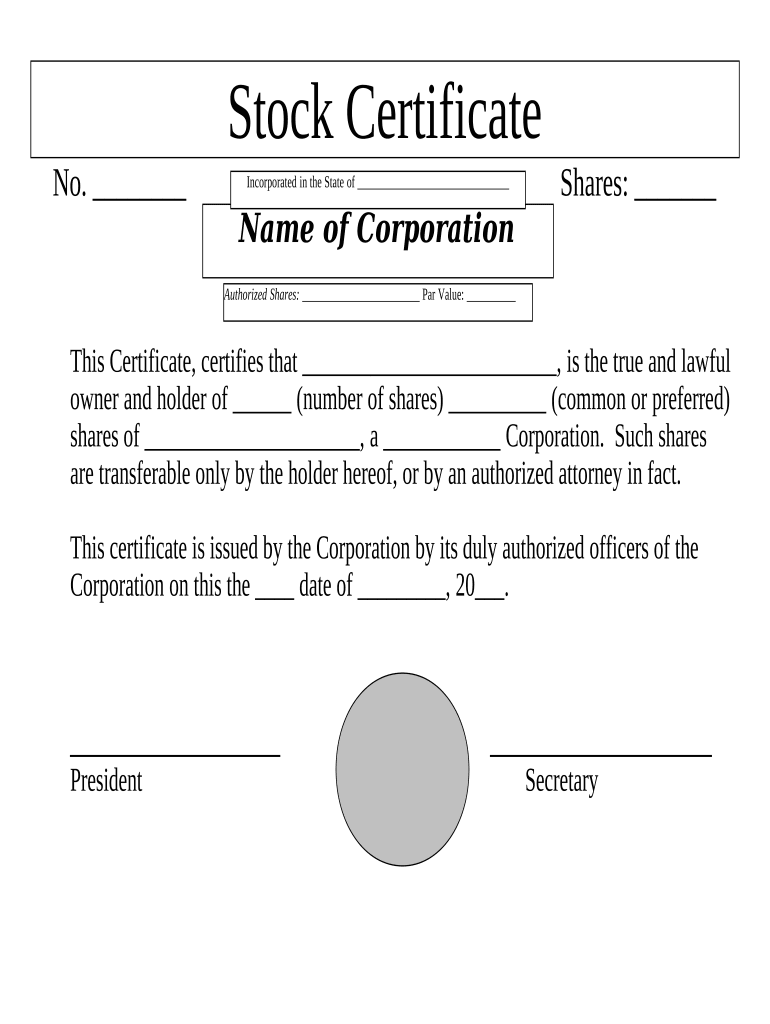
Begin by entering the certificate number in the designated field labeled 'No. __'. This unique identifier is crucial for tracking ownership.
Next, specify the state of incorporation in the section that reads 'Incorporated in the State of __________'. This information confirms where your corporation is legally registered.
Fill in the number of shares being issued in the 'Shares: ____' field. Ensure this matches your corporate records.
Enter the name of your corporation where indicated. This should be consistent with your official registration documents.
Complete the fields for 'Authorized Shares' and 'Par Value'. These details are essential for legal compliance and shareholder information.
Identify the owner by filling in their name under 'This Certificate certifies that ________'.
Indicate whether these shares are common or preferred by selecting from the options provided.
Finally, have an authorized officer sign and date the certificate at the bottom, ensuring it is valid and enforceable.
Start using our platform today to effortlessly complete your stock certificate!
Fill out stock certificate corporation online It's free
stock certificate | Wex | US Law | LII / Legal Information Institute
A stock certificate is a printed certificate issued by a corporation to a shareholder, documenting ownership in a stated number of shares of that corporationsRead more
Revised Statutes of Missouri, RSMo Section 351.295 - MO.gov
The shares of a corporation shall be represented by certificates, provided that the articles of incorporation or bylaws, or a resolution or resolutions of theRead more
Cookie consent notice
This site uses cookies to enhance site navigation and personalize your experience.
By using this site you agree to our use of cookies as described in our Privacy Notice.
You can modify your selections by visiting our Cookie and Advertising Notice.