Type text, add images, blackout confidential details, add comments, highlights and more.
02. Sign it in a few clicks
Draw your signature, type it, upload its image, or use your mobile device as a signature pad.
03. Share your form with others
Send florida trust amendment form via email, link, or fax. You can also download it, export it or print it out.
How to use or fill out Amendment to Living Trust - Florida with our platform
Ease of Setup
DocHub User Ratings on G2
Ease of Use
DocHub User Ratings on G2
Click ‘Get Form’ to open the Amendment to Living Trust - Florida in the editor.
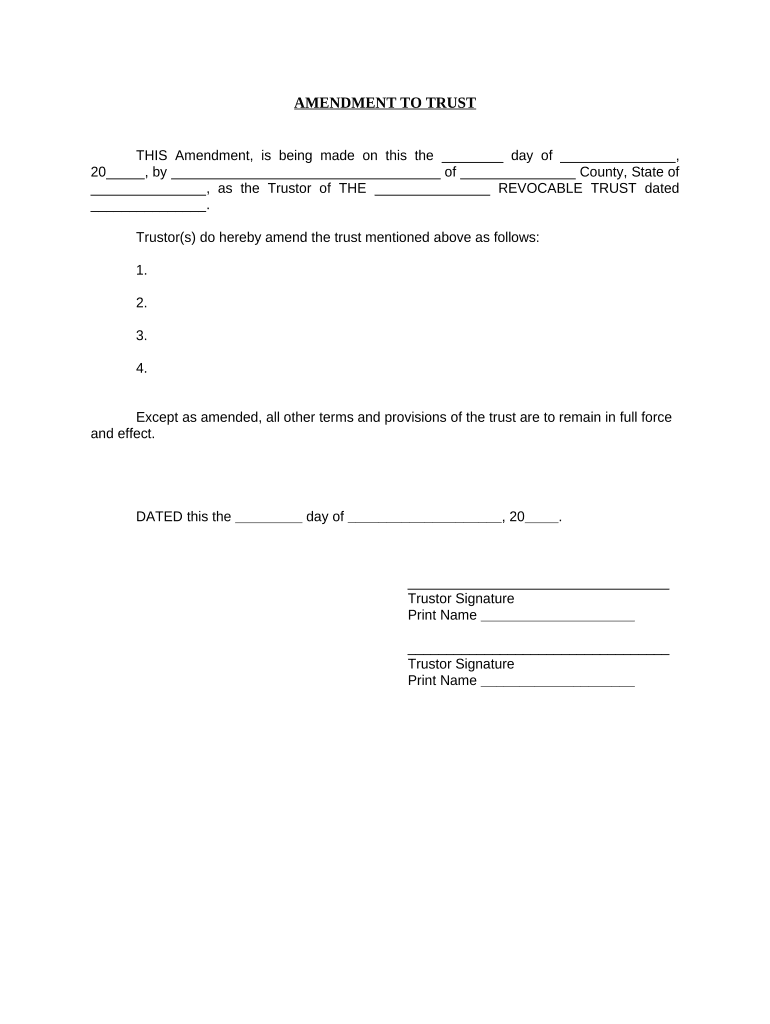
Begin by entering the date of the amendment in the first blank space provided. This should reflect the day you are completing the document.
Next, fill in your name as the Trustor and specify your county and state in the designated fields.
In the section that begins with 'Trustor(s) do hereby amend...', list any amendments you wish to make to your trust. Be clear and concise for each point.
Complete the signature section by signing your name as the Trustor and printing it below. If there are multiple Trustors, ensure all signatures are included.
Finally, complete the notary section by providing details about your notary public, including their printed name and commission expiration date.
Start editing your Amendment to Living Trust - Florida for free today on our platform!
Fill out Amendment to Living Trust - Florida online It's free
Amendment to living trust florida templateAmendment to living trust florida pdfAmendment to living trust florida sampleFree amendment to living trust floridaAmendment to living trust florida exampleAmendment to living trust florida formTrust amendment formTrust amendment form PDF
Security and compliance
At DocHub, your data security is our priority. We follow HIPAA, SOC2, GDPR, and other standards, so you can work on your documents with confidence.
The Requirements for Valid Declarations of Trust Under
4. Thus, under this amendment, the requirement to satisfy will execution for- malities does not apply to trusts created before July 1, 1969. In the instantRead more
Capitol Power Plant - Global Energy Monitor - GEM.wiki
Whitfields amendment attacked a key component of the Greening the Capitol plan that sought to phase out the use of coal at the Capitol Power Plant. WhitfieldRead more
Cookie consent notice
This site uses cookies to enhance site navigation and personalize your experience.
By using this site you agree to our use of cookies as described in our Privacy Notice.
You can modify your selections by visiting our Cookie and Advertising Notice.