Type text, add images, blackout confidential details, add comments, highlights and more.
02. Sign it in a few clicks
Draw your signature, type it, upload its image, or use your mobile device as a signature pad.
03. Share your form with others
Send it via email, link, or fax. You can also download it, export it or print it out.
How to use or fill out defendant response with our platform
Ease of Setup
DocHub User Ratings on G2
Ease of Use
DocHub User Ratings on G2
Click ‘Get Form’ to open the defendant response in the editor.
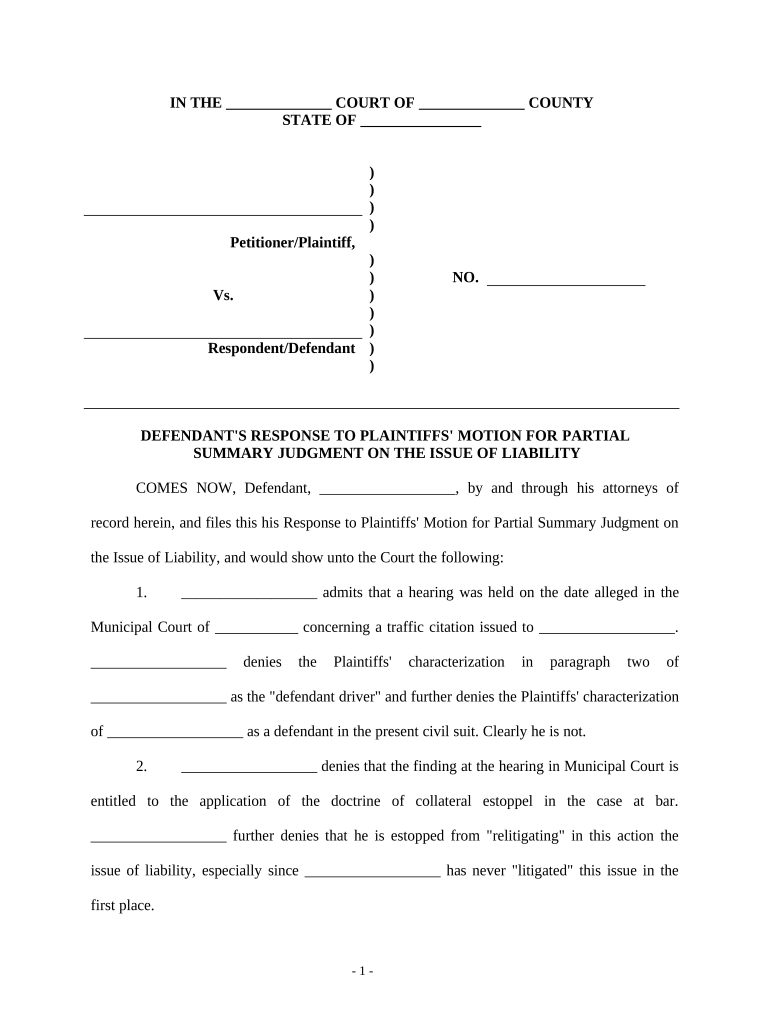
Begin by filling in the court name and county at the top of the form. This sets the context for your response.
In the section labeled 'Defendant', enter your name and any relevant details as required. This identifies you as the responding party.
Proceed to each numbered paragraph, where you will either admit or deny the allegations made by the plaintiff. Be sure to provide clear and concise responses.
For any legal references or case law mentioned, ensure you accurately cite them in the appropriate sections, reinforcing your arguments.
Complete your contact information at the end of the document, including your attorney's details if applicable.
Finally, review all entries for accuracy before saving or sending your completed response through our platform.
Start using our platform today to efficiently fill out your defendant response for free!
Answer to Complaint pdfHow to answer a complaint in civil courtSummons response formAnswer to Civil complaint templateHow to answer a summons without an attorneyFree summons Answer templateCivil Summons answer form NCAnswer Contract (PLD-C-010)
Security and compliance
At DocHub, your data security is our priority. We follow HIPAA, SOC2, GDPR, and other standards, so you can work on your documents with confidence.
PAYMENT OF CLAIM: Proof of payment (including fees and costs) to Plaintiff is attached (or proof that the requested property was returned to Plaintiff).Read more
Answer | Mayan Languages Glossary - mayanlanguages.wiki
Feb 1, 2025 Definition. The formal written statement by a defendant in a civil case that responds to a complaint, articulating the grounds for defense.Read more
Rule 12. Defenses and Objections: When and How Presented
A defendant must serve an answer: (i) within 21 days after being served with the summons and complaint; or (ii) if it has timely waived service under Rule 4(d)Read more
Cookie consent notice
This site uses cookies to enhance site navigation and personalize your experience.
By using this site you agree to our use of cookies as described in our Privacy Notice.
You can modify your selections by visiting our Cookie and Advertising Notice.