Florida agreement form 2026

Get Form
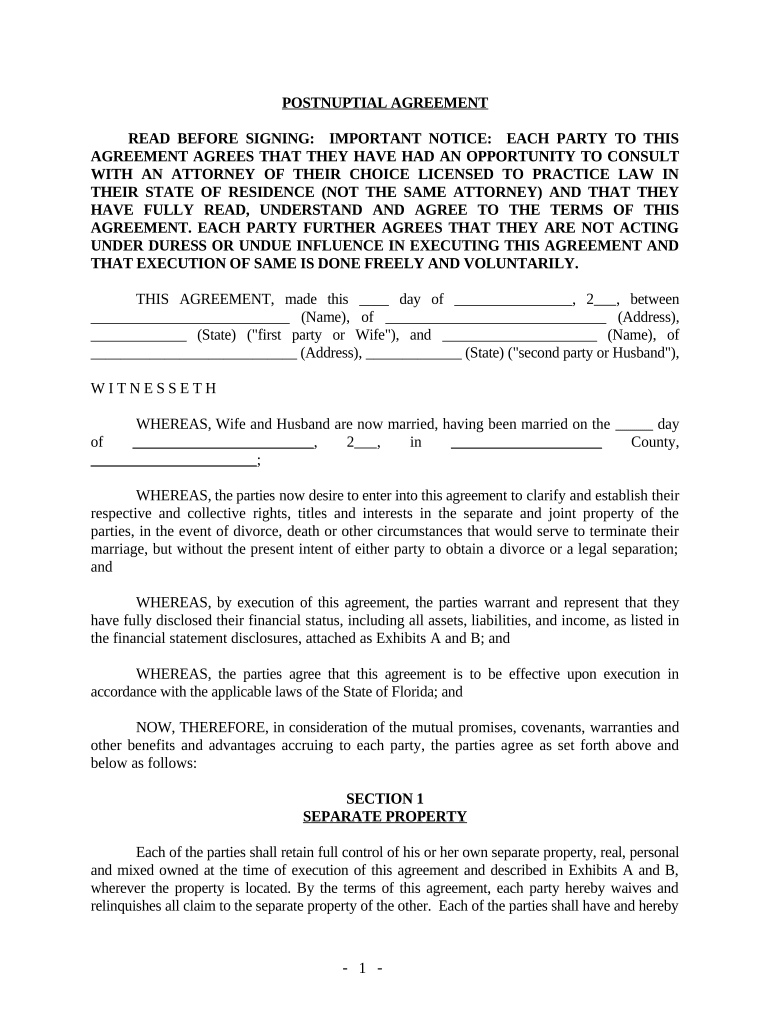
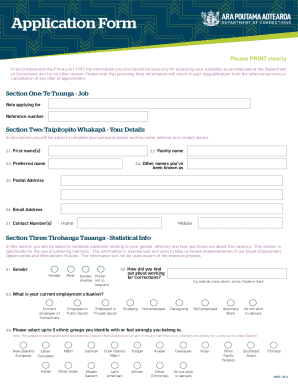
florida agreement form Preview on Page 1

Here's how it works

01. Edit your form online
Type text, add images, blackout confidential details, add comments, highlights and more.
02. Sign it in a few clicks
Draw your signature, type it, upload its image, or use your mobile device as a signature pad.
03. Share your form with others
Send it via email, link, or fax. You can also download it, export it or print it out.

How to use or fill out Florida Agreement Form with DocHub

Form edit decoration
9.5
Ease of Setup
DocHub User Ratings on G2
9.0
Ease of Use
DocHub User Ratings on G2
  1. Click ‘Get Form’ to open the Florida Agreement Form in our editor.
  2. Begin by entering the date of the agreement at the top of the form. This is crucial for establishing the timeline of your agreement.
  3. Fill in the names and addresses of both parties involved. Ensure that all information is accurate to avoid any legal complications.
  4. In Section 1, detail each party's separate property as described in Exhibits A and B. Clearly list all assets, including real estate and bank accounts.
  5. Proceed to Section 2 to define joint property. Specify any assets that will be considered joint estates.
  6. Complete Sections 3 through 8 by following prompts regarding debts, liabilities, and additional provisions. Make sure to review each section carefully.
  7. Finally, ensure both parties sign the document in the designated areas and have it notarized as required by law.

Start using our platform today to easily fill out your Florida Agreement Form for free!

be ready to get more

Complete this form in 5 minutes or less

Get form

Got questions?

We have answers to the most popular questions from our customers. If you can't find an answer to your question, please contact us.
Contact us

eSignatures are a great alternative to traditional signing, as they save time, effort, and costs people spend on printing, scanning, and paper delivery. You can electronically sign your florida agreement form utilizing a reliable and powerful online document processing services like DocHub. It complies with main eSignature regulations (ESIGN and UETA), so all forms approved there are legally binding and have the same validity as manually signed ones.

You can find the latest and most relevant version of the florida agreement form in our DocHub forms collection. Search it by categories or use the search field to locate the exact template that suits your situation. You may open this form for editing once you find it.

Lease agreements are considered to be legally binding once the document is signed by both parties. There are various ways that either party can break a lease early, but these considerations do not negate the legality of the lease.
A Florida standard residential lease agreement is a contract used by landlords and tenants to lay out the terms of a rental arrangement. In Florida, a residential lease can only be up to a year unless signed in the presence of two witnesses. Rental Application Used to assess a tenants financial history.
While landlords can create their own lease agreements, its crucial to ensure compliance with Florida laws. Consulting with a property management company like Bahia Property Management can help draft legally sound and comprehensive agreements.

Security and compliance

At DocHub, your data security is our priority. We follow HIPAA, SOC2, GDPR, and other standards, so you can work on your documents with confidence.

Learn more
ccpa2
pci-dss
gdpr-compliance
hipaa
soc-compliance
be ready to get more

Complete this form in 5 minutes or less

Get form

People also ask

Because Florida does not recognize legal separation, couples sometimes draft informal agreements when deciding to live apart. These informal arrangements often outline essential aspects, such as how to divide property, share custody, manage finances, and co-parent children during their separation.
Notarization: Unlike some legal documents, residential leases in Florida do not typically need to be docHubd. The critical aspect is that both parties have agreed to the terms and have demonstrated this agreement by signing the lease.
Florida Family Law Rules of Procedure demand docHubd signatures on all MSAs and financial affidavits. Notarization proves each spouse signed voluntarily, under oath, and with confirmed identity. Courts will reject an unsigned or un-docHubd agreement, so notarization is not optional; it is mandatory.

Related links