Co decision maker 2026

Get Form
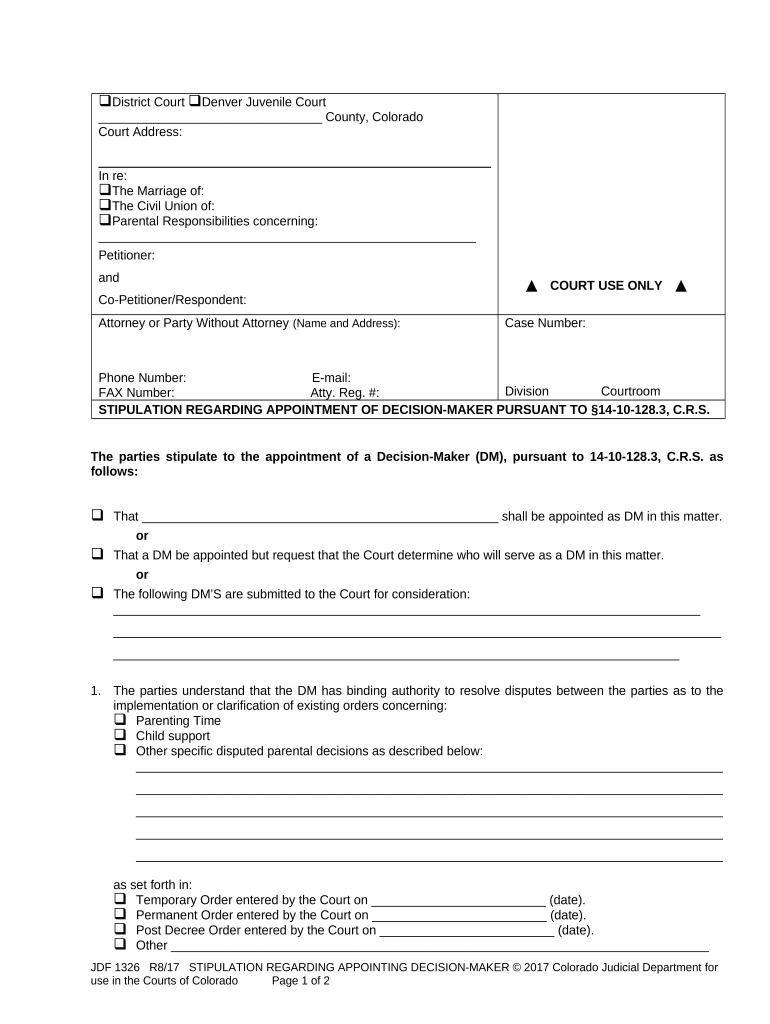
co decision maker Preview on Page 1

Here's how it works

01. Edit your form online
Type text, add images, blackout confidential details, add comments, highlights and more.
02. Sign it in a few clicks
Draw your signature, type it, upload its image, or use your mobile device as a signature pad.
03. Share your form with others
Send it via email, link, or fax. You can also download it, export it or print it out.

How to use or fill out co decision maker with our platform

Form edit decoration
9.5
Ease of Setup
DocHub User Ratings on G2
9.0
Ease of Use
DocHub User Ratings on G2
  1. Click ‘Get Form’ to open it in the editor.
  2. Begin by filling in the court address and case number at the top of the form. Ensure all details are accurate for proper identification.
  3. In the 'Petitioner' and 'Co-Petitioner/Respondent' sections, enter the names of both parties involved. This is crucial for establishing who is agreeing to the stipulation.
  4. Select one of the options regarding the appointment of a Decision-Maker (DM). You can either name a DM directly, request court determination, or submit potential DM candidates.
  5. Detail any specific disputes that the DM will have authority over, such as parenting time or child support, in the designated section.
  6. Fill out payment details for the DM’s retainer and fees. Specify amounts and deadlines for payments from both parties.
  7. Acknowledge your understanding of filling in blanks without altering other content by checking the appropriate box.
  8. Complete the verification section by providing signatures, printed names, and contact information for both parties.

Start using our platform today to streamline your document editing and signing process for free!

be ready to get more

Complete this form in 5 minutes or less

Get form

Got questions?

We have answers to the most popular questions from our customers. If you can't find an answer to your question, please contact us.
Contact us
Aligning the Four Rs of Decision-Making: Results, Resources, Restrictions, Risk. Not all decisions require a high level of rigor.
Decision-makers determine larger company decisions and work to keep it efficiently running so other employees can focus primarily on their day-to-day projects. Common benefits strong decision-makers bring to companies include: Making sure the company makes correct big-picture decisions to keep the business growing.
Decision makers are, as the name implies, people who make decisions. In a business context, this typically means people who have the power to make strategic business decisions, such as acquisitions, investments, etc.
Sometimes this person is called a surrogate or proxy decision maker, a patient advocate, or durable power of attorney for health care. However, all these terms mean the same thing.
Discretion exists when the decision maker has the power to make a choice about whether to act or not act, to approve or not approve, or to approve with conditions. The role of the decision maker is to make a judgement taking into account all relevant information.

Security and compliance

At DocHub, your data security is our priority. We follow HIPAA, SOC2, GDPR, and other standards, so you can work on your documents with confidence.

Learn more
ccpa2
pci-dss
gdpr-compliance
hipaa
soc-compliance

People also ask

A decision maker is the person who makes a decision for, or carries out an act on behalf of a person who lacks capacity at the time the act or decision has to be made.
A co-decision-maker is appointed by the Court to help an adult make decisions in some or all areas of personal decision-making, except financial matters.

Related links