Type text, add images, blackout confidential details, add comments, highlights and more.
02. Sign it in a few clicks
Draw your signature, type it, upload its image, or use your mobile device as a signature pad.
03. Share your form with others
Send it via email, link, or fax. You can also download it, export it or print it out.
How to use or fill out vt surviving with our platform
Ease of Setup
DocHub User Ratings on G2
Ease of Use
DocHub User Ratings on G2
Click ‘Get Form’ to open the vt surviving document in the editor.
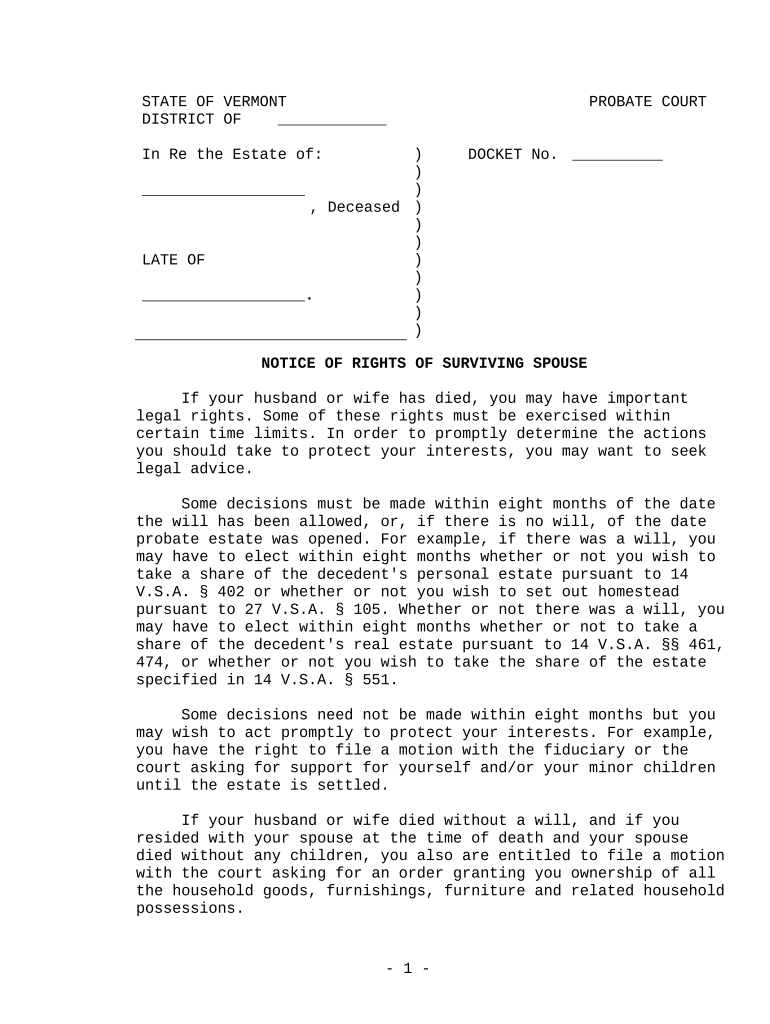
Begin by entering the name of the deceased in the designated field. This is crucial for identifying the estate in question.
Fill in the date of death and any relevant docket number, ensuring that all information is accurate to avoid delays.
Review the rights outlined in the document carefully. Make notes on any decisions you may need to make within eight months regarding personal and real estate shares.
If applicable, indicate your desire to file a motion for support or ownership of household goods by checking the appropriate boxes or writing your request in the provided space.
Finally, sign and date the form at the bottom. Ensure that your signature is clear and matches your legal name.
Start using our platform today to easily complete your vt surviving form online for free!
Jan 25, 2022 Surviving the Future: Conversations for Our Time is a popular online community run through Vermonts Sterling College, with participantsRead more
A confidential resource that provides support services to students, faculty and staff who have been impacted by experiences such as sexual assault, domesticRead more
Cookie consent notice
This site uses cookies to enhance site navigation and personalize your experience.
By using this site you agree to our use of cookies as described in our Privacy Notice.
You can modify your selections by visiting our Cookie and Advertising Notice.