Type text, add images, blackout confidential details, add comments, highlights and more.
02. Sign it in a few clicks
Draw your signature, type it, upload its image, or use your mobile device as a signature pad.
03. Share your form with others
Send it via email, link, or fax. You can also download it, export it or print it out.
How to use or fill out ar checklist with our platform
Ease of Setup
DocHub User Ratings on G2
Ease of Use
DocHub User Ratings on G2
Click ‘Get Form’ to open the ar checklist in the editor.
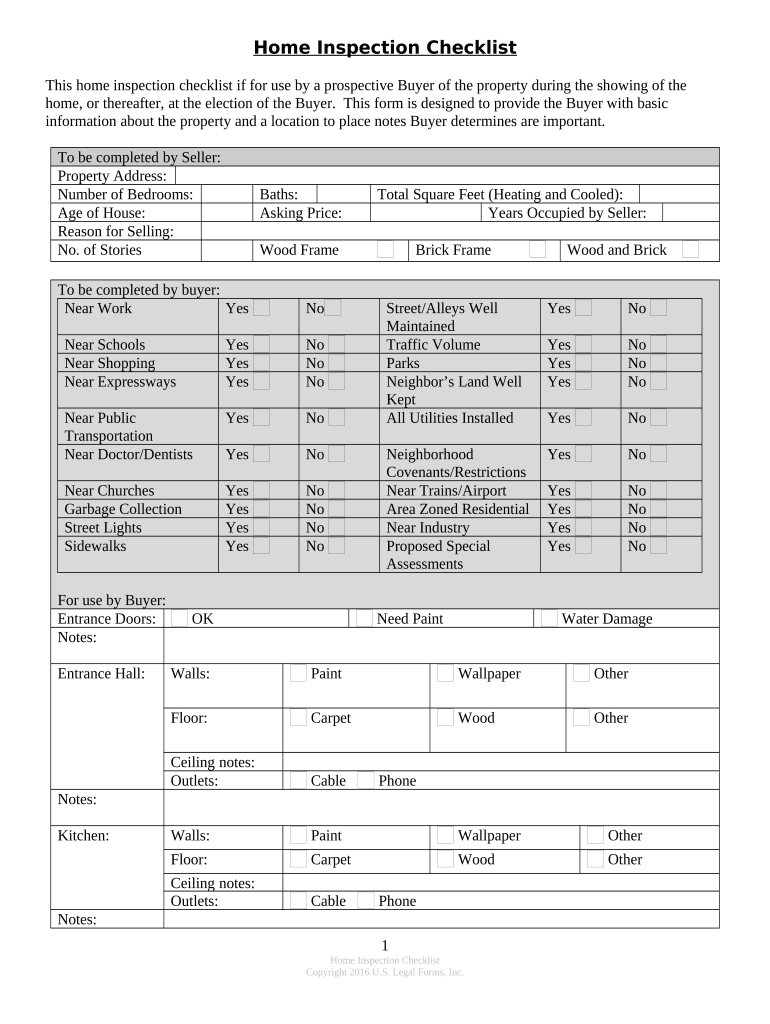
Begin by filling out the 'To be completed by Seller' section. Enter the property address, number of bedrooms, age of the house, reason for selling, and other relevant details.
Next, move to the 'To be completed by Buyer' section. Here, you can indicate proximity to work, schools, shopping areas, and public transportation by selecting 'Yes' or 'No' for each item.
Continue through the checklist by assessing various aspects of the home such as entrance doors, total square feet, and neighborhood conditions. Use the notes sections to jot down any observations.
Finally, review your entries for accuracy and completeness before saving or sharing your filled-out checklist directly from our platform.
Start using our platform today to streamline your home inspection process for free!
Ar checklist pdfBest ar checklistAR-15 schematic PDFDo you just need an upper and lower to build an ARWhat is the forward assist on an ARCan you legally build an AR-15AR 15 component namesBest parts for an ar build
Security and compliance
At DocHub, your data security is our priority. We follow HIPAA, SOC2, GDPR, and other standards, so you can work on your documents with confidence.
Review the Financial Process Narrative IU Accounting Standard. (Any unit that has $10M in accounts receivable activity must submit a process narrative to UCO).Read more
Cookie consent notice
This site uses cookies to enhance site navigation and personalize your experience.
By using this site you agree to our use of cookies as described in our Privacy Notice.
You can modify your selections by visiting our Cookie and Advertising Notice.