Type text, add images, blackout confidential details, add comments, highlights and more.

02. Sign it in a few clicks
Draw your signature, type it, upload its image, or use your mobile device as a signature pad.

03. Share your form with others
Send it via email, link, or fax. You can also download it, export it or print it out.

How to use or fill out New York Summons with our platform
Ease of Setup
DocHub User Ratings on G2
Ease of Use
DocHub User Ratings on G2
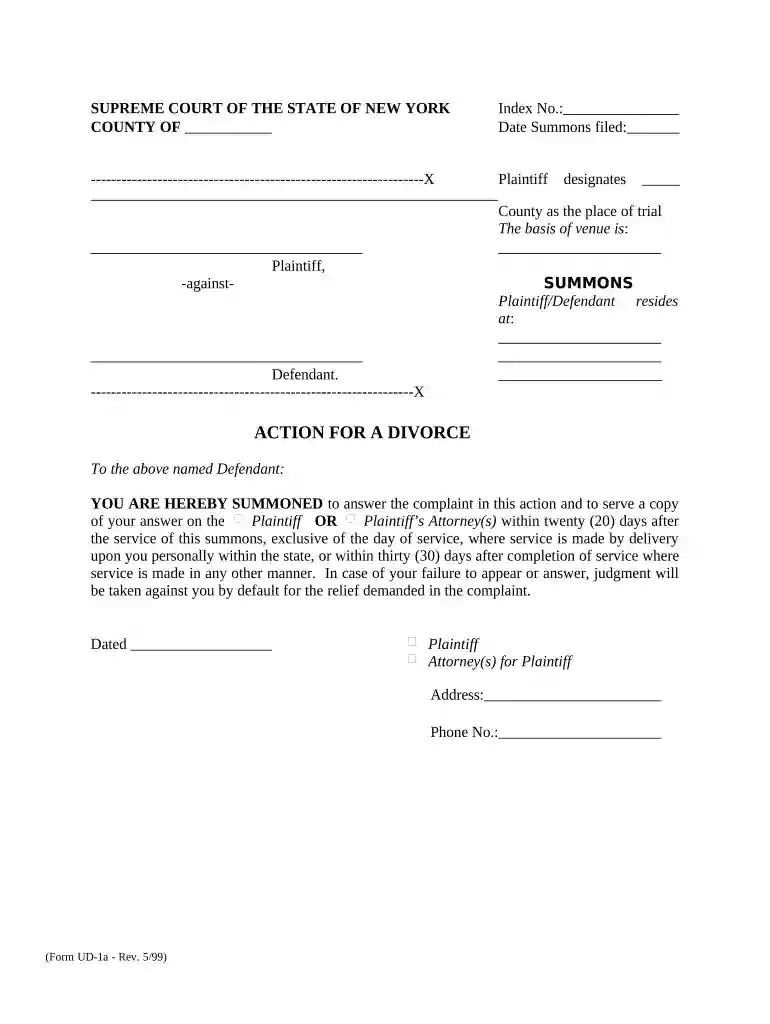
Click ‘Get Form’ to open the New York Summons in the editor.
Begin by entering the 'Index No.' and 'Date Summons filed' at the top of the form. This information is crucial for tracking your case.
In the section labeled 'Plaintiff designates County as the place of trial', specify the county where you wish to file your case. Ensure this aligns with jurisdictional requirements.
Fill in the address details for both the Plaintiff and Defendant in their respective fields. Accurate addresses are essential for proper service of documents.
Review the instructions provided to the Defendant regarding their obligation to respond within twenty (20) days if served personally, or thirty (30) days for other service methods.
Finally, sign and date the form at the bottom, including your contact information as Plaintiff or Plaintiff’s Attorney.
Start using our platform today to easily complete your New York Summons online for free!
OATH Hearings Division Case Status | NYC Open Data
All other fields and records remain searchable, or as an alternative, use the OATH Summons Finder or a summons lookup tool from the issuing agency. You canRead more
Cookie consent notice
This site uses cookies to enhance site navigation and personalize your experience.
By using this site you agree to our use of cookies as described in our Privacy Notice.
You can modify your selections by visiting our Cookie and Advertising Notice.