Estate inventory colorado 2026

Get Form
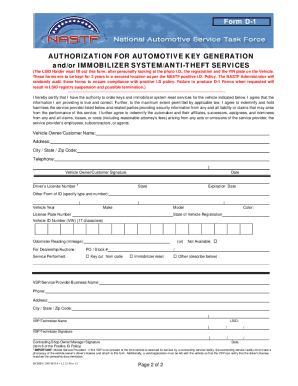
estate inventory Preview on Page 1

Here's how it works

01. Edit your estate inventory online
Type text, add images, blackout confidential details, add comments, highlights and more.

02. Sign it in a few clicks
Draw your signature, type it, upload its image, or use your mobile device as a signature pad.

03. Share your form with others
Send estate inventory form via email, link, or fax. You can also download it, export it or print it out.

How to use or fill out estate inventory colorado with our platform

Form edit decoration
9.5
Ease of Setup
DocHub User Ratings on G2
9.0
Ease of Use
DocHub User Ratings on G2
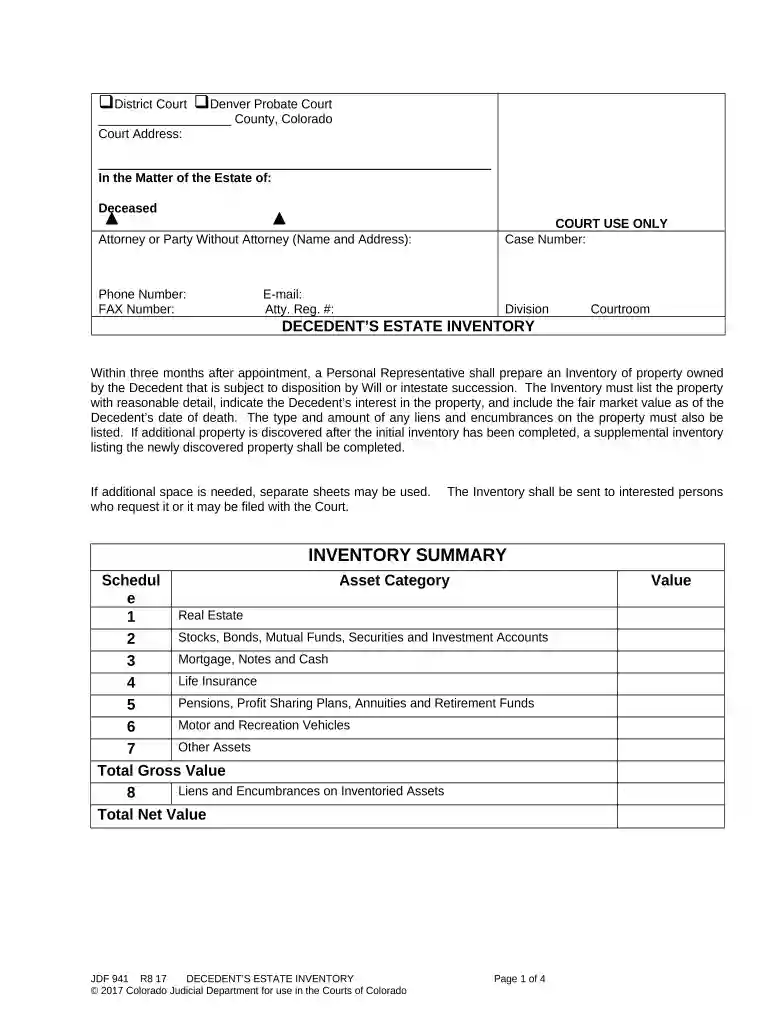
  1. Click ‘Get Form’ to open the estate inventory document in the editor.
  2. Begin by filling in the court information at the top, including the county and court address. Ensure you enter the case number and contact details accurately.
  3. In the 'Decedent’s Estate Inventory' section, list all property owned by the decedent. Provide detailed descriptions, fair market values, and any liens or encumbrances associated with each asset.
  4. Complete each schedule (1 through 8) by entering specific asset types such as real estate, stocks, and vehicles. If necessary, use additional sheets for more assets.
  5. Review your entries for accuracy. Check the acknowledgment boxes regarding changes made to the form before signing it as a Personal Representative.
  6. Finally, certify that you have completed the inventory truthfully and send copies to interested parties or file it with the court as required.

Start using our platform today to simplify your estate inventory process for free!

be ready to get more

Complete this form in 5 minutes or less

Get form

Got questions?

We have answers to the most popular questions from our customers. If you can't find an answer to your question, please contact us.
Contact us
The Limitations on Removing Items Executors, regardless of their personal relationship to the deceased, do not have the liberty to remove items from the estate at their discretion. Every asset, no matter its size or perceived value, is part of the estate and must be accounted for in the inventory process.
The application seeks to force the executor to disclose information and documents(such as bank statements) which gets the executor to reveal what is in the estate of the deceased. It is done by preparation of a summons together with a supporting affidavit and will be heard at the Probate Registry.
This includes life insurance policies, bank accounts, and investment or retirement accounts that require you to name a beneficiary. The proceeds are paid out directly to your named beneficiary when you pass away without having to pass through probate.
In the context of an estate, an inventory is a detailed list of all the assets and property that a deceased person (decedent) owned at the time of their death and claims owed to the decedent.
The estate administration process in Colorado generally takes six months to one year, but can extend beyond that depending on several key factors: Size and complexity of the estate: Larger or more complex estates require more documentation, valuation, and sometimes court oversight.

Security and compliance

At DocHub, your data security is our priority. We follow HIPAA, SOC2, GDPR, and other standards, so you can work on your documents with confidence.
Learn more
ccpa2
pci-dss
gdpr-compliance
hipaa
soc-compliance

People also ask

In California, most probate records are accessible to the public, including: Wills Once filed with the court, a will becomes a public document. Court Filings Documents related to probate proceedings, such as petitions, inventories of assets, and creditor claims, are generally public.
How To Take Inventory of an Estate Identify the Assets. The first step involves listing all the assets that are part of the individuals estate. Note Details of Assets. Once you have a general list of the assets, the next step is to gather information about them. Appraise the Assets. Making a List of Debts and Liabilities.
Here are the steps for preparing an estate inventory for probate: Identify all assets owned in the estate. Take extra steps to prepare a full inventory. Gather details of all assets. Executor fills out inventory.

Related links