Guardianship Pamphlet - California 2026

Get Form
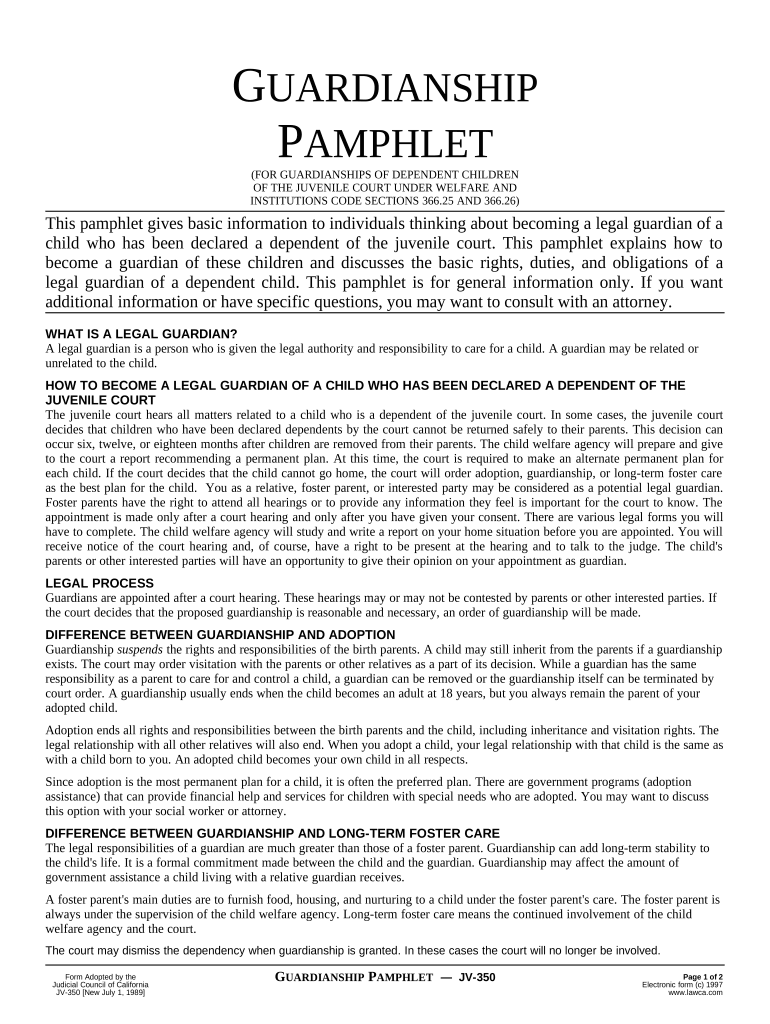
Guardianship Pamphlet - California Preview on Page 1

Here's how it works

01. Edit your form online
Type text, add images, blackout confidential details, add comments, highlights and more.
02. Sign it in a few clicks
Draw your signature, type it, upload its image, or use your mobile device as a signature pad.
03. Share your form with others
Send it via email, link, or fax. You can also download it, export it or print it out.

How to use or fill out Guardianship Pamphlet - California with our platform

Form edit decoration
9.5
Ease of Setup
DocHub User Ratings on G2
9.0
Ease of Use
DocHub User Ratings on G2
  1. Click ‘Get Form’ to open the Guardianship Pamphlet - California in the editor.
  2. Begin by reviewing the introductory section, which outlines the purpose of the pamphlet and provides essential information about becoming a legal guardian.
  3. Fill out your personal information in the designated fields, ensuring accuracy as this will be crucial for court proceedings.
  4. Proceed to the sections detailing rights and responsibilities. Carefully read each point and check any applicable boxes to indicate your understanding and agreement.
  5. If required, add any additional notes or comments in the provided space to clarify your intentions or circumstances regarding guardianship.
  6. Once completed, review all entries for accuracy. Use our platform’s editing tools to make any necessary adjustments before finalizing your document.

Start using our platform today to easily fill out and manage your Guardianship Pamphlet - California for free!

be ready to get more

Complete this form in 5 minutes or less

Get form

Got questions?

We have answers to the most popular questions from our customers. If you can't find an answer to your question, please contact us.
Contact us

Many software applications are available out there for document editing and signing. DocHub is one of the most in-demand online solutions that comply with all security and compliance requirements and ensures your electronically signed documentation is legally enforceable. All you need to try it out is to register an account, add your Guardianship Pamphlet - California, fill out the required details, and click Sign. Generate your electronic signature by typing, drawing it, uploading its image to your template, or scanning a unique QR code.

You can complete and eSign your Guardianship Pamphlet - California on the internet, even on a tight deadline. All you need to access high quality editing instruments on any device is a DocHub account, which you can sign up in a few moments. Once you sign up, upload your document or find what you are searching for in our catalog, complete it using the editing instruments you want, and place your electronic signature on it at the end.

There are two types of guardianships Guardianship of the person. Guardianship of the estate. Pay a fee It costs $225 to start a guardianship of the person case. A guardianship of the estate costs $450 to start. Serve court papers Serving court papers is the official legal way to let someone know you started a court case.
A Go-To Guide for Guardianship Letters Basic Information. In the letter heading, include basic details like names and addresses. Statement of Consent. Grant Powers to Guardian. Describe Your Absence. Provide Contact Details. Get Letter docHubd.
Guardianship can only be established by a court order, so to obtain guardianship over a child or adult, you need to file a petition, even if the parent of a child has already consented to grant guardianship. This process is usually carried out in probate court in the county where the prospective ward resides.

Security and compliance

At DocHub, your data security is our priority. We follow HIPAA, SOC2, GDPR, and other standards, so you can work on your documents with confidence.

Learn more

People also ask

In most counties, youll need to pay a filing fee of $225 to the clerk when you file your forms for a guardianship of the person. For a guardianship of the estate or of the person and the estate, the fee is $435.
TO ESTABLISH A TEMPORARY GUARDIANSHIP, YOU NEED THESE FORMS: GC-020Notice of Hearing - Guardianship or Conservatorship GC-110 Petition for Appointment of Temporary Guardian GC-140 Order Appointing Temporary Guardian GC-150 Letters of Temporary Guardianship
Q: Is notarization legally required for a guardianship form in California? A: Its not always legally required by law, but strongly recommendedand often mandatory for medical and school purposes.
The basic forms that will be required in a very straightforward guardianship proceeding are: GC- 211(81) in which the minors relatives give consent and waive notice to the guardianship, GC- 210 the petition for guardianship, MC-150 describing where the child has lived for the past 5 years, GC-020(81) relating to

Related links