Type text, add images, blackout confidential details, add comments, highlights and more.
02. Sign it in a few clicks
Draw your signature, type it, upload its image, or use your mobile device as a signature pad.
03. Share your form with others
Send it via email, link, or fax. You can also download it, export it or print it out.
How to use or fill out petition underage with our platform
Ease of Setup
DocHub User Ratings on G2
Ease of Use
DocHub User Ratings on G2
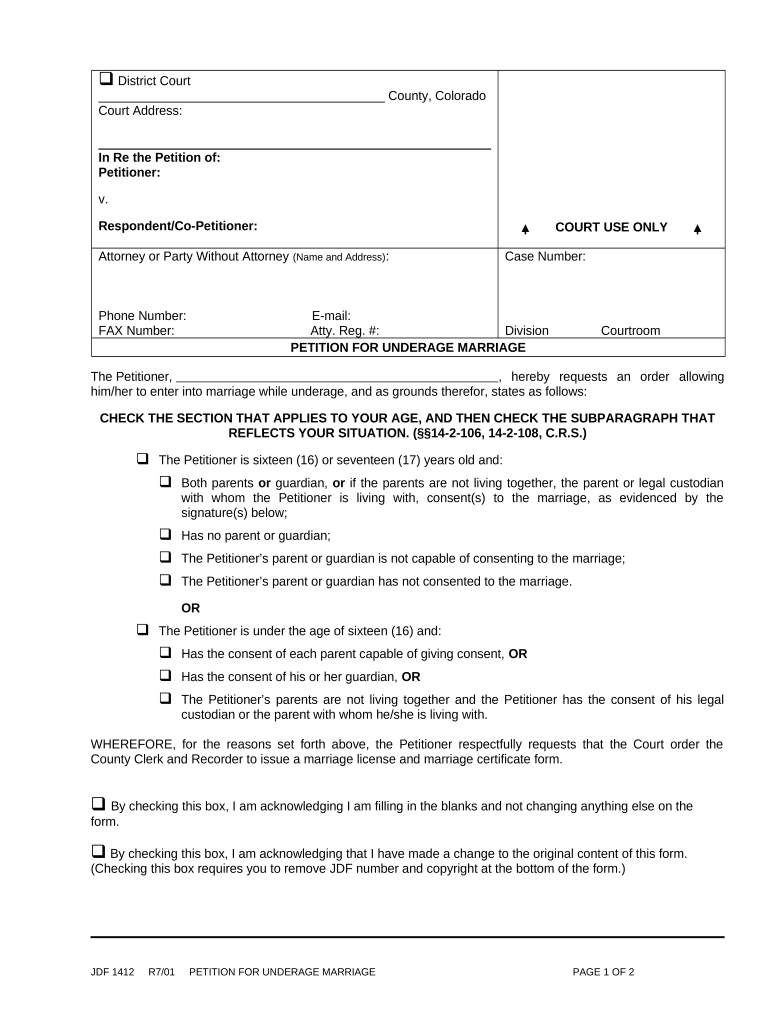
Click ‘Get Form’ to open the petition underage in the editor.
Begin by entering your name as the Petitioner in the designated field. Ensure that all personal information is accurate.
Select your age category by checking the appropriate box for either sixteen/seventeen or under sixteen, then check the subparagraph that applies to your situation.
If applicable, provide details regarding parental consent by filling in the names and signatures of parents or guardians in the specified sections.
Complete the verification section by declaring that all information provided is true and correct. Fill in the date and location where you are signing.
Finally, review your entries for accuracy before saving or exporting your completed form for submission.
Start using our platform today to easily fill out your petition underage for free!
CSPA age calculatorParent petition for child over 21 processing timeHow long does it take to petition a unmarried child over 21CSPA age calculator for F4U.S. citizen petition for child under 21CSPA age freeze F4U.S. citizen petition for child over 21USCIS updates policy on CSPA age calculation
Security and compliance
At DocHub, your data security is our priority. We follow HIPAA, SOC2, GDPR, and other standards, so you can work on your documents with confidence.
Students seeking to enroll in courses who are under eighteen (18) years of age, have not completed high school, and are not pursuing the equivalent of aRead more
Nov 14, 2025 If you were under age 21 at the time the petition was filed, you are eligible for CSPA and will not age out. However, you must remainRead more
Cookie consent notice
This site uses cookies to enhance site navigation and personalize your experience.
By using this site you agree to our use of cookies as described in our Privacy Notice.
You can modify your selections by visiting our Cookie and Advertising Notice.