Statement representative closing 2025

Get Form
statement representative closing Preview on Page 1

Here's how it works

01. Edit your form online
Type text, add images, blackout confidential details, add comments, highlights and more.
02. Sign it in a few clicks
Draw your signature, type it, upload its image, or use your mobile device as a signature pad.
03. Share your form with others
Send it via email, link, or fax. You can also download it, export it or print it out.

How to use or fill out statement representative closing with our platform

Form edit decoration
9.5
Ease of Setup
DocHub User Ratings on G2
9.0
Ease of Use
DocHub User Ratings on G2
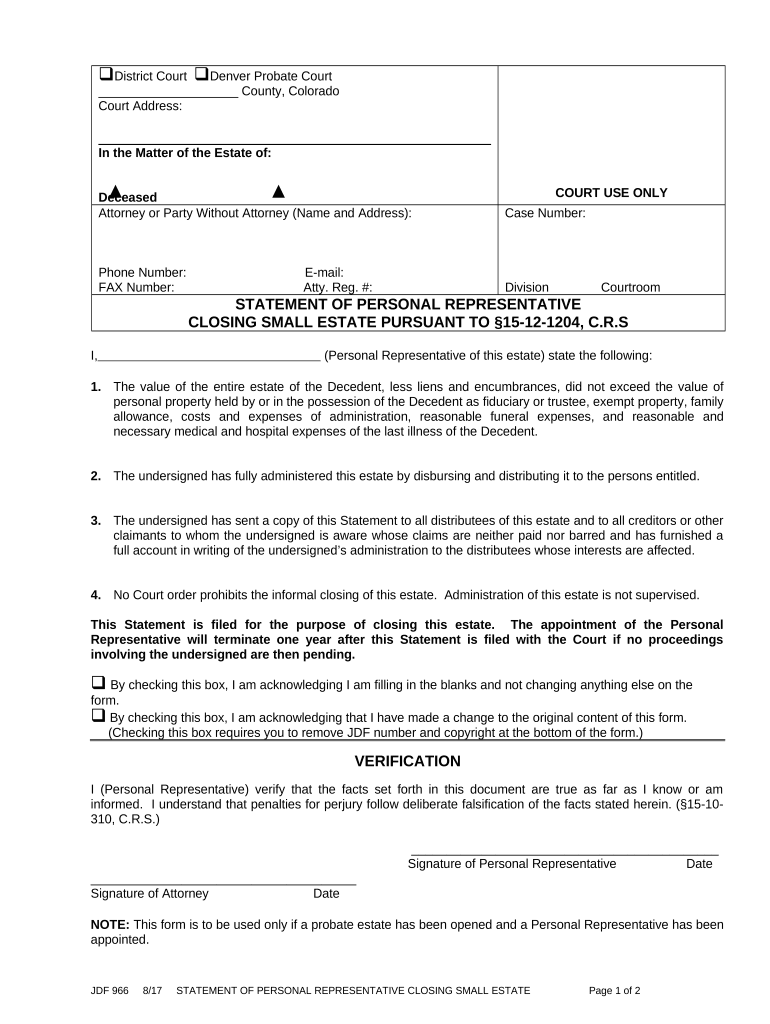
  1. Click ‘Get Form’ to open the statement representative closing document in the editor.
  2. Begin by entering the county and court address at the top of the form. This information is essential for proper identification of the case.
  3. Fill in the details regarding the deceased, including their name and case number. Ensure accuracy as this information is critical for legal processing.
  4. In the section labeled 'I, (Personal Representative of this estate)', provide your name as the personal representative. This identifies you as responsible for administering the estate.
  5. Complete each numbered statement regarding the estate's value, administration, and service to distributees. Be thorough and truthful, as these statements are legally binding.
  6. Sign and date where indicated to verify that all information provided is accurate. If applicable, have your attorney sign as well.
  7. Finally, complete the Certificate of Service section by listing names, relationships to decedent, addresses, and manner of service for each party served.

Start using our platform today to streamline your document editing and signing process for free!

be ready to get more

Complete this form in 5 minutes or less

Get form

Got questions?

We have answers to the most popular questions from our customers. If you can't find an answer to your question, please contact us.
Contact us
Once debt and bills are paid and the remaining assets are distributed, the executor will submit receipts and records of everything to the court. At that time, the executor will ask the court to close the estate and release the individual from the role of executor.
Closing an estate means that the executor has carried out all of their duties and that theres nothing left to do to manage the estate other than distributing assets.
A closing statement is a document that records the details of a financial transaction. A homebuyer who finances the purchase will receive a closing statement from the bank, while the home seller will receive one from the real estate agent who handled the sale.
An estate closing letter to beneficiaries is a crucial document in the process of settling an estate after someone has passed away. It informs the beneficiaries that the estate administration has been completed and all legal obligations, like taxes and debts, have been settled.
Buyers tend to sign the bulk of the paperwork at closing, making some sellers wonder if they will even receive a settlement statement. However, this is one document that holds relevance among all parties to the transaction. Both seller and buyer will receive a copy of the settlement statement at closing to review.

People also ask

The Letter of Authority issued by the Probate Court evidences your appointment as Personal Representative (sometimes referred to as the PR) of the estate and empowers you to act on behalf of the estate. Carefully review the Letters of Authority to identify any restrictions that the court may have imposed.
A Closing Argument, often referred to as a closing statement or summation, is the concluding presentation by an attorney in a trial. It occurs after all evidence has been presented and allows each sides attorney to summarize their case, highlight key points, and make a persuasive argument for their clients position.

Related links