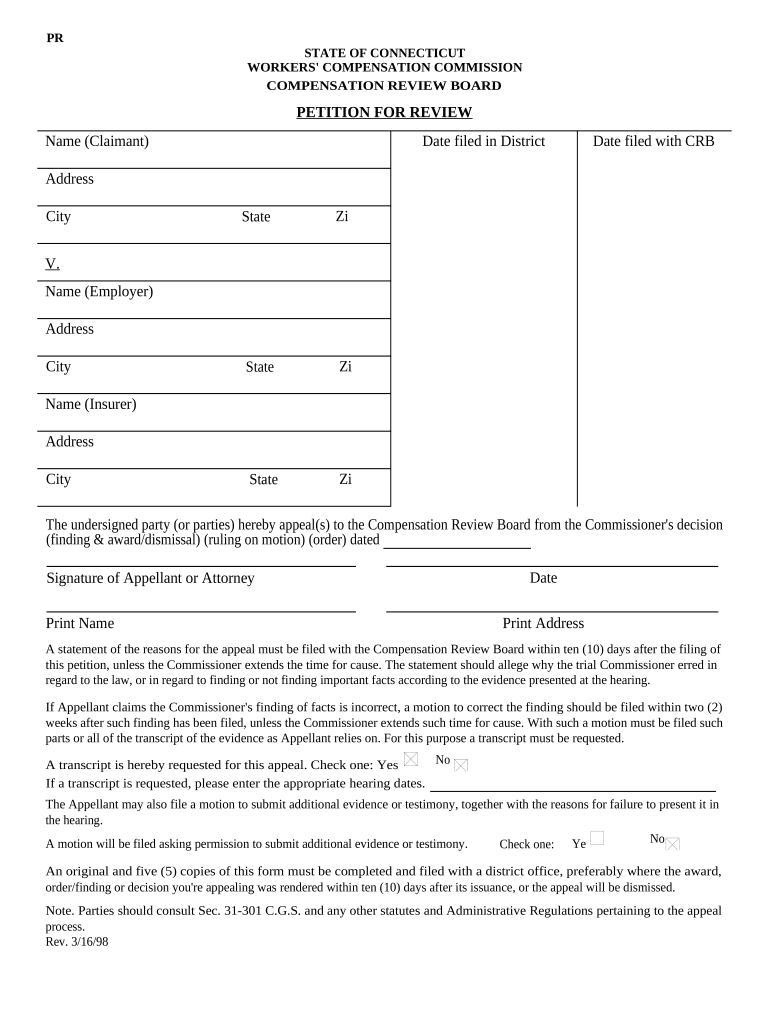
Petition For Review - Connecticut 2026

Get Form
Petition For Review - Connecticut Preview on Page 1

Here's how it works

01. Edit your form online
Type text, add images, blackout confidential details, add comments, highlights and more.
02. Sign it in a few clicks
Draw your signature, type it, upload its image, or use your mobile device as a signature pad.
03. Share your form with others
Send it via email, link, or fax. You can also download it, export it or print it out.

How to use or fill out Petition For Review - Connecticut with our platform

Form edit decoration
9.5
Ease of Setup
DocHub User Ratings on G2
9.0
Ease of Use
DocHub User Ratings on G2
  1. Click ‘Get Form’ to open the Petition For Review in the editor.
  2. Begin by entering your name as the Claimant, along with the date filed in District and with the CRB. Ensure all information is accurate.
  3. Fill in your address details including city, state, and zip code. Repeat this for the Employer and Insurer sections, providing their respective names and addresses.
  4. In the section regarding the appeal, clearly indicate whether you are appealing a finding & award/dismissal, ruling on motion, or order dated. This helps clarify your intent.
  5. Sign and print your name as the Appellant or Attorney. Include the date and your printed address to finalize this section.
  6. If applicable, check 'Yes' for requesting a transcript of evidence and enter relevant hearing dates. If you plan to submit additional evidence later, indicate that as well.
  7. Review all entries for accuracy before saving or exporting your completed form. Remember to file an original and five copies within ten days of issuance.

Start using our platform today to streamline your Petition For Review process for free!

be ready to get more

Complete this form in 5 minutes or less

Get form

Got questions?

We have answers to the most popular questions from our customers. If you can't find an answer to your question, please contact us.
Contact us
Writs of Certiorari The primary means to petition the court for review is to ask it to grant a writ of certiorari. This is a request that the Supreme Court order a lower court to send up the record of the case for review.
In some jurisdictions, a petition for review is a formal request for an appellate tribunal to review the decision of a lower court or administrative body. If a jurisdiction utilizes petitions for review, then parties seeking appellate review of their case may submit a formal petition for review to an appropriate court.
Section 1 of Rule 45 requires that petitions for review be filed and the required fees paid within the prescribed period. Unless exempted by law or rule, such fees must be fully paid in ance with this Circular; otherwise, the Court may deny the petition outright.
A petition for review is the document filed by, or on behalf of, an individual seeking review of an agency decision in a circuit court of appeals. In the immigration context, a petition for review is filed to obtain federal court review of a removal, deportation or exclusion decision issued by the BIA.
Important. More generally, a petition is a formal request advocating for a cause and addressed to an authority. Many signatures are often sought in order to demonstrate support for the cause.

Security and compliance

At DocHub, your data security is our priority. We follow HIPAA, SOC2, GDPR, and other standards, so you can work on your documents with confidence.

Learn more
ccpa2
pci-dss
gdpr-compliance
hipaa
soc-compliance

People also ask

Its very simple. In real life, petitioning the court should mean you file the correct types of court papers (along with any requisite documentation) with the court registry so that it can set a date for a court hearing to deal with your cause of action (i.e. the factual legal subject matter of your case).
How Long Does a Petition for Review Take? The court has 60 days from receipt of the Petition to grant or deny the Petition but may give itself an additional 30 days.

Related links