Teen Court Referral - Wisconsin 2026

Get Form
Teen Court Referral - Wisconsin Preview on Page 1

Here's how it works

01. Edit your form online
Type text, add images, blackout confidential details, add comments, highlights and more.
02. Sign it in a few clicks
Draw your signature, type it, upload its image, or use your mobile device as a signature pad.
03. Share your form with others
Send it via email, link, or fax. You can also download it, export it or print it out.

How to use or fill out Teen Court Referral - Wisconsin with our platform

Form edit decoration
9.5
Ease of Setup
DocHub User Ratings on G2
9.0
Ease of Use
DocHub User Ratings on G2
  1. Click ‘Get Form’ to open the Teen Court Referral in the editor.
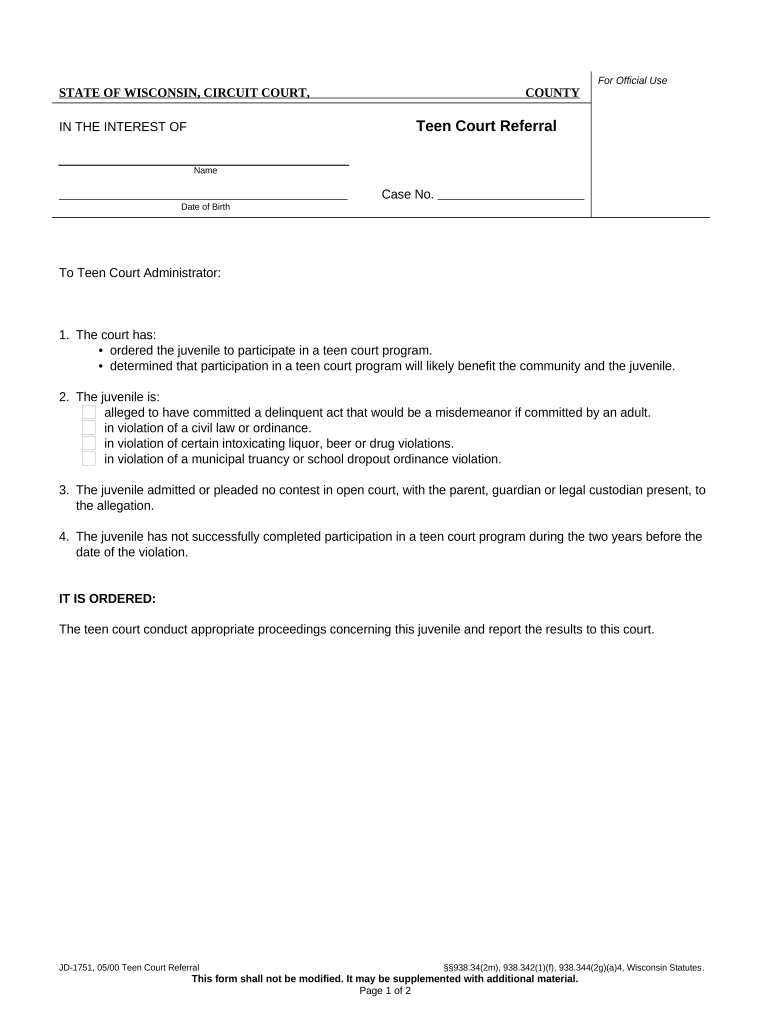
  2. Begin by entering the juvenile's name and case number at the top of the form. Ensure accuracy as this information is crucial for identification.
  3. Fill in the date of birth of the juvenile. This helps establish their age and eligibility for the teen court program.
  4. In section one, indicate whether the court has ordered participation in a teen court program. Check the appropriate box based on the court's decision.
  5. For section two, select all applicable allegations against the juvenile. This may include misdemeanors or violations of civil laws.
  6. Confirm that a parent or guardian was present during any admissions or no contest pleas by checking the relevant box in section three.
  7. Finally, ensure that you have not previously completed a teen court program within two years before this violation, as indicated in section four.
  8. Once all fields are filled out, review your entries for accuracy before saving or printing your document for submission.

Start using our platform today to easily complete your Teen Court Referral form online for free!

be ready to get more

Complete this form in 5 minutes or less

Get form

Got questions?

We have answers to the most popular questions from our customers. If you can't find an answer to your question, please contact us.
Contact us

Most eSignature services require users to have a paid subscription. With DocHub, there are two options for you to create an electronic signature to your Teen Court Referral - Wisconsin without being charged:

  • You can do it during a 7-day trial period;
  • You can sign up for a free plan.

The second option, though, has restrictions on the number of signatures, sign requests, emails, and documents for editing available per month. You can check for full details here.

With DocHub, there are several convenient methods to edit your Teen Court Referral - Wisconsin online. You can drag and drop the form and modify it directly at the DocHub website or use our browser extension to fill out your form right away. Additionally, you can modify your PDF on your smartphone, as DocHub works with all the available mobile platforms.

Security and compliance

At DocHub, your data security is our priority. We follow HIPAA, SOC2, GDPR, and other standards, so you can work on your documents with confidence.

Learn more
ccpa2
pci-dss
gdpr-compliance
hipaa
soc-compliance