Type text, add images, blackout confidential details, add comments, highlights and more.
02. Sign it in a few clicks
Draw your signature, type it, upload its image, or use your mobile device as a signature pad.
03. Share your form with others
Send it via email, link, or fax. You can also download it, export it or print it out.
How to use or fill out establish parental relationship
Ease of Setup
DocHub User Ratings on G2
Ease of Use
DocHub User Ratings on G2
Click ‘Get Form’ to open it in the editor.
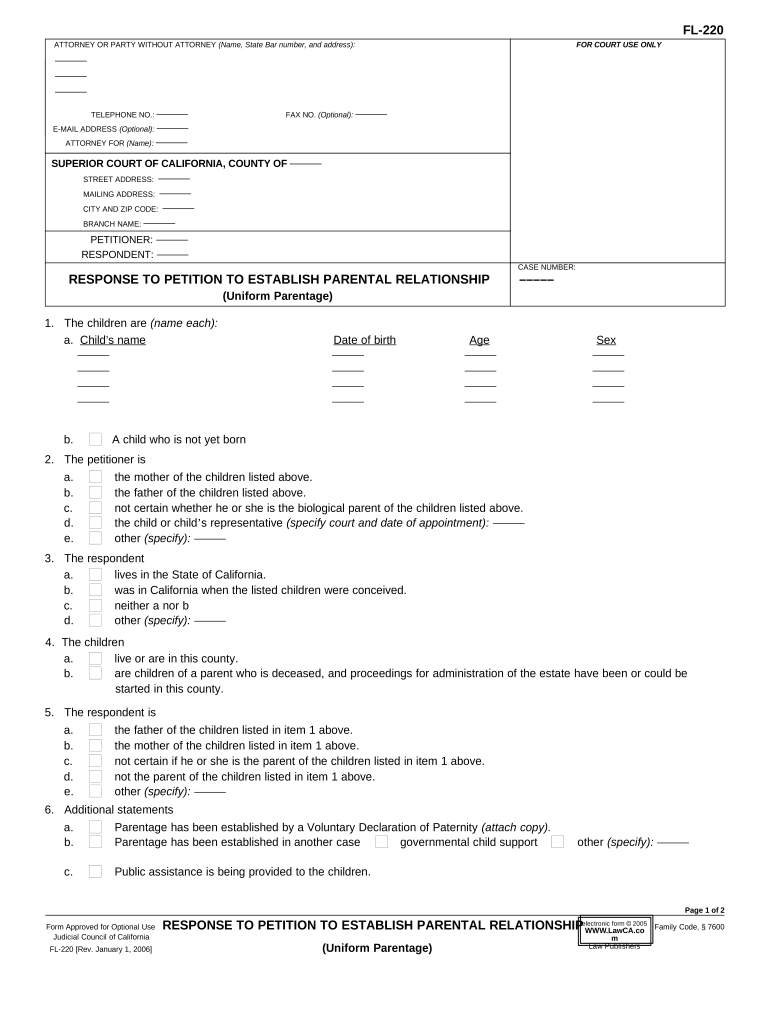
Begin by entering the names of the children in the designated section. Ensure you include each child's name, date of birth, age, and sex accurately.
Identify yourself as the petitioner by selecting your relationship to the children from the provided options. This could be as their mother, father, or other specified roles.
Indicate where the respondent lives or if they were in California during conception. This is crucial for establishing jurisdiction.
Complete additional statements regarding parentage and any existing declarations or cases that may affect this petition.
Specify requests related to custody, visitation rights, and any financial responsibilities such as child support or litigation costs.
Review all entries for accuracy before submitting your form through our platform for processing.
Start using our editor today to streamline your document completion process for free!
Fill out establish parental relationship online It's free
Establish parental relationship non assisted reproductionPetition to establish Parental Relationship FL-200Establish Parental Relationship meaningPetition to Determine Parental Relationship forms packetParentage orientation homework packetParentage caseHow to fill out Petition to determine Parental RelationshipPetition to establish parentage Non IV D
Security and compliance
At DocHub, your data security is our priority. We follow HIPAA, SOC2, GDPR, and other standards, so you can work on your documents with confidence.
Mar 3, 2020 All children will have equal access to securing their parent-child relationships. Connecticut parentage law will be constitutional and willRead more
Cookie consent notice
This site uses cookies to enhance site navigation and personalize your experience.
By using this site you agree to our use of cookies as described in our Privacy Notice.
You can modify your selections by visiting our Cookie and Advertising Notice.