West virginia workers compensation 2026

Get Form
wv workers compensation forms Preview on Page 1

Here's how it works

01. Edit your wv workers compensation forms online
Type text, add images, blackout confidential details, add comments, highlights and more.
02. Sign it in a few clicks
Draw your signature, type it, upload its image, or use your mobile device as a signature pad.
03. Share your form with others
Send west virginia workers compensation via email, link, or fax. You can also download it, export it or print it out.

How to use or fill out West Virginia Workers Compensation with our platform

Form edit decoration
9.5
Ease of Setup
DocHub User Ratings on G2
9.0
Ease of Use
DocHub User Ratings on G2
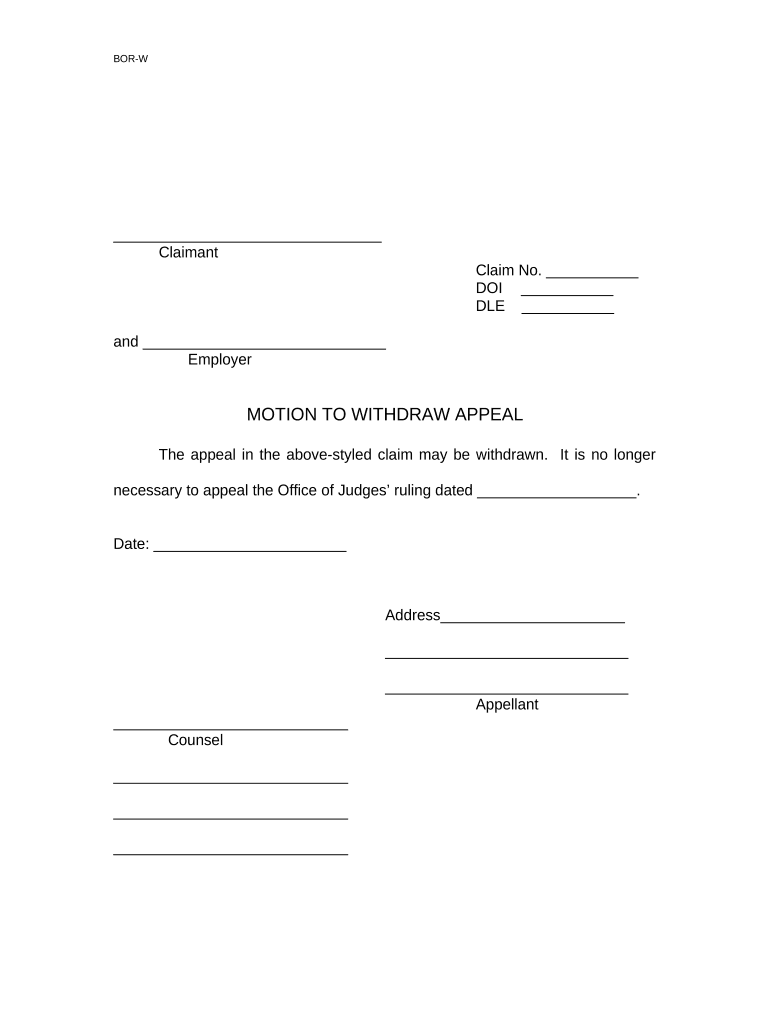
  1. Click ‘Get Form’ to open the West Virginia Workers Compensation document in the editor.
  2. Begin by entering your Claim Number in the designated field. This is crucial for identifying your case.
  3. Fill in the Date of Injury (DOI) and Date Last Employed (DLE) fields accurately to ensure proper processing of your appeal.
  4. In the Employer section, provide the name of your employer as it appears on official documents.
  5. For the Motion to Withdraw Appeal section, indicate the date of the Office of Judges’ ruling that you are referencing.
  6. Complete your address details in the Appellant section, ensuring all information is current and correct.
  7. Finally, sign and date the form where indicated, and if applicable, include your counsel's information below.

Start using our platform today to streamline your West Virginia Workers Compensation form completion for free!

be ready to get more

Complete this form in 5 minutes or less

Get form

Got questions?

We have answers to the most popular questions from our customers. If you can't find an answer to your question, please contact us.
Contact us

Electronic document signing demands a software solution that works in compliance with data security and eSignature regulations. DocHub is a great tool for that, since it meets all the above mentioned requirements. Whatever method you like to sign your workers compensation wv in DocHub, your eSignature will be legally binding and court-admissible.

It is a no-brainer on a computer or via a mobile device to complete a wv workers' compensation forms with DocHub. All you need to do is open any installed internet browser on your smartphone and go to the DocHub website. Once authenticated, add your file and open it in editing mode. Use our toolbar to make your edits and save adjustments. Optionally, keep your document in your files or send it to a recipient on the spot.

What Not to Say to an Insurance Adjuster Never Admit Fault. Avoid Giving a Recorded Statement. Dont Downplay Your Injuries or Damages. Refrain From Speculating or Guessing. Be Cautious About the First Settlement Offer. Avoid Sharing Too Much Information.
Coverage Requirements An employee is viewed broadly under workers compensation law and includes part-time, seasonal and temporary workers, minors, trainees, immigrants and working family members. Employers - Virginia Workers Compensation Commission virginia.gov content employers virginia.gov content employers
You must be an employee. Your employer must carry workers comp insurance. You must have a work-related injury or illness.

Security and compliance

At DocHub, your data security is our priority. We follow HIPAA, SOC2, GDPR, and other standards, so you can work on your documents with confidence.

Learn more
ccpa2
pci-dss
gdpr-compliance
hipaa
soc-compliance