Type text, add images, blackout confidential details, add comments, highlights and more.
02. Sign it in a few clicks
Draw your signature, type it, upload its image, or use your mobile device as a signature pad.
03. Share your form with others
Send it via email, link, or fax. You can also download it, export it or print it out.
How to use or fill out order interrogatories with our platform
Ease of Setup
DocHub User Ratings on G2
Ease of Use
DocHub User Ratings on G2
Click ‘Get Form’ to open the order interrogatories in the editor.
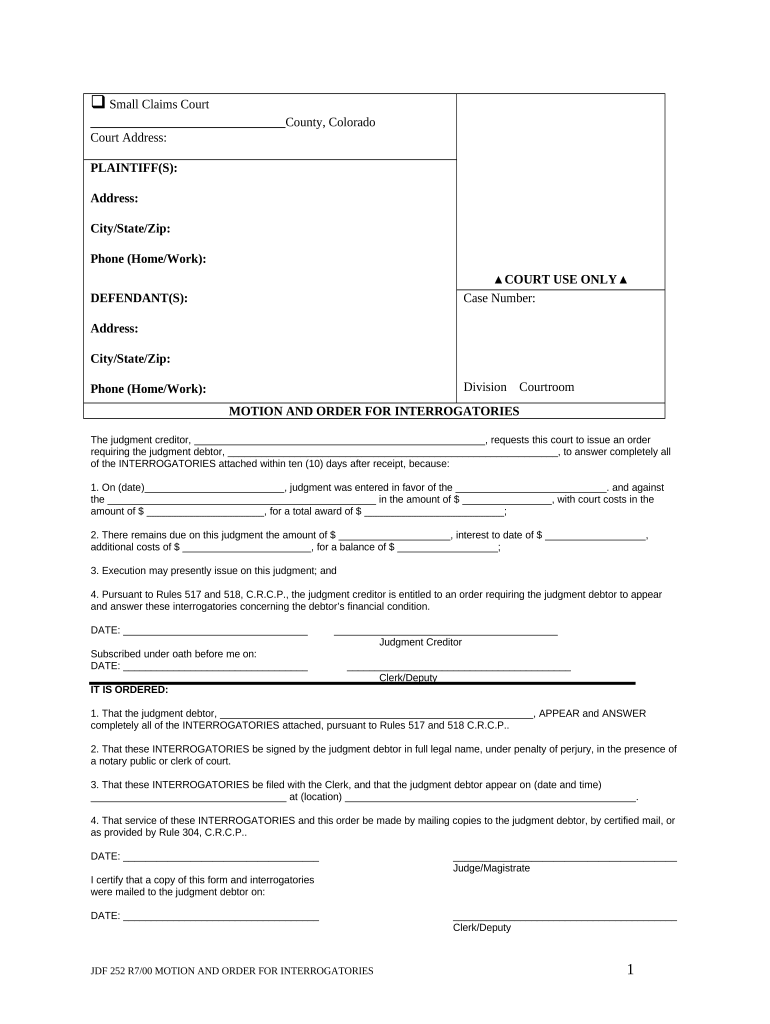
Begin by filling in the plaintiff and defendant information, including names, addresses, and contact details. Ensure accuracy as this information is crucial for court records.
In the motion section, clearly state the judgment creditor's name and the amount due. This establishes the basis for your request for interrogatories.
Proceed to answer each interrogatory thoroughly. Each question requires specific financial details about assets, income, and liabilities. Take your time to provide complete answers.
Once all fields are filled out, review your responses for accuracy. Use our platform’s editing tools to make any necessary adjustments before finalizing.
Sign the document under penalty of perjury and ensure it is notarized if required. This step is essential for legal validity.
Finally, submit your completed form by filing it with the Clerk of Court as instructed in the document.
Start using our platform today to streamline your order interrogatories process for free!
That these INTERROGATORIES be signed by the judgment debtor in full legal name, under penalty of perjury, in the presence of a notary public or clerk of court.Read more
ATTORNEY GENERAL. Civil Case Files (Series 3). File list
Interrogatories and answers, 1973. 9 folders. Transcripts, 1973-1974 (includes deposition of Robert F. Norton). 1 folder. Correspondence, 1973-1974. 1Read more
Cookie consent notice
This site uses cookies to enhance site navigation and personalize your experience.
By using this site you agree to our use of cookies as described in our Privacy Notice.
You can modify your selections by visiting our Cookie and Advertising Notice.